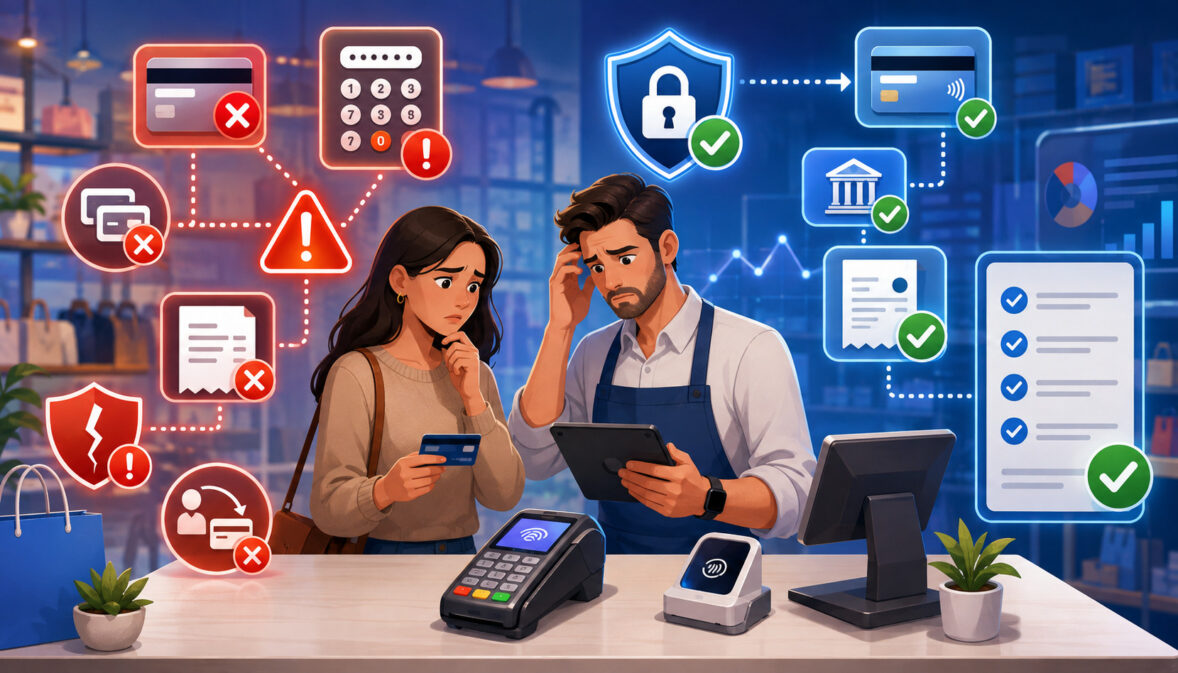
Accepting payments may appear straightforward from the customer’s perspective. A customer taps a card, enters payment information online, follows a payment link, or authorizes a bank transfer.
Behind that brief interaction, however, several systems must communicate correctly to authorize the transaction, record the sale, transfer funds, protect sensitive information, and update business records.
Mistakes anywhere in this process can create declined transactions, duplicate charges, unexpected processing fees, delayed deposits, accounting discrepancies, security exposure, customer complaints, and payment disputes.
Some errors affect only one transaction, while others reflect weaknesses in a business’s technology, procedures, employee training, or processor agreement.
Understanding the common payment processing mistakes to avoid helps businesses create more dependable payment workflows. The goal is not to eliminate every possible error, which is unrealistic, but to identify preventable weaknesses before they become recurring payment processing problems.
A reliable payment acceptance process combines appropriate technology, understandable pricing, documented procedures, trained employees, secure systems, accurate reconciliation, and regular performance reviews.
These controls are valuable whether a business accepts payments at a counter, through an ecommerce checkout, by telephone, through invoices, or on a recurring schedule.
Understanding Payment Processing Mistakes
Payment processing mistakes include technical errors, operational oversights, security weaknesses, accounting gaps, and poor customer communication. They may occur when a transaction is authorized, captured, settled, refunded, disputed, or recorded in an accounting system.
For example, a customer might be charged twice because a checkout button allows repeated submissions. A refund may be processed in the payment dashboard but never entered into the accounting platform. A transaction may be approved but remain uncaptured because the order-management system does not correctly update the payment status.
These problems can affect more than the payment itself. They may increase processing costs, interrupt cash flow, create extra work for employees, damage customer confidence, and make it harder to identify fraud or financial discrepancies.
Occasional Errors Versus Systemic Problems
An occasional transaction error does not necessarily indicate that the entire payment system is failing. A legitimate payment may be declined because of an issuer decision, an expired card, insufficient available funds, a mistyped security code, or a temporary network problem.
Systemic payment processing issues occur repeatedly or affect multiple customers, locations, devices, or sales channels. Frequent duplicate transactions, unexplained settlement delays, recurring checkout failures, or repeated accounting mismatches usually require a broader investigation.
Common causes of ongoing problems include:
- Incorrectly configured payment technology
- Weak integrations between business systems
- Inadequate employee training
- Poorly documented refund procedures
- Unsuitable fraud settings
- Unclear processor contract terms
- Failure to monitor reports and error messages
- Outdated terminals, plugins, or software
Businesses should document the frequency, timing, sales channel, device, transaction type, and error code associated with each issue. Patterns often reveal whether the problem is isolated or built into the payment workflow.
How Payment Mistakes Affect the Business
Payment processing errors can reduce approval rates by blocking legitimate transactions. They can also increase costs through additional authorization attempts, chargeback fees, avoidable equipment expenses, incorrect transaction routing, or pricing that does not fit the business’s sales pattern.
Cash flow may be affected when transactions are captured late, batches are not closed properly, settlements are delayed, or processor deposits are not reconciled. Customer service teams may then struggle to explain why a charge is pending, duplicated, refunded, or missing.
Security mistakes create another layer of risk. Shared accounts, weak passwords, unsecured networks, improper data storage, and excessive employee permissions can expose payment systems to unauthorized access.
Choosing a Processor and Understanding the Agreement

One of the most serious merchant processing mistakes is choosing payment services based only on an advertised rate. A percentage shown in marketing material rarely explains the complete cost, contractual commitment, technical limitations, or settlement process.
A suitable payment processor should support the business’s sales channels, transaction volume, average ticket amount, refund patterns, accepted payment methods, software integrations, and customer service needs. The lowest-looking rate may not provide the lowest effective cost once all fees and operating requirements are considered.
Choosing the Wrong Payment Processor
Businesses should evaluate how a processor fits their actual operations. A retail store processing mostly card-present transactions has different needs from an ecommerce merchant, subscription service, mobile business, or professional service provider collecting invoice payments.
Important questions include:
- Which card-present and card-not-present methods are supported?
- Does the system support ACH payments, digital wallets, contactless payments, or recurring billing?
- Is the gateway compatible with the website, point-of-sale system, and accounting software?
- What transaction, monthly, gateway, equipment, and dispute fees may apply?
- How are support requests and payment outages handled?
- What funding schedules, transaction limits, or reserve conditions apply?
- Can transaction and settlement data be exported in a useful format?
Businesses should also consider future requirements. Selecting a system that handles today’s transaction volume but cannot support additional locations, online ordering, mobile payments, or subscriptions may create an expensive migration later.
A processor should be evaluated as part of the complete payment system rather than as a standalone vendor. The business must understand how the merchant account, payment gateway, terminals, software, fraud tools, reporting, and settlement process work together.
Failing to Understand Processing Fees
Payment processing costs may include interchange, network assessments, authorization charges, gateway fees, monthly fees, statement fees, equipment costs, batch charges, chargeback fees, account-update services, compliance-related fees, and early termination charges.
Different pricing models organize these costs differently. Under interchange-plus pricing, interchange and network costs are generally shown separately from the processor’s markup.
Tiered pricing groups transactions into categories that may have different rates. Flat-rate arrangements combine several cost components into a simplified transaction rate, although other fees may still apply.
No pricing structure is automatically best for every business. Transaction volume, average ticket size, card type, payment channel, industry, refund activity, and card-present or card-not-present status can all affect the result.
Businesses should calculate an effective processing cost by comparing total processing expenses with total processed sales for the same period. This provides a broader view than focusing on one quoted percentage.
A detailed explanation of payment processing costs and fee categories can help teams understand how transaction and account-level charges may appear.
Ignoring Contract Terms
Processing agreements may contain provisions related to contract length, automatic renewal, rate adjustments, processing minimums, reserve requirements, equipment leases, cancellation procedures, and early termination.
Equipment arrangements deserve special attention. A terminal lease may continue separately from the processing agreement, which can leave the business responsible for equipment payments after processing services are canceled.
Businesses should obtain important commitments in writing, including pricing, supported integrations, settlement expectations, equipment ownership, cancellation steps, and any promised waivers. Verbal statements may be difficult to verify later.
Before signing, decision-makers should review:
- The initial agreement period
- Automatic renewal conditions
- Required cancellation notice
- Early termination provisions
- Equipment purchase or lease terms
- Rate-change clauses
- Monthly minimums
- Reserve or funding-hold conditions
- Transaction limits
- Procedures for retrieving records after termination
Contract, tax, and regulatory questions may require review by an appropriate professional. General payment guidance should not replace advice based on the business’s specific agreement and obligations.
Using Appropriate Payment Technology

Payment technology includes terminals, point-of-sale systems, ecommerce plugins, payment gateways, mobile applications, virtual terminals, payment links, customer portals, and accounting integrations.
Using outdated, incompatible, or poorly configured technology can cause declined payments, duplicate charges, incorrect totals, security exposure, incomplete reporting, and customer frustration. Technology should match both the transaction environment and the business workflow.
Using Outdated or Poorly Configured Systems
Old payment terminals may lack support for current contactless, chip, authentication, or software requirements. Unsupported ecommerce plugins can create compatibility problems after a website platform or gateway is updated.
Configuration errors can be equally disruptive. Incorrect tax settings, duplicated gateway connections, mismatched currencies, expired API credentials, or improperly mapped order statuses can produce inaccurate transactions even when the software itself is current.
Businesses should maintain an inventory of:
- Payment terminals and mobile readers
- Point-of-sale software versions
- Gateway plugins and application connections
- Production and testing credentials
- Connected accounting and inventory systems
- Devices permitted to access payment dashboards
- Responsible owners for updates and testing
Every update should be tested in a controlled environment when possible. Teams should verify approvals, declines, refunds, voids, partial refunds, digital wallets, receipts, webhooks, and settlement reports before relying on a changed system.
The payment gateway integration checklist provides additional guidance on testing credentials, checkout behavior, refunds, webhooks, settlement reporting, and duplicate-event handling.
Treating Every Sales Channel the Same
In-person, ecommerce, invoice, telephone, mobile, subscription, and ACH transactions have different workflows, costs, customer expectations, and security considerations.
Card-present transactions may use chip or contactless technology and benefit from direct interaction with the customer. Card-not-present transactions depend more heavily on secure checkout design, billing details, authentication, transaction records, and fraud controls.
Telephone transactions require employees to handle information carefully through a virtual terminal. Subscription payments require documented authorization, tokenized payment methods, recurring schedules, failed-payment procedures, and cancellation records.
Channel-specific procedures should define:
- How authorization is obtained
- Which information employees may collect
- Which verification controls are used
- How receipts and confirmations are delivered
- How refunds are processed
- How transaction records are retained
- How disputes are documented
- How each channel is reconciled
Customer service should remain consistent across channels, but the underlying controls should reflect the risks and technical requirements of each payment method.
Making Payment Processor Migration Mistakes
Changing processors or payment platforms can disrupt billing, reporting, and customer service when the migration is rushed. Common problems include missing payment tokens, failed subscription transfers, incorrect tax settings, broken webhooks, incomplete transaction history, and employees using old procedures after launch.
Before migration, create a written inventory of every payment-related connection. This includes websites, mobile apps, terminals, recurring billing systems, accounting tools, customer portals, fraud settings, receipts, notification templates, and settlement reports.
A practical migration checklist should include:
- Confirm the new account and transaction limits.
- Map existing payment methods and channels.
- Determine whether stored tokens can be transferred securely.
- Test recurring billing schedules and customer records.
- Rebuild and verify integrations.
- Test successful and failed transactions.
- Validate taxes, tips, discounts, refunds, and receipts.
- Train employees before launch.
- Create a rollback and escalation plan.
- Reconcile the final old-system deposit with the first new-system deposits.
The old system should not be canceled until the business confirms that required records are available and the new environment is operating as expected.
Neglecting Payment Security and Data Protection
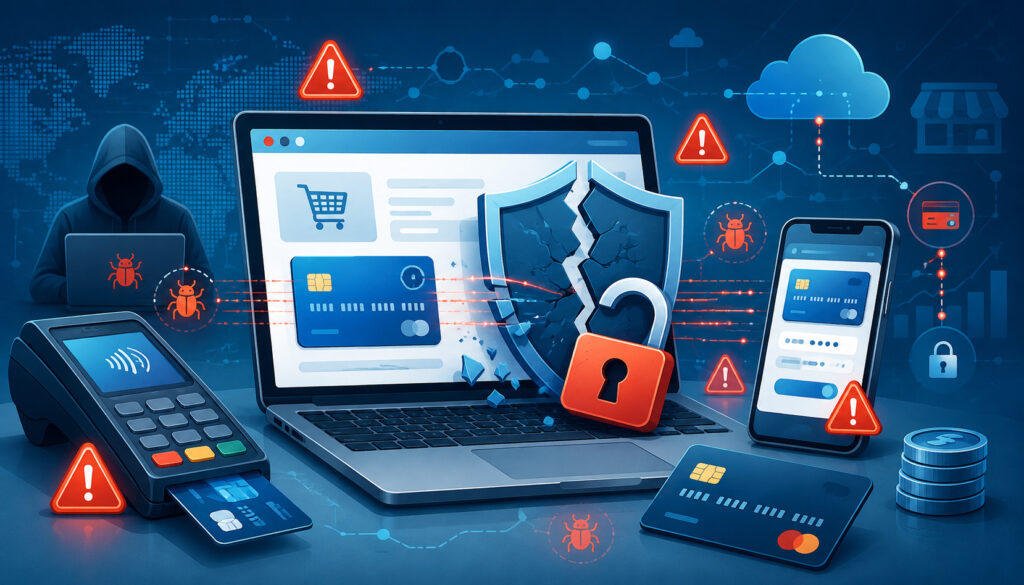
Payment security is not a single product or checkbox. It involves technology, employee behavior, account management, network protection, software maintenance, data handling, and incident response.
The Payment Card Industry Data Security Standard applies to entities that store, process, or transmit cardholder data, as well as systems that can affect the security of that environment.
The exact validation responsibilities depend on the payment setup and contractual relationships. Businesses should use the official payment security requirements and consult qualified specialists when determining their scope.
Relying on Weak Security Controls
Weak passwords, shared user accounts, outdated software, unrestricted administrator access, and unsecured networks are common credit card processing mistakes. These weaknesses can allow unauthorized users to view transactions, issue refunds, change bank information, export records, or access system credentials.
Businesses should use unique accounts for each employee and assign permissions according to job responsibilities. A cashier may need to accept payments but not change gateway settings. A customer service employee may need to view transactions and request refunds but not export settlement files or access API credentials.
Useful controls include:
- Multifactor authentication
- Strong, unique passwords
- Password-management tools
- Role-based access permissions
- Automatic session timeouts
- Regular permission reviews
- Prompt removal of former employee accounts
- Secure storage and rotation of API credentials
- Software and device updates
- Monitoring for unusual login or refund activity
Multifactor authentication requires an additional verification method beyond a password, making a stolen password less useful by itself. Businesses can review multifactor authentication guidance and business software update guidance when developing internal controls.
No control eliminates all risk. Security measures should be layered and reviewed regularly.
Storing Sensitive Payment Data Improperly
Businesses should avoid storing raw payment information unless storage is necessary, permitted, and protected under applicable requirements. Keeping card numbers in spreadsheets, email messages, customer notes, paper forms, recorded calls, or unprotected databases creates unnecessary exposure.
Sensitive authentication data, including card security codes, requires especially careful treatment. Employees should never copy this information into order notes or customer relationship systems for future use.
Tokenization replaces sensitive payment details with a substitute value that can be used for approved payment activities. A subscription platform, for example, can store a token associated with the customer instead of storing the card number directly.
Hosted payment pages, secure hosted fields, and approved payment vaults can also reduce the amount of payment data that passes through business systems. The small-merchant safe-payment guide explains different payment environments and the importance of limiting exposure to card data.
Tokenization and encryption reduce certain risks but do not remove every responsibility. Tokens, encryption keys, administrative accounts, and connected applications still require access controls and monitoring.
Providing Inadequate Employee Training
Employees can unintentionally create payment processing problems even when the technology is working correctly. Insufficient training may result in duplicate transactions, incorrect refunds, exposed payment information, mishandled receipts, or inaccurate explanations to customers.
Training should be specific to each role. Frontline employees need to understand how to accept payments, identify transaction status, handle declines, prevent repeated submissions, and protect customer privacy.
Managers may require training on refunds, voids, permissions, suspicious transactions, dispute escalation, and terminal troubleshooting. Finance teams need to understand settlement reports, fees, adjustments, chargebacks, and reconciliation.
A payment acceptance training program should cover:
- Approved payment procedures
- Information employees may and may not record
- Refund and void differences
- Declined transaction handling
- Duplicate-charge prevention
- Receipt and document handling
- Fraud escalation procedures
- Secure account access
- Customer communication
- System outage procedures
- Incident reporting
- Employee departure and access removal
Training should be refreshed when systems, policies, payment methods, or job responsibilities change. Short scenario-based exercises are often more useful than asking employees to read a policy without demonstrating the workflow.
Managing Card-Not-Present Payments and Checkout Errors
Card-not-present transactions include ecommerce orders, telephone payments, virtual-terminal entries, online invoices, payment links, and recurring billing.
Because the physical payment method is not presented to an employee or terminal, these transactions require suitable verification, secure data collection, accurate transaction records, and careful fraud controls.
Mishandling Card-Not-Present Transactions
A common mistake is treating every online or telephone order as either completely safe or automatically suspicious. Overly weak controls may increase fraud exposure, while overly strict rules may reject legitimate customers.
Businesses can consider tools such as address verification, security-code checks, customer authentication, velocity limits, device signals, and manual review. These tools provide risk information, but none proves by itself that a transaction is legitimate or fraudulent.
Useful card-not-present records may include:
- Order and transaction identifiers
- Customer-provided billing details
- Authorization results
- Verification responses
- Delivery or service records
- Customer communications
- Terms accepted during checkout
- Refund and cancellation history
Clear billing descriptors are also important. Customers who do not recognize a statement description may contact their issuer rather than the business.
Fraud controls should be adjusted according to transaction value, product type, delivery speed, customer history, and payment channel. The goal is to evaluate risk without adding unnecessary friction for legitimate customers.
Ignoring Declined and Duplicate Transactions
A payment may be declined because of incorrect information, account restrictions, insufficient available funds, an expired payment method, suspected fraud, verification failure, or an issuer decision. Employees usually receive only a limited decline response and should not speculate about private account details.
When a payment is declined:
- Confirm that the amount and entered information are correct.
- Ask the customer to retry carefully only when appropriate.
- Avoid repeatedly submitting the same unchanged transaction.
- Offer another accepted payment method.
- Suggest that the customer contact the card issuer when necessary.
- Protect the customer from embarrassment by communicating discreetly.
- Record recurring technical decline patterns for investigation.
Duplicate transactions often result from repeated button clicks, network timeouts, browser refreshes, webhook retries, or employees resubmitting a payment before checking its status.
Online systems should disable repeated submissions while a request is processing and use duplicate-event controls where supported. Employees should search by order number, amount, time, and transaction identifier before attempting another charge.
Creating a Complicated Checkout Experience
A secure checkout can still fail if it is difficult to use. Unnecessary form fields, forced account creation, unclear totals, hidden charges, poor mobile layouts, slow pages, limited payment methods, and confusing error messages can interrupt otherwise legitimate purchases.
Customers should see the total amount, taxes, shipping charges, recurring terms, and other required costs before submitting payment. Required fields should be clearly identified, and errors should appear near the relevant field with instructions for correcting the problem.
Good checkout practices include:
- Collecting only necessary information
- Supporting autofill where appropriate
- Using readable labels rather than placeholder text alone
- Making buttons easy to select on small screens
- Preserving entered information after a correctable error
- Showing a clear processing state
- Preventing repeated submissions
- Providing a confirmation page and receipt
- Testing with keyboards and assistive technology
- Testing across phones, tablets, and desktop devices
The accessible forms guidance recommends clearly labeled controls, understandable instructions, and useful error feedback. Form designs should help users identify and correct mistakes rather than forcing them to restart the entire payment process.
Offering Payment Methods and Managing Customer Commitments
Businesses need enough payment options to serve their customers without creating unnecessary complexity. Every additional method introduces operational requirements involving reporting, refunds, settlement, security, training, and support.
The best payment mix depends on the business model, customer preferences, transaction value, billing frequency, and sales channels.
Offering Too Few or Too Many Payment Methods
Accepting only one payment method may cause inconvenience when customers prefer contactless payments, digital wallets, ACH transfers, mobile payments, online invoices, or recurring billing.
Accepting every available method can also create problems. Employees may not understand each workflow, reports may become fragmented, and rarely used options may add technical or administrative costs.
Businesses should evaluate each method based on:
- Customer demand
- Transaction size and frequency
- Payment speed and settlement characteristics
- Refund and return procedures
- Fraud and unauthorized-payment risks
- Recurring billing requirements
- Integration and reporting quality
- Employee training needs
- Accessibility and ease of use
ACH payments may be useful for invoices, recurring obligations, and certain larger transactions, but authorization, return handling, account verification, and data security require careful procedures. Businesses considering this channel can review ACH payment security practices.
Payment methods should be reviewed periodically. Customer behavior, sales channels, and operational capabilities may change over time.
Managing Chargebacks and Refunds Poorly
Chargebacks may result from unauthorized transactions, delivery problems, incorrect totals, unclear billing descriptors, forgotten subscriptions, unresolved customer complaints, or confusion about refund timing.
Businesses should not attempt to prevent customers from exercising legitimate dispute rights. The better approach is to reduce avoidable confusion and maintain accurate documentation.
Useful records may include:
- The original order
- Transaction authorization information
- Product or service descriptions
- Delivery confirmation
- Customer communications
- Refund and cancellation policies
- Terms accepted at checkout
- Subscription consent
- Refund records
- Attempts to resolve the complaint
Dispute notices should be routed to a responsible employee immediately because response deadlines may be short. The response should address the stated dispute reason and include relevant, organized documentation rather than unrelated records.
Refund policies should be visible before payment and repeated in suitable locations such as receipts, invoices, contracts, confirmation emails, and checkout pages. Employees should explain expected refund processing without promising a date they cannot control.
Businesses should also analyze dispute patterns. Repeated disputes linked to one product, descriptor, shipping method, employee, or sales channel may indicate an underlying payment acceptance mistake.
Using Incorrect Recurring Billing Practices
Recurring billing requires clear authorization, accurate schedules, understandable statements, secure payment credentials, and accessible cancellation procedures.
Common mistakes include enrolling customers without clear consent, hiding the billing frequency, failing to explain trial conversions, continuing charges after cancellation, making cancellation unnecessarily difficult, and sending confusing receipts.
A responsible recurring payment process should:
- Explain the amount and billing frequency before enrollment.
- Obtain and record affirmative authorization.
- Provide confirmation of the recurring arrangement.
- Use tokenized payment credentials where appropriate.
- Send reminders when required or operationally useful.
- Explain how customers can update payment details.
- Provide an accessible cancellation process.
- record cancellation requests and effective dates.
- Prevent duplicate subscription records.
- Reconcile scheduled charges with actual transactions.
Charges should be authorized, and recurring terms should be communicated clearly. Businesses can review payment and billing guidance while also verifying the laws, card-network rules, processor terms, and contractual obligations that apply to their activities.
Reconciling Transactions and Monitoring Performance
Payment acceptance does not end when a transaction is approved. The business must confirm that transactions are captured, included in batches, settled, deposited, recorded, refunded, and adjusted correctly.
Without reconciliation, errors may remain hidden until a customer complains, a statement arrives, or the accounting team cannot explain a deposit.
Failing to Reconcile Transactions
Reconciliation compares sales records with processor activity, settlement reports, bank deposits, refunds, chargebacks, tips, fees, and accounting entries.
A daily process may be appropriate for businesses with frequent transactions, multiple employees, tips, or several sales channels. Lower-volume businesses may use a different schedule, but long gaps make discrepancies harder to investigate.
A practical reconciliation workflow is:
- Compare completed orders with authorized and captured payments.
- Confirm that voided or canceled orders were not settled.
- Match refunds with original transactions.
- Review duplicate or unusually timed transactions.
- Compare batch totals with settlement reports.
- Identify fees, chargebacks, reserves, and adjustments.
- Match net settlement amounts with bank deposits.
- Record differences and assign them for investigation.
- Confirm that corrections appear in later reports.
- Retain supporting documentation according to applicable requirements.
A payment can be approved without being captured, and a captured payment may be deposited net of fees or adjustments. Understanding the payment settlement workflow helps finance teams distinguish authorization, capture, batching, settlement, and funding.
Failing to Review Statements and Performance
Processor statements should be reviewed regularly rather than filed automatically. A statement may reveal rate changes, new monthly charges, equipment fees, unusual transaction types, chargebacks, funding adjustments, or differences between expected and actual pricing.
A simple statement-review checklist includes:
- Total processed sales
- Total number of transactions
- Refund and chargeback activity
- Interchange and assessment categories
- Processor markups
- Monthly and statement charges
- Gateway and equipment fees
- Compliance-related charges
- Batch and authorization fees
- Rate or pricing changes
- Reserve activity
- Unusual adjustments
- Net settlement totals
Businesses should also monitor operational metrics such as approval rates, declined transactions, refund levels, dispute activity, settlement timing, checkout abandonment, duplicate transactions, and system downtime.
There is no universal benchmark suitable for every business. Results vary by payment channel, transaction value, customer mix, product type, billing model, and fraud exposure. The useful comparison is often the business’s own performance across similar periods and channels.
Keeping Poor Records and Ignoring Complaints
Records help businesses investigate disputes, explain transactions, reconcile deposits, support refunds, and identify recurring problems. Recordkeeping should follow applicable privacy, tax, contractual, payment-network, and compliance requirements rather than an assumed universal retention period.
Potentially useful records include:
- Transaction and authorization identifiers
- Order or invoice details
- Customer consent records
- Refund and cancellation activity
- Delivery or service evidence
- Receipts and confirmation messages
- Settlement and deposit reports
- Employee actions
- Customer communications
- Dispute notices and responses
- System error and outage records
Access should be limited according to job responsibilities. Retaining unnecessary sensitive data can create risk rather than value.
Customer complaints should be categorized and tracked. Reports of duplicate charges, delayed refunds, incorrect totals, failed checkout attempts, confusing descriptors, or unexpected recurring payments may reveal a broader process failure.
Employees should acknowledge the complaint, verify the transaction, explain what can be confirmed, avoid unsupported promises, and document the resolution. Management should review patterns rather than treating each complaint as an unrelated event.
Preparing for Payment System Downtime
Internet outages, power interruptions, terminal failures, gateway disruptions, software defects, and integration errors can prevent businesses from accepting payments.
Waiting until an outage occurs often leads to improvised procedures, inconsistent customer communication, and unsafe handling of payment information.
Creating a Secure Contingency Procedure
A downtime plan should identify who determines whether the issue affects one device, one location, one channel, or the entire payment environment. Employees should know which support contacts, status pages, backup connections, and approved payment alternatives are available.
The plan may include:
- Restart and connection checks approved by technical support
- A backup terminal or network connection
- Secure payment links delivered through an approved system
- Invoice-based payment for eligible customers
- Approved processor or POS offline functionality
- Clear rules for transaction limits and manager approval
- Procedures for recording orders without storing sensitive payment data
- Customer communication templates
- Escalation and incident documentation
Businesses should not write card security codes or full payment credentials on paper, in email, or in general business software. Offline payment functions should be used only when approved, properly configured, and understood.
The business should also decide whether transactions will be delayed, moved to another channel, or declined temporarily when safe processing is unavailable.
Recovering Without Creating Duplicate Charges
When service returns, employees should not automatically resubmit every payment attempt. Some transactions may have been authorized even though the checkout or terminal did not display a confirmation.
Before retrying, search the payment system using the amount, time, order number, customer record, and transaction identifier. Confirm whether the payment was approved, captured, pending, reversed, or absent.
After an outage:
- Reconcile all attempted transactions.
- Identify orders without confirmed payment.
- Check for duplicate authorizations or charges.
- Process approved offline transactions according to the authorized procedure.
- Contact affected customers when clarification is necessary.
- Record the cause, duration, and operational impact.
- Update the contingency plan based on what failed.
A post-incident review should focus on practical improvements rather than blame. The purpose is to reduce confusion during the next disruption.
Common Payment Processing Mistakes, Risks, and Preventive Actions
The following table summarizes warning signs and practical controls. It is intended as an audit aid rather than a substitute for reviewing the business’s processor agreement, technical setup, and compliance responsibilities.
| Payment processing mistake | Possible business impact | Warning signs | Practical preventive action |
| Choosing services based only on an advertised rate | Unexpected costs or unsuitable capabilities | Statements do not match pricing expectations | Compare total costs, terms, channels, support, and integrations |
| Ignoring contract conditions | Termination costs or unwanted renewal | Unclear cancellation or equipment obligations | Obtain and review complete written terms |
| Using outdated technology | Declines, security gaps, and interrupted sales | Frequent errors after platform updates | Maintain an inventory and controlled update process |
| Sharing employee accounts | Weak accountability and unauthorized access | Actions cannot be traced to one user | Assign individual accounts and role-based permissions |
| Storing payment data in general business tools | Data exposure and larger security scope | Card details appear in notes, email, or logs | Minimize storage and use approved tokens or hosted fields |
| Repeatedly retrying declined transactions | Duplicate attempts and customer frustration | Several authorizations for one order | Check status and offer another payment method |
| Allowing repeated checkout submissions | Duplicate charges | Matching transactions seconds apart | Disable repeated clicks and use duplicate-request controls |
| Hiding refund or recurring terms | Complaints and disputes | Customers say they did not understand the charge | Display terms before payment and repeat them in confirmations |
| Failing to reconcile settlements | Missing errors and inaccurate accounts | Deposits do not match sales reports | Match transactions, batches, fees, and deposits regularly |
| Ignoring payment complaints | Recurring system problems | Similar complaints across multiple customers | Categorize complaints and investigate patterns |
| Treating all channels identically | Weak security or poor customer experience | One procedure is used for every payment type | Create channel-specific workflows and controls |
| Launching a migration without testing | Failed billing and reporting disruption | Missing tokens, subscriptions, or webhooks | Test end-to-end and maintain a rollback plan |
Businesses can adapt this table by assigning an owner, review date, risk level, and remediation status to each item. The most urgent issues are generally those involving active data exposure, unauthorized access, incorrect customer charges, or unreconciled funds.
Payment Processing Audit Checklist
A payment processing audit should examine the full transaction lifecycle rather than only the terminal or checkout page. The review should follow a payment from customer authorization through settlement, accounting, refunds, and possible disputes.
Use the following checklist as a starting point.
Contracts, Pricing, and Processor Setup
- Confirm that the business has complete copies of current agreements.
- Review contract length, renewal, cancellation, and termination conditions.
- Identify equipment purchase, rental, or lease obligations.
- Compare current fees with written pricing.
- Calculate the total effective processing cost.
- Review transaction limits, reserves, and settlement schedules.
- Confirm that business activities and sales channels match the approved account.
- Document support contacts and escalation procedures.
Hardware, Software, and Integrations
- Inventory every terminal, reader, application, gateway, and plugin.
- Confirm that payment software and devices are supported and updated.
- Test approvals, declines, refunds, voids, and partial refunds.
- Verify that webhooks and order-status updates work correctly.
- Confirm that taxes, tips, discounts, and totals are calculated accurately.
- Review API credentials and remove unused keys.
- Separate testing credentials from production credentials.
- Test checkout across common devices and connection speeds.
Security and Employee Permissions
- Require individual user accounts.
- Enable multifactor authentication where available.
- Review administrator and refund permissions.
- Remove accounts belonging to former employees.
- Confirm that payment credentials are not stored in email, notes, or spreadsheets.
- Review logs and exports for exposed payment information.
- Document where cardholder data enters and travels.
- Verify the business’s payment security validation responsibilities.
- Update employee security and fraud training.
Refunds, Disputes, and Recurring Billing
- Display refund and cancellation policies before payment.
- Confirm that receipts and confirmation messages repeat important terms.
- Document who may issue refunds and at what approval level.
- Review how dispute notices are received and assigned.
- Maintain records that support transaction and fulfillment details.
- Track recurring chargeback reasons and customer complaints.
- Confirm that recurring billing has documented customer authorization.
- Test subscription cancellation and failed-payment workflows.
- Check for duplicate customer or subscription records.
Settlement, Reconciliation, and Performance
- Match completed orders with captured transactions.
- Compare batch totals with settlement reports.
- Match net deposits with bank records.
- Review refunds, chargebacks, fees, reserves, and adjustments.
- Investigate unresolved reconciliation differences.
- Review processing statements for changes or unusual charges.
- Monitor declines, duplicates, refunds, disputes, and downtime.
- Compare performance by sales channel.
- Document customer payment complaints and resolutions.
- Assign responsibility for regular payment performance reviews.
Downtime and Staff Readiness
- Maintain written outage procedures.
- Document approved backup payment methods.
- Prohibit insecure collection or storage of payment credentials.
- Test backup terminals and network connections.
- Train employees to verify transaction status before retrying.
- Maintain technical and processor support contacts.
- Document outage incidents and corrective actions.
- Review procedures after technology or staffing changes.
Frequently Asked Questions
What Are the Most Common Payment Processing Mistakes?
Common mistakes include choosing a processor without reviewing total costs, misunderstanding contract terms, using outdated technology, storing payment data improperly, sharing employee accounts, failing to reconcile deposits, and providing unclear refund or recurring billing terms.
Businesses also experience problems when they repeatedly retry declined transactions, allow duplicate checkout submissions, ignore customer complaints, or apply one procedure to every payment channel.
The most damaging mistakes are often systemic rather than isolated. One mistyped transaction can usually be corrected, but a weak refund workflow or insecure data-storage practice may affect many customers.
Businesses should document errors, identify patterns, assign responsibility, and correct the underlying workflow rather than treating every incident as unrelated.
How Can Businesses Reduce Payment Processing Errors?
Start by mapping the complete payment process from checkout or terminal entry through authorization, capture, settlement, accounting, refunds, and disputes.
Document who is responsible for each step and what should happen when a transaction is declined, delayed, duplicated, refunded, disputed, or interrupted by an outage.
Technology should be tested regularly, especially after integrations, plugins, settings, or payment methods change. Employees should receive role-specific training and use written procedures rather than relying on memory.
Regular reconciliation and statement review help identify errors that customers may not immediately report. Businesses should also track complaints and system error messages to find repeating patterns.
Why Do Legitimate Customer Payments Get Declined?
A legitimate payment may be declined because of insufficient available funds, an expired card, incorrect entered information, account restrictions, issuer fraud controls, address or security-code mismatches, transaction limits, or technical problems.
The business usually receives only a general response and should not claim to know private details about the customer’s account.
Employees can confirm the amount and entered information, allow a careful retry when appropriate, offer another accepted payment method, or suggest that the customer contact the issuer.
Repeatedly submitting the same unchanged transaction is not a reliable solution. Before retrying after a timeout, employees should confirm that the original attempt was not already authorized.
How Often Should Processing Statements Be Reviewed?
Statements should be reviewed on a schedule that allows unusual charges, pricing changes, disputes, equipment fees, or settlement discrepancies to be identified promptly.
Many businesses review statements monthly because that matches the statement cycle. High-volume or complex operations may also review transaction and settlement reports daily or weekly.
The appropriate frequency depends on transaction volume, sales channels, staffing, refund activity, and accounting procedures.
The review should be assigned to a specific person, documented, and followed by an investigation process. Simply opening the statement without comparing it with agreements, transactions, and deposits provides limited value.
Which Payment Processing Fees Should Businesses Monitor?
Businesses should monitor interchange, network assessments, processor markups, authorization charges, gateway fees, monthly fees, statement fees, equipment costs, batch charges, chargeback fees, compliance-related charges, minimums, and termination provisions.
Not every fee applies to every account, and terminology varies. Refunds, card-not-present transactions, premium cards, international activity, and optional services may also affect costs.
The most useful calculation compares total processing expenses with total processed sales for the same period. Businesses should also compare actual charges with the written agreement.
Unexpected changes should be investigated and documented rather than assumed to be unavoidable.
How Can Businesses Reduce Chargebacks?
Businesses can reduce avoidable chargebacks by using recognizable billing descriptors, accurate product descriptions, clear refund policies, reliable delivery procedures, understandable recurring terms, and responsive customer support.
Transaction and fulfillment records should be retained according to applicable requirements. When a dispute arrives, the business should review the stated reason, gather relevant documentation, and respond within the required deadline when a response is appropriate.
Chargeback analysis should identify patterns by product, employee, sales channel, shipping method, or complaint type.
Businesses should never obstruct legitimate disputes or use misleading policies. The goal is to prevent confusion, unauthorized transactions, and unresolved service problems.
Is It Safe to Store Customer Payment Information?
Storage may be appropriate only when it is necessary, permitted, and protected under applicable payment security requirements. Storing raw payment details in spreadsheets, email, customer notes, or general databases creates unnecessary risk.
For future or recurring payments, tokenization and approved payment vaults are generally safer than storing card numbers directly. Hosted payment pages may also reduce the amount of sensitive data handled by business systems.
However, tokenization and outsourcing do not eliminate all responsibilities. Businesses still need secure accounts, controlled permissions, protected credentials, and oversight of connected service providers.
Specific storage and validation requirements should be confirmed with qualified security and payment professionals.
How Can Businesses Prevent Duplicate Transactions?
Online checkouts should disable the payment button while a transaction is processing and use duplicate-request or idempotency controls where supported.
Order-management systems should match payment events to a unique order or invoice. Webhook handlers should recognize duplicate notifications and avoid repeating actions such as capturing a payment or issuing a refund.
Employees should search for the original transaction before resubmitting a payment after a timeout or unclear response.
Businesses should also monitor for matching amounts, customer details, order numbers, and timestamps. When a duplicate occurs, employees need a documented process for verifying the transactions, correcting the charge, updating records, and communicating with the customer.
What Should a Business Do During a Payment System Outage?
Employees should first determine whether the problem affects one device, one location, one payment channel, or the broader system. They should follow approved troubleshooting and escalation procedures.
The business may use a backup terminal, network connection, secure payment link, invoice, or approved offline function when those options are available and properly configured.
Employees should not write down full payment credentials or security codes. Customers should receive an honest explanation and a clear alternative when possible.
When service returns, the business should verify all attempted transactions before retrying payments, reconcile the outage period, identify duplicates, and document improvements for the contingency plan.
What Should Businesses Review Before Changing Processors?
Before changing processors, businesses should review pricing, contract terms, accepted payment methods, settlement timing, transaction limits, reserves, gateway compatibility, equipment needs, software integrations, reporting, support, and dispute procedures.
They should determine how stored payment tokens, subscriptions, customer profiles, historical transactions, and accounting data will be handled.
The new system should be tested for successful payments, declines, timeouts, refunds, voids, recurring transactions, receipts, webhooks, settlement reports, and mobile checkout.
Employees need training before launch, and the business should maintain a rollback or escalation plan. The old account should not be canceled until required records are secured and new-system deposits have been reconciled.
Conclusion
Avoiding payment processing mistakes requires ongoing attention rather than a one-time setup. Businesses need to understand their agreements, evaluate total processing costs, use appropriate technology, protect payment data, train employees, and communicate clearly with customers.
Reliable operations also depend on accurate transaction reconciliation, regular statement reviews, documented refund and dispute procedures, transparent recurring billing, and channel-specific payment controls.
Customer complaints, declines, duplicate transactions, and settlement differences should be investigated for patterns rather than treated as isolated inconveniences.
No payment system can guarantee uninterrupted service, universal approvals, complete fraud prevention, or perfect security. Businesses can still reduce preventable problems by limiting sensitive data exposure, controlling employee access, testing systems, monitoring performance, and preparing for outages.
The most effective payment processing best practices connect technology, security, finance, customer service, and daily operations. Regular audits help ensure that these parts continue to work together as transaction volume, payment methods, software, staffing, and customer expectations change.