
A payment gateway integration checklist helps a business prepare to accept online payments with fewer surprises, fewer technical gaps, and a smoother customer experience.
Whether you run an ecommerce store, subscription service, restaurant ordering page, retail website, booking platform, mobile app, or service business, the payment experience becomes part of your sales process the moment customers enter checkout.
Payment gateway integration is not only a developer task. It affects operations, accounting, fraud prevention, customer service, refunds, settlement, reporting, and cash flow. A checkout may look simple from the outside, but behind it are payment authorization, payment capture, payment settlement, payment security, webhooks, tokens, reports, and bank deposits.
This guide explains how to use a payment gateway integration checklist before launch. It covers business planning, payment gateway setup, merchant account requirements, payment gateway API integration, checkout design, PCI compliance awareness, payment sandbox testing, fraud prevention, webhooks, refunds, chargebacks, settlement reports, and payment reconciliation.
The goal is to help you think through the full payment workflow before real customers start paying. A good online payment integration checklist reduces confusion, helps teams test correctly, and makes it easier to launch secure payment integration responsibly.
What Is a Payment Gateway Integration Checklist?
A payment gateway integration checklist is a structured list of business, technical, security, and operational steps required before a business accepts digital payments through a website, app, invoice page, ecommerce platform, booking system, or customer portal.
It gives owners, developers, finance teams, and support staff a shared plan for how online payments should work.
A strong payment gateway checklist does more than ask whether a checkout button works. It reviews the full payment journey, from the customer entering payment details to the business matching settlement deposits with sales records.
It also covers what happens when payments fail, customers request refunds, subscriptions renew, disputes arrive, or reports do not match bank deposits.
For example, an ecommerce payment gateway integration may need product totals, tax, shipping, digital wallets, fraud checks, authorization, capture, refund logic, and order status updates.
A SaaS business may need recurring payment integration, subscription payment integration, stored payment methods, failed billing notices, dunning workflows, and customer account updates. A restaurant may need mobile payment integration, online ordering, tips, partial refunds, and fast settlement reporting.
A useful payment integration checklist usually covers:
- Payment requirements and accepted payment methods
- Merchant account and payment processor readiness
- Gateway setup type, such as hosted checkout or embedded checkout
- API credentials, SDKs, and payment gateway API access
- PCI compliance responsibilities and payment security controls
- Fraud prevention tools such as AVS, CVV, and 3D Secure
- Payment gateway testing, sandbox testing, refunds, voids, and webhooks
- Settlement reports, accounting, and payment reconciliation
Why Payment Gateway Integration Matters
Payment gateway integration matters because the checkout is where customer intent becomes revenue. A slow, confusing, insecure, or poorly tested checkout can cause failed payments, abandoned carts, duplicate charges, refund confusion, chargebacks, and reconciliation problems.
For business owners, payment processing integration affects cash flow. If payment authorization succeeds but capture fails, the order may be marked paid even though funds were not submitted properly.
If settlement reports are misunderstood, the finance team may struggle to match deposits with transactions. If refunds are processed in one system but not reflected in another, customer support and accounting may see different records.
For ecommerce sellers, checkout integration directly affects customer confidence. Customers expect mobile-friendly forms, clear totals, working digital wallets, helpful error messages, secure payment pages, and fast confirmation.
Even small checkout problems can create friction. A required field that does not work on mobile, an unclear decline message, or a broken payment button can stop an otherwise ready buyer.
For SaaS and subscription businesses, recurring payment integration is especially important. A subscription business must handle payment tokens, renewals, failed payments, retries, upgrades, downgrades, cancellations, invoices, tax logic, and payment status updates.
A missing webhook or poor failed-payment workflow can lead to unpaid access, unnecessary churn, or customer frustration.
Payment gateway integration also matters for fraud prevention. Card-not-present payments, ecommerce payments, mobile payments, and digital wallet payments can carry different risk signals. Tools such as AVS, CVV, 3D Secure, transaction limits, device checks, and risk scoring help businesses review suspicious activity before it becomes a loss.
In short, payment gateway integration connects customer experience, technology, security, accounting, and operations. A payment gateway integration checklist helps every team understand what must work before the first live transaction.
How Payment Gateway Integration Works
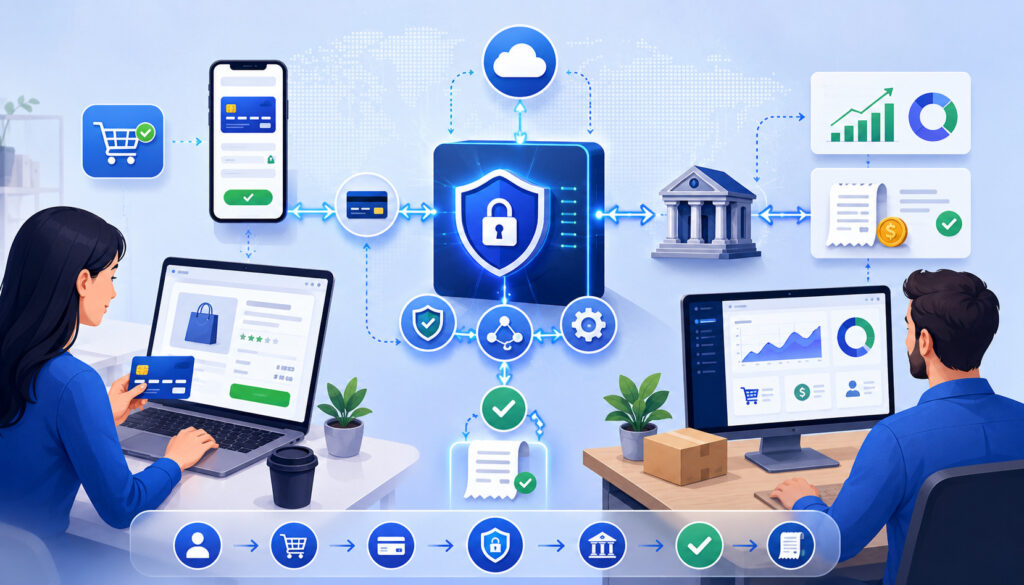
Payment gateway integration works by connecting a business checkout or payment system to the wider payment processing network. The gateway acts as the secure communication layer between the customer-facing payment experience and the systems that approve, route, capture, settle, and report transactions.
The typical flow starts when a customer chooses products, services, subscription plans, bookings, or invoice amounts and reaches checkout.
The checkout collects payment information through a secure form, hosted checkout, embedded checkout, mobile payment screen, digital wallet button, or payment link. The goal is to collect only the information needed and protect sensitive data throughout the process.
Next, the website, app, or server sends a payment request through the payment gateway API or gateway-hosted checkout flow. The gateway routes the transaction to the payment processor. The processor communicates with the card network and the issuing bank. The issuing bank reviews the request and returns an approval, decline, or additional authentication requirement.
If approved, the payment may be authorized only or authorized and captured immediately. Payment authorization confirms that the payment method can be charged. Payment capture submits the transaction for settlement. Depending on the business model, capture may happen immediately or later, such as after shipment, booking confirmation, or order review.
After capture, payment settlement moves funds through the payment system toward the merchant account and business bank deposit. Settlement reports, batch reports, processor statements, gateway reports, refunds, fees, chargebacks, and adjustments must then be reviewed through payment reconciliation.
A reliable payment gateway setup also uses webhooks or payment status updates. These notifications help the business system know when payments are approved, captured, refunded, disputed, failed, settled, or updated after checkout.
For deeper context on API-based payment workflows, this guide on API-based payment gateway integrations explains how APIs, credentials, SDKs, tokens, and webhooks fit together.
Payment Gateway Integration Checklist Table
The table below summarizes the major stages of a payment gateway integration checklist. Use it before development begins, during sandbox testing, and again before launch. The goal is to confirm that the business, technical, security, finance, and customer support pieces are aligned.
| Checklist Stage | What to Review | Why It Matters | Practical Action |
| Payment requirements | Payment methods, channels, volume, refunds, subscriptions, mobile checkout | Prevents choosing a gateway that does not fit the business model | Write a payment requirements document before setup |
| Gateway setup type | Hosted checkout, embedded checkout, API, SDK, plugin, payment links | Determines user experience, development work, and security scope | Choose the simplest setup that supports required workflows |
| Merchant account | Approval status, limits, settlement timing, accepted industries, pricing | Prevents launch delays and funding surprises | Confirm processor and merchant account details before coding |
| Security review | PCI compliance scope, tokenization, encryption, access controls | Reduces exposure to sensitive payment data | Use secure forms, protect credentials, and avoid storing card data |
| API credentials | Sandbox keys, production keys, permissions, storage, rotation | Prevents unauthorized access and environment mix-ups | Store secret keys server-side in secure configuration |
| Checkout design | Mobile layout, totals, error messages, wallets, confirmation page | Affects payment completion and customer trust | Test checkout on desktop and mobile devices |
| Webhooks | Payment approved, failed, refunded, disputed, renewed, settled | Keeps order and payment status synchronized | Verify signatures, retries, and duplicate event handling |
| Fraud tools | AVS, CVV, 3D Secure, risk scoring, limits, alerts | Helps reduce suspicious transactions and disputes | Set rules based on risk, order value, and business model |
| Testing | Approvals, declines, timeouts, refunds, voids, captures, receipts | Finds issues before real customers are affected | Use sandbox tools and document results |
| Reconciliation | Orders, gateway reports, settlement reports, bank deposits, fees | Helps finance verify money movement | Create a daily or weekly reconciliation workflow |
Step 1: Define Your Payment Requirements
Before choosing a gateway or writing code, define what the payment system must do. This first step shapes every decision that follows. A business that sells one-time retail products has different needs than a SaaS platform, restaurant delivery site, mobile app, membership business, service provider, or B2B invoice portal.
Start by listing your accepted payment methods. These may include credit cards, debit cards, digital wallets, ACH payments, mobile payments, card-present payments, card-not-present payments, invoice payments, stored payment methods, or recurring billing.
Then identify the channels where customers will pay: ecommerce website, mobile website, native app, in-person terminal, payment link, subscription portal, online invoice, or customer account page.
Next, estimate transaction volume, average order value, peak sales periods, refund frequency, chargeback exposure, and fraud risk. A high-ticket business may need stronger review rules than a low-value digital product store.
A subscription business needs renewal logic and failed-payment handling. A restaurant may need tips, split checks, online ordering, and fast refund support.
Your payment gateway setup checklist should also include internal reporting needs. Finance teams may need transaction IDs, order IDs, customer names, batch IDs, settlement dates, refund records, chargeback notices, processor fees, and deposit references.
Developers may need clear API documentation, SDK support, test cards, sandbox credentials, webhook events, and error code details.
Practical example: A service business accepting deposits online may need authorization and delayed capture. An ecommerce store shipping physical goods may authorize at checkout and capture when the order is ready. A subscription platform may tokenize payment methods and charge customers on a renewal schedule.
Step 2: Choose the Right Payment Gateway Setup
Choosing the right payment gateway setup is one of the most important parts of the online payment setup process. The setup type affects customer experience, development time, PCI compliance scope, maintenance, reporting, and future flexibility.
Common gateway setup options include hosted checkout, embedded checkout, payment gateway API integration, payment gateway SDK integration, ecommerce platform plugins, payment links, mobile checkout tools, and recurring billing modules. Each option can work well in the right context, but each comes with trade-offs.
A small business that needs to launch quickly may prefer a hosted checkout or a trusted ecommerce plugin. This approach can reduce development work and may reduce how much sensitive card data passes through the merchant’s own systems.
A growing ecommerce business may prefer embedded checkout because it keeps customers closer to the website experience while still using secure payment fields. A SaaS business or custom app may need payment gateway API access for subscriptions, customer profiles, webhooks, upgrades, refunds, and account-level billing.
Mobile payment integration may require SDKs, wallet support, app store considerations, tokenization, and server-side verification. Restaurants, retail stores, and service providers may also need a setup that supports both online and in-person payments so reporting stays consistent across channels.
When comparing options, ask whether the setup supports your required payment methods, fraud tools, reporting needs, refund workflows, recurring billing, settlement data, and accounting integration.
Also review developer resources carefully. A payment gateway API may be powerful, but poor documentation, unclear error codes, or limited sandbox testing can slow the project.
Hosted Checkout
Hosted checkout sends the customer to a payment page managed by the gateway or displays a gateway-controlled payment form during checkout. This approach is popular because it can be faster to launch and may reduce the amount of sensitive payment data handled directly by the merchant website.
Hosted checkout can be useful for newer merchants, simple ecommerce stores, donation pages, service invoices, event registrations, and businesses that do not need heavy checkout customization.
The gateway typically manages the payment form, sensitive fields, and some security controls. The business website receives the result and updates the order, invoice, or customer record.
The trade-off is control. Hosted checkout may offer fewer branding options, fewer layout choices, and less flexibility for complex checkout logic. Some customers may also notice a redirect or a separate payment page, which can affect checkout user experience if the transition feels abrupt.
Hosted checkout still requires planning. Businesses must test success pages, cancel pages, receipts, payment status updates, mobile behavior, tax and shipping totals, and failure messages. They should also confirm how refunds, voids, chargebacks, webhooks, and settlement reports are handled after payment.
API or Embedded Checkout
API or embedded checkout keeps the payment experience closer to the business website, mobile app, or software platform. Instead of sending customers to a separate page, the checkout may use hosted fields, iframes, JavaScript components, SDKs, or tokenization tools that allow customers to pay without leaving the main flow.
This setup can improve checkout user experience because the business controls more of the layout, payment steps, account logic, and confirmation flow. It is often useful for ecommerce payment gateway integration, SaaS billing, booking systems, marketplaces, mobile apps, and customer portals.
The trade-off is responsibility. API or embedded checkout requires more development work, stronger testing, better error handling, careful credential management, and deeper review of payment security.
Developers must understand the payment gateway API, authentication rules, test environments, webhook events, payment tokenization, refunds, voids, captures, and duplicate payment prevention.
A secure embedded checkout should avoid exposing secret keys in browser code or mobile apps. Sensitive payment fields should be handled through approved secure components whenever possible. Teams should also document where payment data travels, what is stored, and who can access transaction records.
Step 3: Review Merchant Account and Processor Requirements
A payment gateway integration can be technically correct and still fail operationally if the merchant account and payment processor requirements are not ready. Before launch, confirm that the business is approved to process the types of transactions it plans to accept.
A merchant account is part of the payment acceptance structure that allows card transactions to be processed and funds to be settled. Requirements can vary based on business type, transaction volume, average ticket size, chargeback risk, refund policy, processing history, website content, fulfillment model, and payment methods.
Businesses should confirm approval status, processing limits, settlement timing, funding schedule, accepted payment types, and any restrictions before going live.
Gateway compatibility also matters. Not every gateway works with every processor, merchant account, ecommerce platform, POS system, or accounting workflow. Confirm that the chosen payment gateway setup supports your merchant account, processor, acquiring bank relationship, card networks, digital wallets, recurring billing needs, and reporting requirements.
Review pricing and funding expectations early. Transaction fees, gateway fees, monthly fees, chargeback fees, refund fees, batch fees, and settlement timing can affect cash flow. If reserves, delayed funding, transaction caps, or rolling reviews apply, finance teams should understand them before launch.
Also confirm chargeback handling. Who receives dispute notices? Where are chargebacks reported? What evidence is needed? How quickly must the business respond? Who on the team owns the process?
For more background, this resource on merchant account approval requirements explains why underwriting, business verification, and processing details should be reviewed before accepting payments.
Step 4: Review Security and PCI Compliance Responsibilities
Payment security should be reviewed before development begins, not after checkout is already built. Any business that stores, processes, or transmits cardholder data has responsibilities related to PCI compliance. The exact scope depends on the payment flow, gateway setup type, technology stack, service providers, and data handling practices.
The safest approach for many businesses is to minimize exposure to raw card data. Hosted checkout, hosted fields, tokenization, secure payment forms, and gateway-managed components can reduce risk when implemented correctly.
Businesses should avoid storing full card numbers, CVV values, or sensitive authentication data unless they have a formal, reviewed need and appropriate controls.
Security responsibilities include protecting payment pages, using secure connections, limiting dashboard access, enabling MFA where available, securing passwords, managing API keys, reviewing user permissions, monitoring logs, and keeping payment-related software updated.
Developers should ensure that logs do not capture secret keys, card numbers, CVV values, or full payment credentials.
PCI compliance is not just a checkbox. It includes technical and operational controls. The PCI Security Standards Council publishes resources for protecting payment data, and businesses should consult qualified professionals when determining exact validation requirements.
Tokenization and Encryption
Tokenization and encryption are two important tools in secure payment integration, but they are not the same thing. Tokenization replaces sensitive payment data with a token that can be stored and used under controlled conditions. Encryption protects data by making it unreadable without the correct cryptographic keys.
For example, a subscription business should not store a customer’s card number for future billing. Instead, the gateway can create a token that represents the payment method. The business stores the token and uses it to bill renewals, process upgrades, or update customer records according to gateway rules.
Encryption helps protect data when it moves between systems and when sensitive information is stored. Payment gateway API communication should use secure transport methods, and sensitive stored data should be protected according to security requirements.
Tokenization can reduce risk, but it does not remove every responsibility. Tokens may still allow future charges, so access should be limited. Staff should not be able to export or misuse stored payment tokens. Developers should also ensure tokens are tied to the correct customer, order, subscription, or account.
Access Controls
Access controls determine who can view, change, refund, export, or manage payment information. Weak access controls can create serious operational and security risks. A staff member who only needs to view orders may not need permission to issue refunds, change gateway settings, access API keys, or export settlement reports.
Businesses should assign payment dashboard permissions by role. Developers may need sandbox access and limited production access. Finance may need reports and settlement data. Customer support may need transaction lookup and refund tools. Owners or administrators may need broader settings access, but those accounts should be protected carefully.
Use MFA where available, remove access when employees leave, avoid shared logins, and review permissions regularly. API keys, webhook secrets, and production credentials should be available only to systems and staff that truly need them.
Access control also applies to connected systems. Ecommerce platforms, accounting tools, CRM systems, subscription platforms, POS systems, and reporting dashboards may all contain payment-related information. Review who can access each connected system, not just the gateway.
Step 5: Plan the Checkout Experience
Checkout user experience affects payment completion, customer confidence, and support volume. A technically secure payment gateway integration can still perform poorly if customers struggle to complete the payment form.
Start with clarity. Customers should see the total amount, taxes, shipping, fees, discounts, delivery details, subscription terms, and billing frequency before they pay. Surprise costs or unclear terms can increase abandoned checkouts, refund requests, and chargebacks.
The checkout should be mobile-friendly. Many customers pay from phones, so forms should load quickly, fit small screens, support autofill, and avoid unnecessary typing. Buttons should be easy to tap. Error messages should appear near the problem field and explain what needs to be corrected.
Offer guest checkout when appropriate. Forcing account creation before payment may add friction. If accounts are needed for subscriptions or digital access, explain why and keep the process short.
Consider payment method choice. Digital wallets, saved payment methods, cards, ACH, and mobile payments can improve convenience when they fit the business model. However, every added method should be tested and supported operationally.
Confirmation pages and receipts are part of the checkout experience too. Customers should know whether the payment succeeded, whether the order was placed, and what happens next. If payment authorization succeeds but fulfillment is pending, say so clearly.
Step 6: Map the Payment Flow
Mapping the payment flow means defining what happens at every stage of the transaction lifecycle. This includes payment authorization, payment capture, delayed capture, partial capture, voids, refunds, recurring payments, failed payments, settlement, and order status updates.
Authorization and capture are often confused. Payment authorization checks whether the customer’s payment method can be charged. Payment capture submits the approved transaction for settlement.
Some businesses authorize and capture at the same time. Others authorize first and capture later, especially when inventory, shipping, booking approval, or final pricing must be confirmed.
Voids and refunds should also be mapped carefully. A void cancels an unsettled transaction or authorization when timing allows. A refund returns money after capture or settlement. If staff do not understand the difference, customers may receive unclear answers and accounting records may become messy.
Order status and payment status must stay synchronized. A payment may be authorized, captured, failed, pending, refunded, partially refunded, disputed, settled, or canceled. An order may be pending, confirmed, shipped, fulfilled, canceled, or returned. These statuses are related but not identical.
Practical example: A store may authorize a card at checkout, confirm inventory, then capture payment when the item ships. If inventory is unavailable, the authorization may be voided. If payment was already captured, a refund may be required instead.
For a deeper explanation of approval and capture concepts, this guide on how payment authorization works is useful background reading.
Step 7: Set Up API Credentials and Authentication
API credentials allow your application to communicate with the payment gateway API. These may include public keys, secret keys, client IDs, client secrets, access tokens, merchant IDs, webhook signing secrets, or environment-specific credentials.
The payment API checklist should separate sandbox credentials from production credentials. Sandbox keys are used for payment sandbox testing and should not process real transactions. Production keys are used for live payments and must be protected carefully.
Secret keys should never be exposed in public code, browser scripts, mobile app source files, public repositories, shared documents, or screenshots. They should be stored server-side in secure configuration tools or secrets management systems. Only authorized systems and users should have access.
Permissions also matter. Some credentials may allow transaction creation only, while others may allow refunds, reporting, customer profile access, subscription changes, or administrative settings. Use the least access needed for the task.
Developers should plan key rotation and incident response. If a key is accidentally exposed, the team should know how to revoke it, replace it, update systems, and review logs. Production credentials should not be copied casually between team members.
Authentication errors should be tested before launch. The application should handle invalid credentials, expired tokens, wrong environments, blocked permissions, gateway downtime, and rate limits without charging customers twice or losing order data.
Step 8: Configure Webhooks and Payment Notifications
Webhooks are automated notifications sent from the gateway to your application when payment events happen. They help your systems stay updated when payment status changes after checkout.
Not every payment event happens during the customer’s checkout session. A payment may later settle, fail, be refunded, receive a chargeback, complete authentication, renew as a subscription, or trigger a risk review. Webhooks allow the gateway to send event details to your system so your order, invoice, subscription, or accounting record can update automatically.
Common webhook events include payment approved, payment failed, payment captured, payment refunded, chargeback created, subscription renewed, subscription failed, payment method updated, settlement report available, and dispute status changed.
Webhook configuration should include secure endpoints, signature verification, logging, retry handling, duplicate event detection, and mapping between gateway events and internal statuses. If a webhook arrives twice, the system should not issue two refunds or mark the same order twice. If a webhook fails, the system should retry or alert staff.
Why Webhooks Matter
Webhooks matter because checkout is only one moment in the payment lifecycle. A customer may complete checkout successfully, but the transaction may still need capture, settlement, fraud review, or subscription processing. Without webhooks, staff may rely on manual reports or delayed checks.
For example, a subscription renewal may fail because the customer’s card expired. A webhook can update the subscription status, trigger a customer email, start a retry workflow, and notify support. Without that webhook, the customer may keep access without payment or lose access without a clear explanation.
Webhooks also help with refunds and disputes. If support issues a refund in the gateway dashboard, the ecommerce system should know. If a chargeback is created, finance and support should be alerted quickly.
A good payment gateway integration checklist should include webhooks as a required launch item, not an optional enhancement.
Webhook Testing
Webhook testing confirms that event notifications are received, verified, processed, and stored correctly. It is not enough to enter a webhook URL and assume it works. The team should test each important payment event before launch.
Start by testing successful delivery. Then test failed delivery and retry behavior. If the gateway sends the same event more than once, the system should recognize duplicates and avoid repeating the same business action.
Signature verification is important. It helps confirm that the webhook came from the expected gateway and was not altered in transit. Developers should also log event IDs, timestamps, transaction IDs, and processing results for troubleshooting.
Test order updates carefully. A refund webhook should not mark a new order paid. A failed payment webhook should not cancel a successfully captured order. A subscription renewal webhook should update the correct customer account.
Step 9: Configure Fraud Prevention Tools
Fraud prevention should match the business model, not just copy default settings. A low-risk local service business, high-ticket ecommerce store, digital goods seller, subscription platform, and restaurant ordering site may each need different fraud rules.
Common fraud prevention tools include AVS, CVV checks, 3D Secure, velocity checks, device signals, IP checks, risk scoring, transaction limits, manual review queues, blocked regions, email checks, billing and shipping comparisons, and suspicious activity alerts.
AVS compares billing address information with issuer records. CVV checks help confirm the customer has access to the card security code. 3D Secure can add an authentication step for certain transactions. Velocity rules can flag repeated attempts from the same card, email, IP address, or device.
Fraud rules should balance protection and approval rates. Rules that are too loose may allow suspicious payments. Rules that are too strict may decline legitimate customers. Businesses should review high-risk signals, transaction value, product type, delivery speed, refund policy, and chargeback history.
Manual review can be useful for suspicious but not clearly fraudulent orders. For example, a high-value order with different billing and shipping details may need review before shipment. Digital goods and instant-delivery services may need faster automated decisions because the product can be consumed immediately.
The FTC payments and billing guidance highlights the importance of authorization and responsible billing practices, especially where electronic payments and recurring billing are involved.
Step 10: Test the Payment Gateway Integration
Payment gateway testing is one of the most important steps before launch. Payment sandbox testing allows teams to simulate transactions without charging real customers. It helps confirm that checkout, API requests, responses, errors, webhooks, receipts, order updates, refunds, voids, and reporting work correctly.
Start with successful transactions. Confirm that the checkout accepts valid test payment details, creates an order, records the transaction ID, sends a receipt, updates inventory or access, and displays a clear confirmation page.
Then test declined transactions. The checkout should not create a paid order when authorization fails. It should show a helpful message without exposing sensitive issuer details. The customer should be able to correct payment details or try another method.
Test failed authorization, gateway timeout, duplicate submission, browser refresh, back button behavior, and network errors. These situations often reveal hidden problems. A customer should not be charged twice because they clicked the pay button twice. An order should not remain stuck forever because the gateway response was delayed.
Refunds, voids, captures, partial captures, partial refunds, recurring billing, digital wallets, mobile checkout, and payment status updates should all be tested. Also test receipts, customer emails, admin notifications, accounting exports, and settlement reports.
Payment Gateway Testing Checklist Table
Use the table below during sandbox testing and final launch review. Add gateway-specific scenarios based on your payment methods and business model.
| Test Scenario | What to Check | Expected Result | Why It Matters |
| Successful card payment | Checkout, authorization, capture, receipt, order status | Payment approved and order marked correctly | Confirms core payment flow |
| Declined card | Error message, order status, retry option | Customer sees failure and order is not marked paid | Prevents unpaid orders |
| Gateway timeout | API response handling and transaction lookup | System avoids duplicate charge and verifies status | Prevents confusion and double billing |
| Duplicate click | Pay button and idempotency handling | Only one transaction is created | Protects customers from duplicate payments |
| Refund | Full and partial refund workflows | Refund is recorded and customer notice is sent | Supports customer service and accounting |
| Void | Unsettled transaction cancellation | Authorization is canceled when allowed | Prevents unnecessary refunds |
| Delayed capture | Authorization first, capture later | Order status updates only after capture | Useful for shipping or booking workflows |
| Webhook delivery | Event receipt, signature, duplicate handling | Correct internal status update occurs | Keeps systems synchronized |
| Mobile checkout | Form layout, wallet buttons, error handling | Checkout works on phones and tablets | Improves completion rates |
| Settlement report | Batch, fees, refunds, chargebacks, deposits | Finance can match transactions to deposits | Supports reconciliation |
Step 11: Test Refunds, Voids, and Chargebacks
Refunds, voids, and chargebacks are part of payment operations, so they must be tested before launch. Many businesses test only successful sales and then discover later that returns, cancellations, disputes, and accounting adjustments are difficult to manage.
A refund returns funds after a payment has been captured or settled. Refunds may be full, partial, or multiple partial refunds, depending on gateway rules and payment method. The refund workflow should update customer records, order status, inventory, receipts, accounting records, and reconciliation reports.
A void cancels an authorization or unsettled transaction when timing allows. Voids are often used when an order is canceled quickly, duplicate authorization is detected, or the business decides not to capture payment. Staff should understand when a void is available and when a refund is required instead.
Chargebacks are different from refunds because they usually start through the cardholder’s issuing bank. The business receives a dispute notice, reviews the reason, gathers evidence, and responds within the required timeframe if appropriate.
Chargebacks should appear in reports and accounting workflows so finance can track the original sale, dispute amount, fees, reversals, and outcomes.
Customer communication matters. Refund notices should be clear. Support staff should know how long refunds may take, where to find transaction records, and how to explain the status without overpromising.
Step 12: Review Settlement and Funding Reports
Settlement reports explain how approved and captured transactions become deposits. This is where payment processing becomes finance work. A checkout report may show sales, but the bank deposit may reflect net funding after fees, refunds, chargebacks, reserves, adjustments, and batch timing.
Before launch, review what settlement reports include. Look for transaction IDs, batch IDs, funding dates, gross sales, fees, refunds, chargebacks, adjustments, reserves, net deposits, and bank transfer references. Confirm whether fees are deducted daily, monthly, per batch, or in another format.
Settlement timing can vary based on payment method, processor rules, risk review, weekends, holidays, batch cutoffs, and account settings. A payment approved today may not appear as a bank deposit immediately. Finance teams should understand the expected funding schedule and how to identify exceptions.
Restaurants, retailers, ecommerce stores, SaaS businesses, and service providers may have different reporting needs. A restaurant may need tip settlement and batch close reports. A SaaS business may need subscription renewal reports. An ecommerce store may need order-level settlement matching. A service provider may need invoice-level reconciliation.
For more background on this topic, see this explanation of the payment settlement process, including how approved payments move toward merchant funding.
Step 13: Connect Accounting and Reconciliation Workflows
Payment reconciliation is the process of matching payment activity with orders, invoices, settlement reports, bank deposits, refunds, chargebacks, and accounting records. It helps confirm that money collected, money refunded, fees deducted, and deposits received are recorded correctly.
A strong payment gateway integration checklist should define reconciliation before launch. Decide which system is the source of truth for orders, customers, invoices, subscriptions, refunds, and deposits. Then confirm how gateway reports connect to ecommerce reports, POS reports, accounting software, subscription billing tools, CRM systems, and bank statements.
Common reconciliation fields include order ID, transaction ID, authorization ID, capture ID, refund ID, customer ID, invoice number, settlement batch ID, deposit date, gross amount, fee amount, net amount, chargeback amount, and adjustment reason.
Without a reconciliation workflow, finance teams may spend hours manually comparing spreadsheets. They may see a bank deposit that does not match daily sales because fees, refunds, chargebacks, and batch timing changed the net amount. They may also struggle when one system shows a refund and another does not.
Practical example: An ecommerce store processes ten sales, two refunds, and one chargeback in the same settlement period. The bank deposit will not equal the gross sales total. Reconciliation explains the difference.
Step 14: Review Payment Gateway Fees
Payment gateway fees can include more than one transaction percentage. Businesses should review all expected costs before launch so pricing, margins, reporting, and accounting are accurate.
Common fees may include transaction fees, gateway fees, monthly gateway fees, payment processor fees, interchange-related costs, authorization fees, batch fees, API fees, recurring billing fees, digital wallet fees, fraud tool fees, chargeback fees, refund fees, payment link fees, settlement fees, and software integration costs.
Fee structure can vary by payment method. Card-present payments may price differently from card-not-present payments. Ecommerce payments may carry different risk and cost considerations than in-person transactions. ACH payments, cards, and digital wallets may each have separate pricing and settlement rules.
Businesses should also review refund costs. Some providers return certain fees on refunded transactions; others do not. Chargeback fees, dispute fees, retrieval fees, and reserve requirements can also affect cash flow.
Software costs matter too. A gateway may require a paid plugin, developer work, subscription billing module, fraud tool, reporting add-on, or integration connector. A payment gateway setup may look inexpensive at first but become more costly if essential features require paid upgrades.
Finance teams should ask how fees appear in reports. Are they deducted before deposit or billed later? Are they shown per transaction or summarized monthly? Can reports be exported for accounting?
Step 15: Prepare Customer Communication
Customer communication is part of payment gateway setup because payment messages influence trust, support volume, and dispute risk. Customers should understand what they are paying, when they are charged, what appears on their statement, and what happens after payment.
Receipts should include business contact details, order or invoice number, payment amount, date, payment method summary, and next steps. Order confirmations should clearly explain fulfillment, delivery, booking, digital access, or service scheduling.
Failed payment messages should be helpful without revealing sensitive details. Instead of saying only “error,” explain that the payment could not be completed and suggest checking the card details, trying another payment method, or contacting the card issuer when appropriate.
Refund notices should confirm that a refund was requested or processed, explain the amount, and provide realistic expectations for timing. Subscription renewal notices should explain billing frequency, amount, renewal date, cancellation process, and account access.
Billing descriptors should be reviewed before launch. If the descriptor on the card statement is confusing, customers may not recognize the charge and may dispute it. Support teams should know what descriptor appears and how to help customers identify transactions.
Policy pages also matter. Refund policies, cancellation policies, shipping policies, subscription terms, privacy notices, and support instructions should be easy to find before payment.
Step 16: Prepare Launch-Day Monitoring
Launch-day monitoring helps catch issues before they affect many customers. Even after strong sandbox testing, live payment behavior can reveal problems with browser compatibility, real issuer declines, customer confusion, fraud rules, webhook delivery, settlement timing, or gateway configuration.
On launch day, monitor transaction volume, approval rates, failed payments, checkout errors, duplicate attempts, webhook logs, gateway status, fraud alerts, refund requests, customer complaints, and order status updates.
Developers should be available to review logs. Customer support should know how to identify payment status. Finance should review early settlement data when available.
Set thresholds for action. For example, if payment failures rise suddenly, if no webhooks arrive, if every digital wallet attempt fails, or if customers report duplicate charges, the team should know who investigates and what steps to take.
Do not make major unrelated website changes during payment launch unless necessary. Keeping variables limited makes troubleshooting easier. If a checkout issue appears, teams can isolate whether it relates to gateway configuration, API credentials, frontend code, fraud settings, or connected systems.
Common Payment Gateway Integration Mistakes
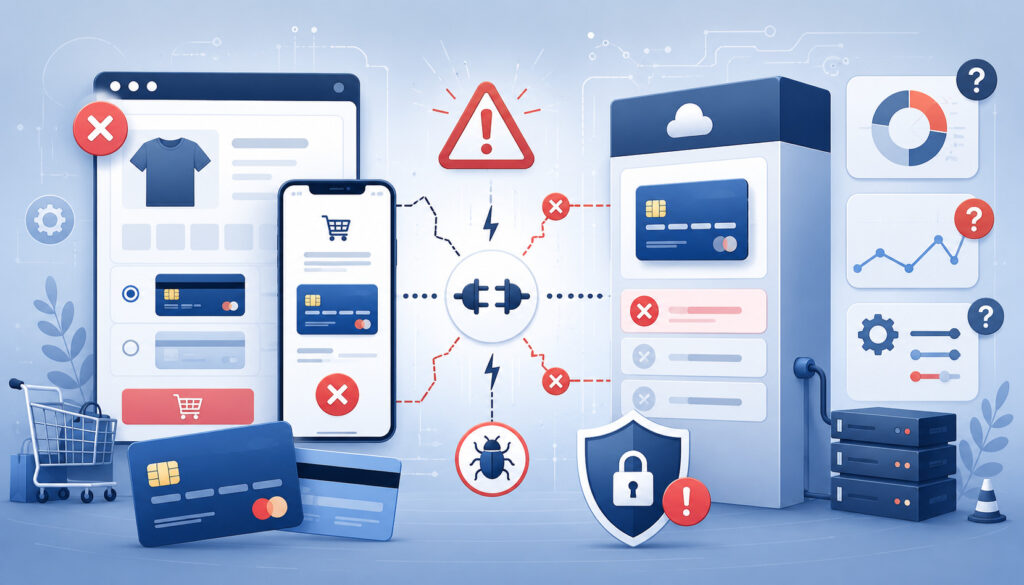
Common payment gateway integration mistakes usually happen when teams focus only on the payment button and ignore the full payment lifecycle. A checkout can appear to work during one successful test but still fail when real customers encounter declines, timeouts, refunds, mobile screens, or subscription renewals.
One major mistake is skipping sandbox testing. Another is testing only successful payments. Businesses should test declines, failed authorization, duplicate clicks, timeouts, refunds, voids, delayed capture, partial refunds, webhooks, mobile checkout, receipts, and settlement reports.
Exposing API keys is another serious mistake. Secret credentials should not appear in public repositories, frontend code, mobile app packages, browser scripts, or unsecured documents. Production credentials should be stored securely and rotated if exposed.
Weak mobile checkout is also common. Forms that are hard to use on phones can reduce payment completion. Poor error messages can make customers abandon payment or contact support unnecessarily.
Ignoring reconciliation creates finance problems. If gateway reports, ecommerce orders, refunds, chargebacks, fees, and bank deposits are not connected, accounting becomes difficult after launch.
Technical Mistakes
Technical mistakes include using the wrong API environment, mixing sandbox and production credentials, failing to verify webhooks, ignoring duplicate event handling, using outdated SDKs, mishandling API errors, and marking orders paid before capture is confirmed.
Another frequent issue is poor timeout handling. If the gateway response is delayed, the system should check transaction status before allowing another payment attempt. Otherwise, customers may be charged twice or orders may be duplicated.
Developers should also avoid placing too much trust in frontend responses. Important payment status decisions should be verified server-side. Client-side confirmation alone is not enough for reliable order fulfillment.
Incorrect order status mapping can cause serious problems. A payment that is authorized but not captured should not always be treated the same as a settled payment. A refunded payment should not leave a subscription active unless that is the intended business rule.
Business Process Mistakes
Business process mistakes include unclear refund policies, no chargeback response process, poor receipt setup, missing settlement review, weak staff training, and no ownership for payment exceptions.
For example, if customer support can issue refunds but accounting does not receive refund data, reconciliation will be inaccurate. If finance receives chargeback notices but support owns customer communication, the dispute response may be delayed.
Another mistake is failing to review billing descriptors. Customers may dispute charges they do not recognize, even when the purchase was valid. Clear receipts and recognizable descriptors can reduce confusion.
Businesses should also train staff before launch. Support teams should know where to find payment status, how to explain declines, when to escalate errors, and how refunds are handled.
Payment Gateway Setup Checklist
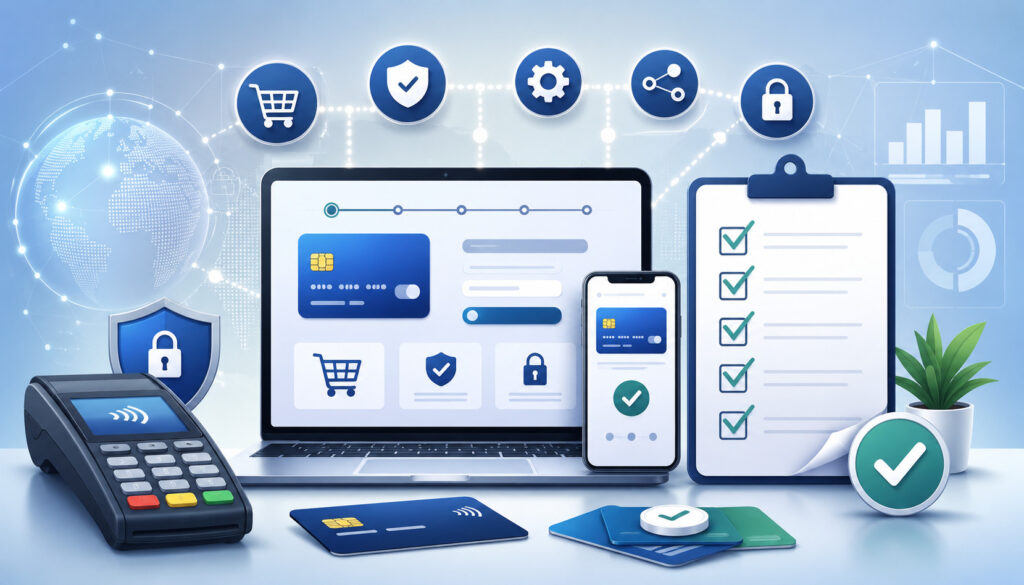
Use this payment gateway setup checklist before launch. It can be adapted for ecommerce, SaaS, restaurants, retail stores, mobile apps, service businesses, subscriptions, and invoice payments.
- Payment requirements defined
- Accepted payment methods confirmed
- Checkout channels identified
- Gateway setup type selected
- Merchant account reviewed
- Payment processor compatibility confirmed
- Processing limits reviewed
- Settlement timing understood
- Pricing and gateway fees reviewed
- Security responsibilities reviewed
- PCI compliance scope considered
- Secure payment forms selected
- Payment tokenization enabled where needed
- Payment encryption reviewed
- API credentials secured
- Sandbox credentials separated from production credentials
- Production keys stored securely
- Webhooks configured
- Webhook signature verification tested
- Fraud tools enabled
- AVS, CVV, and 3D Secure settings reviewed
- Checkout flow tested
- Mobile checkout tested
- Successful payments tested
- Declined payments tested
- Failed authorization tested
- Timeout handling tested
- Duplicate payment prevention tested
- Payment capture tested
- Delayed capture tested if applicable
- Refunds tested
- Voids tested
- Recurring billing tested if applicable
- Subscription payment integration tested if applicable
- Digital wallets tested if applicable
- Receipts and confirmation emails tested
- Settlement reports reviewed
- Accounting workflow connected
- Chargeback process documented
- Customer support process documented
- Staff trained
- Launch monitoring plan created
Questions to Ask Before Going Live
Before going live, ask practical questions that reveal whether the payment gateway integration is truly ready. These questions should be reviewed by business owners, developers, finance, operations, and customer support.
Does the gateway support all required payment methods? Is checkout mobile-friendly? Are API keys stored securely? Are sandbox and production credentials separated? Are webhooks configured correctly? Has payment sandbox testing been completed? Have refunds and voids been tested? Are fraud tools enabled? Are AVS, CVV, and 3D Secure settings appropriate?
Finance teams should ask: How long does settlement take? How are fees shown? How will deposits reconcile with orders? Where are settlement reports downloaded? How are refunds, chargebacks, reserves, and adjustments reflected?
Customer support should ask: What message does a customer see when payment fails? What receipt does the customer receive? Where can staff find transaction status? Who handles refund requests? Who responds to chargebacks?
Developers should ask: What happens if the gateway times out? Are duplicate payment attempts blocked? Are webhook signatures verified? Are events logged? Are payment statuses mapped correctly? Are credentials protected?
These questions help prevent launch problems because they force the team to think beyond the happy path. A strong payment gateway integration checklist prepares the business for normal payments and exceptions.
Best Practices for Payment Gateway Integration
The best payment gateway integration practices focus on security, simplicity, testing, and operational clarity. Start by choosing the simplest setup that supports your required workflows. A fully custom payment gateway API integration may offer control, but it should not be chosen unless the business needs that control and can support the maintenance.
Use secure payment forms, hosted fields, tokenization, and encryption where appropriate. Protect credentials carefully. Keep secret keys server-side. Limit payment dashboard access. Enable MFA where available. Remove unused users and rotate credentials when needed.
Test every major payment scenario. Successful payments are only one part of readiness. Declines, refunds, voids, duplicate attempts, timeouts, mobile checkout, webhooks, settlement reports, and failed recurring payments matter just as much.
Write clear customer messages. Payment errors, refund notices, subscription renewal notices, cancellation details, and receipts should reduce confusion. Clear communication can lower support tickets and reduce avoidable disputes.
Review fraud settings regularly. Fraud prevention is not a one-time setup. Adjust rules based on transaction patterns, chargebacks, false declines, product risk, and order behavior.
Document workflows. Developers, finance teams, operations, and support staff should know how the payment system works. Documentation should include payment flow diagrams, webhook event mapping, refund rules, chargeback process, settlement review steps, and escalation contacts.
What is a payment gateway integration checklist?
A payment gateway integration checklist is a practical list of items to review before, during, and after connecting a payment gateway to a website, app, ecommerce platform, invoice tool, POS system, or business software.
It helps teams confirm business requirements, technical setup, API keys, webhook setup, payment security, testing, fraud prevention, reporting, refunds, chargebacks, and launch readiness.
The checklist helps reduce missed steps. Instead of only checking whether one payment works, it encourages teams to test approvals, declines, refunds, voids, recurring billing, mobile checkout, settlement reports, and reconciliation.
What is payment gateway integration?
Payment gateway integration is the process of connecting customer-facing payment tools to payment processing systems. It allows a business to securely accept online payments, request payment authorization, capture approved transactions, issue refunds, receive payment status updates, and record transaction details.
The integration may use a hosted payment page, embedded checkout, plugin, SDK, mobile integration, or custom payment gateway API. The right option depends on business needs, technical resources, payment methods, and security requirements.
What should businesses check before integrating a payment gateway?
Businesses should confirm payment methods, sales channels, checkout type, transaction volume, average ticket size, refund policy, subscription needs, fraud rules, reporting needs, settlement timing, accounting workflow, and customer support responsibilities.
They should also review technical requirements such as developer documentation, API keys, authentication, webhook events, tokenization, sandbox testing tools, plugin compatibility, and security controls.
Do I need a merchant account for payment gateway integration?
Some payment setups require a merchant account, while others bundle gateway and processing services together. The requirement depends on the provider, business model, risk profile, and payment methods.
Before integration, confirm whether the gateway connects to an existing merchant account or whether processing is included. Also review account approval, pricing, descriptors, settlement timing, chargeback handling, reserve terms, and accepted payment methods.
What is sandbox testing in payment gateway setup?
Sandbox testing is testing in a non-live environment using test credentials and test payment data. It allows teams to verify checkout, approvals, declines, refunds, voids, recurring billing, webhooks, errors, and reporting without processing real payments.
A strong sandbox testing checklist includes successful payments, declined payments, expired cards, incorrect CVV, AVS mismatches, duplicate attempts, gateway timeouts, webhook retries, refunds, partial captures, and mobile checkout.
Why are webhooks important in payment gateway integration?
Webhooks are important because payment status can change after checkout. A payment may be approved, captured, refunded, disputed, failed, renewed, or reviewed by a fraud system. Webhooks notify the business system when those events happen.
Webhook setup helps keep orders, invoices, subscriptions, customer accounts, and reports accurate. Webhook signature verification, retries, idempotency, monitoring, and endpoint security should all be included in the payment integration checklist.
What is PCI compliance for payment gateways?
PCI compliance refers to payment card data security requirements that apply to organizations involved in storing, processing, or transmitting cardholder data. The exact responsibilities depend on how the payment integration is designed.
Hosted payment pages and hosted fields may reduce the amount of card data handled by the business system. Custom API-based integrations may require more security controls. Businesses should not guess their obligations and should seek qualified guidance when needed.
How do I test refunds and declines?
To test refunds, run approved sandbox transactions and then test full refunds, partial refunds, multiple partial refunds, refund failures, refund notifications, and reporting updates. Confirm that the order status, customer receipt, transaction report, and accounting records update correctly.
To test declines, use sandbox scenarios for expired cards, incorrect CVV, AVS mismatch, insufficient funds, invalid card numbers, suspected fraud, and gateway timeouts. Review customer-facing error messages and internal logs.
What is the difference between hosted checkout and embedded checkout?
Hosted checkout sends the customer to a secure checkout page managed by the payment provider or gateway. It can reduce development effort and may reduce payment data exposure, but it usually provides less design control.
Embedded checkout keeps the customer on the business website or app while payment fields appear inside the checkout flow. It can offer a smoother branded experience, but it may require more technical setup, testing, and security review.
How can businesses make online payment gateway integration more secure?
Businesses can improve online payment integration security by using HTTPS, protecting secret API keys, separating test and live environments, enabling tokenization, limiting user access, verifying webhook signatures, excluding sensitive data from logs, reviewing API security, and monitoring suspicious activity.
They should also review PCI compliance responsibilities and use qualified support when needed. Security should be built into payment gateway setup from the start rather than added after launch.
What should be checked before going live?
Before going live, confirm that business requirements are approved, the gateway account is configured, the merchant account or processor is connected, API keys are secured, sandbox testing is complete, live credentials are installed safely, webhooks are verified, fraud rules are active, and checkout works on desktop and mobile.
Also test refunds, voids, reporting, settlement tracking, customer receipts, staff permissions, support workflows, and reconciliation. A final payment gateway integration checklist review should involve business, technical, finance, and support teams.
Conclusion
A payment gateway integration checklist gives businesses a practical way to prepare for secure, reliable, and well-organized payment acceptance.
It helps teams review payment requirements, choose the right setup, protect payment data, configure fraud tools, test the checkout, handle webhooks, manage refunds and chargebacks, review settlement reports, and reconcile deposits accurately.
Payment gateway integration affects more than checkout. It shapes customer experience, approval rates, subscription billing, mobile payments, fraud prevention, reporting, cash flow, and support workflows. When businesses plan carefully and test thoroughly, they reduce avoidable payment issues and create a smoother path from checkout to settlement.
Before going live, document the payment flow, protect credentials, complete sandbox testing, verify webhooks, review PCI compliance responsibilities, train staff, monitor launch performance, and review reports consistently.
A careful checklist does not eliminate every payment issue, but it gives the business a stronger process for preventing, finding, and fixing them.