
Accepting electronic payments involves more than choosing a card terminal and opening an account. A business must understand how transactions will be accepted, authorized, secured, settled, reported, refunded, and reconciled before the first customer payment is processed.
A merchant services checklist for businesses provides a structured way to evaluate these requirements. It helps decision-makers compare costs, identify restrictive contract terms, select compatible technology, establish security controls, prepare employees, and reduce operational surprises.
The right merchant services setup depends on how the business operates. A retail store processing card-present transactions has different requirements from an ecommerce merchant, a restaurant accepting tips, a contractor collecting deposits, or a subscription service billing customers automatically.
This guide covers the practical questions businesses should answer before signing a merchant services agreement, installing payment technology, changing providers, or accepting live transactions.
Pricing, approval criteria, security responsibilities, settlement schedules, and contract terms vary, so every business should verify the conditions that apply to its account.
What Merchant Services Include
Merchant services are the accounts, technologies, financial relationships, and operational tools that allow a business to accept and manage electronic payments. They may support credit cards, debit cards, contactless payments, digital wallets, ACH payments, online invoices, recurring billing, mobile payments, payment links, and ecommerce transactions.
A merchant account is part of the arrangement through which eligible transactions are processed and settled. A payment processor routes transaction information among the parties responsible for authorization and settlement.
The acquiring institution supports the merchant side of card processing, while the customer’s card issuer decides whether to approve or decline the transaction.
Card networks establish operating rules and provide the communication rails used to route card transactions. A payment gateway performs a similar routing function for ecommerce websites, mobile applications, hosted checkout pages, payment links, and other card-not-present environments.
The customer-facing technology may include:
- A countertop card terminal
- A mobile card reader
- A point-of-sale system
- A customer-facing PIN pad
- A virtual terminal
- An ecommerce checkout
- A payment link or invoice page
- A recurring billing platform
- A digital wallet interface
- An integrated booking or ordering system
After authorization, approved transactions are captured, grouped into batches, cleared, settled, and funded to the business bank account. Reports must then help the business match individual sales, refunds, fees, chargebacks, and adjustments with the deposits that appear in the bank.
A complete payment processing checklist should therefore cover the entire transaction journey. Businesses evaluating online acceptance can use a payment gateway integration checklist to review checkout design, testing, security, transaction status updates, and reconciliation before launch.
Identify Business Payment Needs and Appropriate Methods

Choosing merchant services should begin with an operational review rather than a price quote. A solution that works well for one business may create unnecessary costs, security exposure, or reporting problems for another.
Document current requirements before discussing equipment, gateways, or pricing. Then identify needs that may emerge as the business adds locations, introduces subscriptions, expands ecommerce operations, or increases transaction volume.
Review the Business Model and Transaction Profile
Start by listing every place and situation in which customers may need to pay. Include storefront counters, restaurant tables, websites, mobile devices, telephone orders, invoices, delivery locations, events, customer portals, and recurring billing schedules.
The merchant account checklist should record:
- Expected monthly transaction volume
- Average and maximum transaction amounts
- Number of transactions during normal and peak periods
- Percentage of card-present and card-not-present sales
- Number of locations, terminals, and users
- Seasonal increases or temporary locations
- Typical refund and cancellation patterns
- Time between payment and delivery
- Subscription or installment billing requirements
- Desired settlement and reporting schedules
- Required accounting, inventory, booking, or ecommerce integrations
- Expected growth over the next several operating periods
A business with delayed fulfillment may need authorization followed by later capture. A mobile service provider may require portable readers and reliable cellular connectivity. A restaurant may need tips, split checks, table assignments, kitchen routing, and end-of-shift reporting.
Volume estimates should be realistic. Significant differences between the activity described during merchant account setup and actual processing may lead to additional review, transaction limits, delayed funding, or requests for updated documentation.
Decide Which Payment Methods to Accept
Each payment method adds convenience, but it can also introduce costs, settlement differences, training needs, reporting requirements, and fraud considerations. Businesses should add methods because customers need them and operations can support them—not simply because the methods are available.
Common choices include:
- Credit and debit cards
- Contactless cards
- Digital wallets
- ACH debits or credits
- Mobile card payments
- Online invoices
- Payment links
- Recurring payments
- Ecommerce checkout
- Telephone payments
- Virtual-terminal transactions
Card-present payments generally use terminals or point-of-sale systems that read a physical card or wallet credential. Card-not-present transactions occur when payment credentials are entered through a website, virtual terminal, invoice, telephone order, or recurring billing system.
ACH payments may suit invoices, memberships, rent-like payments, or larger transactions, but they have different authorization, return, settlement, and reconciliation procedures from cards. Recurring billing also requires clear consent, accurate renewal records, reliable cancellation procedures, and controls for failed payments.
Evaluate each method using five questions:
- Do customers reasonably expect it?
- What is the total processing and administrative cost?
- How quickly and predictably will funds settle?
- What fraud, return, or dispute risks apply?
- Can employees and systems support it correctly?
Compare Merchant Account Structures and Approval Requirements
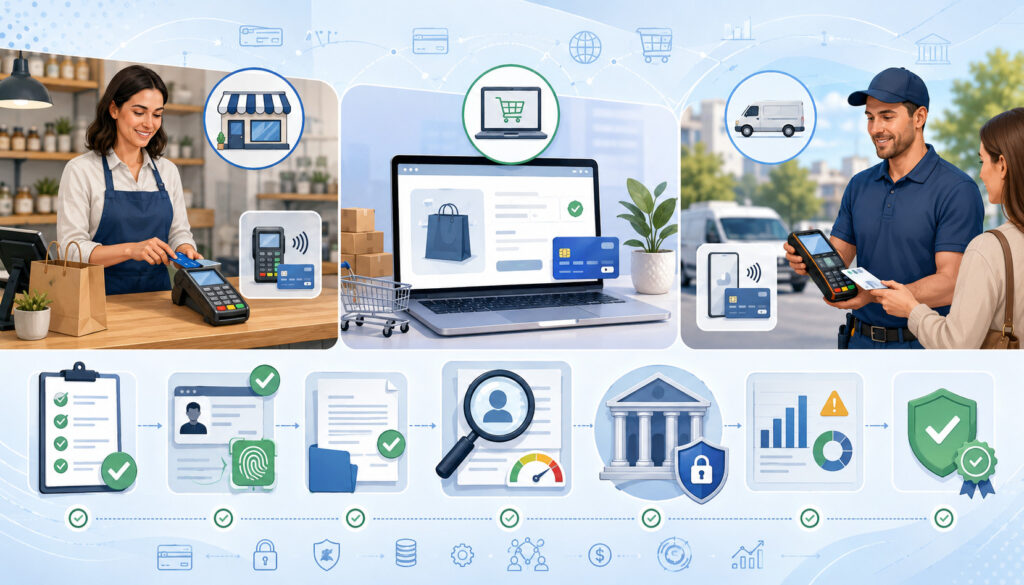
Merchant services for small businesses may be offered through different account structures. The differences affect underwriting, funding, pricing, account stability, transaction limits, customer support, and the amount of control a business has over its payment environment.
The lowest-friction application is not always the most suitable long-term arrangement. Businesses should compare the structure behind the service rather than focusing only on how quickly they can begin accepting payments.
Understand Common Processing Arrangements
A dedicated merchant account is underwritten for a specific business. The application is reviewed using the company’s ownership, products, processing profile, transaction channels, financial information, and risk characteristics.
Dedicated arrangements may provide account-specific pricing, processing limits, merchant identification details, and support procedures. They can require more documentation and a more detailed review before approval.
An aggregated arrangement places multiple businesses within a broader payment structure. It may offer faster onboarding, simpler pricing, and an integrated application experience. However, transaction limits, funding controls, reserves, or account reviews may be managed according to standardized risk rules.
Integrated payment platforms combine processing with business software such as ecommerce, booking, invoicing, inventory, customer management, or point-of-sale functions. Integration can simplify operations, but the business should understand whether payment processing can be separated from the software if it later changes systems.
Compare:
- Approval and ongoing review procedures
- Funding schedules
- Transaction and volume limits
- Reserve or hold conditions
- Available payment methods
- Pricing transparency
- Portability of transaction data
- Software dependencies
- Support availability
- Account closure procedures
No structure is automatically best. The appropriate choice depends on transaction volume, technical needs, risk profile, desired control, and the cost of changing systems later.
Prepare the Application and Underwriting File
Merchant account requirements commonly include documents that verify the business, its owners, its bank account, and its expected processing activity. The exact list varies according to the business model, transaction channel, delivery schedule, processing history, and perceived risk.
A merchant account application may request:
- Business formation or registration records
- Tax identification details
- Owner identification
- Business bank information
- Processing statements
- Estimated monthly volume
- Average and maximum transaction amounts
- Product or service descriptions
- Website or checkout information
- Refund and cancellation policies
- Fulfillment and delivery time frames
- Financial statements or bank records
- Prior chargeback information
- Supplier or operating documentation
Underwriting evaluates whether the proposed activity is consistent with the provider’s risk requirements. Reviewers may consider high transaction amounts, future delivery, recurring billing, card-not-present activity, chargeback history, refund practices, financial stability, and sudden volume changes.
Submitting complete and accurate information can reduce avoidable delays, but it does not guarantee approval. Businesses can review common merchant account approval requirements before organizing an application file.
Review Pricing, Fees, and Total Effective Cost
Processing costs cannot be evaluated by looking at one advertised rate. A business may pay interchange, network assessments, processor markups, authorization charges, monthly fees, gateway costs, equipment expenses, chargeback fees, and other account-level charges.
Pricing also varies by transaction type. A contactless debit purchase, manually entered telephone order, recurring transaction, ecommerce sale, and ACH payment may not have the same cost or risk treatment.
Identify Every Potential Charge
Ask for a complete written fee schedule and compare it with the merchant services agreement. The schedule should explain when each charge applies and whether it is assessed per transaction, per batch, per month, per incident, or as a percentage of volume.
Potential costs include:
- Interchange fees
- Network assessments
- Processor markups
- Authorization fees
- Monthly account fees
- Statement fees
- Gateway fees
- Virtual-terminal fees
- PCI-related charges
- Batch fees
- Equipment purchases or rentals
- Software subscription charges
- Chargeback and retrieval fees
- ACH transaction and return fees
- Refund-related charges
- Account minimums
- Cross-border or currency-related fees
- Early termination fees
- Installation or replacement costs
Interchange is one component of card-processing cost and can vary according to transaction characteristics. Processor markup is the amount added for processing services. Network assessments are separate card-network charges that may appear directly or be incorporated into another line item.
Ask whether refunds return any original processing charges and whether extra fees apply to failed ACH transactions, address verification, security-code checks, token storage, or recurring billing. No fee should be treated as universal without reviewing the account documents.
Compare Pricing Models Correctly
Common pricing models include interchange-plus, flat-rate, tiered, and subscription-based pricing. Each model organizes costs differently, and each can produce different results depending on volume, average ticket, transaction channels, and card mix.
| Pricing model | How it works | Potential advantage | Possible limitation | Best evaluation method |
| Interchange-plus | Interchange and assessments are shown with a separate processor markup | Can provide detailed cost visibility | Statements may require careful review | Compare markup, account fees, and transaction mix |
| Flat-rate | Eligible transactions are charged using a stated rate or set of rates | Easier to estimate at consistent volume | The rate may not reflect the underlying cost of each transaction | Calculate total cost across actual transaction types |
| Tiered | Transactions are grouped into provider-defined categories | Statements may appear simple | Qualification rules can make comparison difficult | Request definitions and review transaction downgrades |
| Subscription-based | A recurring account charge is combined with transaction-level costs or markups | May suit certain predictable processing profiles | Monthly expense continues during slower periods | Compare total annualized cost at several volume levels |
Calculate the effective processing rate by dividing total processing-related expense by total processed sales, while noting which account expenses are included. Review both the percentage and the actual currency amount.
A detailed explanation of payment processing costs can help businesses distinguish underlying transaction expenses from processor markups and account fees.
Examine Every Merchant Services Agreement

The merchant services agreement controls the business relationship even when a salesperson, demonstration, or proposal describes the service differently. Important commitments should appear in the signed documents or an incorporated written schedule.
Read the main agreement, pricing schedule, equipment agreement, gateway terms, data terms, program guide, and any referenced addenda. Do not assume that a verbal explanation overrides contractual language.
The contract review checklist should cover:
- Initial contract length
- Automatic renewal
- Renewal notice deadline
- Cancellation method
- Required cancellation address or portal
- Early termination conditions
- Liquidated damages or similar formulas
- Rate-change provisions
- Processing minimums
- Reserve rights
- Funding-hold provisions
- Personal guarantees
- Equipment ownership
- Equipment lease duration
- Software commitments
- Data access and portability
- Account closure procedures
- Support obligations
- Provider rights to suspend processing
- Duties after termination
Automatic renewal deserves special attention. Record the date by which cancellation notice must be delivered and the approved delivery method. Keep proof that any cancellation request was received.
Equipment leases may be separate from the processing agreement. Ending processing may not cancel an equipment lease, software subscription, or gateway contract. Compare the total lease cost with the purchase price, warranty, expected useful life, replacement policy, and technology limitations.
Rate-change clauses should explain how changes are communicated and whether the business can cancel without a penalty. Ask how network cost changes, compliance fees, account fees, and optional services will appear on statements.
Select Compatible Hardware, Software, and Integrations
Payment technology must support the complete workflow, not merely approve a transaction. Businesses should evaluate customer experience, employee usability, security, connectivity, reporting, updates, replacement procedures, and integration with existing systems.
Testing compatibility before purchase is essential. A terminal, gateway, or plugin may support basic sales while failing to handle tips, partial refunds, recurring billing, inventory updates, tax calculations, or reconciliation correctly.
Evaluate Payment Hardware
Countertop terminals are suitable for fixed checkout locations. Mobile readers support field service, line-busting, deliveries, events, and tableside payments. Customer-facing PIN pads can support debit entry, contactless acceptance, and customer prompts.
A point-of-sale system may combine payments with inventory, employee management, receipts, menus, customer records, reporting, or order routing. Additional equipment may include barcode scanners, cash drawers, receipt printers, kitchen printers, scales, and display screens.
Review:
- Contact, chip, contactless, and PIN capabilities
- Processor and software compatibility
- Wired, wireless, and cellular connectivity
- Ownership or lease terms
- Warranty and replacement coverage
- Security and software-update procedures
- Battery life for mobile use
- Receipt options
- Accessibility for customers and employees
- Installation and configuration costs
- Offline or outage behavior
- End-of-support policies
Ask whether the equipment can be reprogrammed or used with another processing arrangement. Some devices are restricted by software, encryption settings, certifications, or contractual terms even when the business owns the physical hardware.
Evaluate Payment Software
Payment software may include gateways, virtual terminals, hosted checkout pages, payment links, online invoicing, mobile applications, recurring billing tools, and reporting dashboards.
A virtual terminal allows authorized employees to enter transactions through a secure web interface. It can be useful for telephone orders and remote payments, but employees must follow procedures that protect payment information and reduce card-not-present fraud.
Evaluate software according to:
- Ease of use
- Mobile responsiveness
- Authentication and permissions
- Tokenization support
- Fraud screening
- Refund and void workflows
- Recurring billing functions
- Customer receipts
- Checkout customization
- Error handling
- Reporting detail
- Data export options
- System availability
- Support procedures
- Update frequency
For ecommerce payments, verify how the checkout handles duplicate clicks, timeouts, failed authentication, abandoned orders, tax, shipping, discounts, and customer confirmation. The business should be able to determine whether a transaction was authorized, captured, refunded, disputed, or settled.
Confirm Integration Compatibility
Payment data may need to connect with ecommerce platforms, shopping carts, accounting software, inventory systems, booking tools, customer relationship platforms, tax tools, order management systems, and recurring billing software.
Ask whether an integration is native, plugin-based, API-based, or dependent on a third party. Confirm who supports it when transactions, orders, deposits, or refunds do not synchronize correctly.
Complete test transactions before launch and verify that:
- Order totals match payment totals
- Taxes and discounts transfer correctly
- Inventory updates once
- Duplicate orders are prevented
- Refunds update all connected systems
- Tips are assigned correctly
- Customer records match the correct transactions
- Settlement data reaches accounting
- Transaction identifiers remain available
- Failed payments do not create completed orders
Do not accept “the systems integrate” as sufficient confirmation. Request the supported versions, required permissions, available data fields, known limitations, support owner, and procedure for future updates.
Understand Authorization, Settlement, and Merchant Funding
Payment approval does not mean the business has received the money. Authorization, capture, batching, clearing, settlement, and funding are related but separate stages.
Authorization begins when transaction details are sent through the processing system for review. The card issuer may approve, decline, or request additional authentication. An approval generally confirms that the transaction can proceed, but the payment may still need to be captured and submitted for settlement.
Capture may occur immediately or later. Businesses that confirm inventory, approve bookings, complete services, or ship products later may use delayed capture. The exact procedure and allowed time frame depend on the payment method and processing arrangement.
Captured transactions are commonly placed into a batch. The batch-cutoff time can affect when transactions enter settlement. A transaction captured after the cutoff may move into the next processing period.
Deposit timing can be affected by:
- Batch-closing time
- Banking schedules
- Weekends and holidays
- Transaction type
- Delayed capture
- ACH return windows
- Risk reviews
- Reserve arrangements
- Account holds
- Unusual volume
- Chargebacks or negative balances
- Incorrect bank information
Ask whether funding is gross or net of fees, refunds, chargebacks, and adjustments. Finance employees should understand which report explains the difference between total sales and the amount deposited.
A payment settlement process guide can help teams map approvals, captured transactions, batches, settlement records, and bank deposits. A broader payment-system overview also explains the role of payment and settlement systems.
Establish Payment Security and Fraud Controls
Payment security is an ongoing business responsibility. Using compliant technology or an outside service provider can reduce exposure, but it does not remove the need for secure passwords, limited permissions, employee training, device maintenance, and incident-response procedures.
The business should document where payment information is collected, transmitted, displayed, stored, or exported. Systems and employees that do not need sensitive payment information should not receive it.
Build the Payment Security Program
PCI DSS establishes technical and operational requirements for protecting payment account data. The exact validation process and scope depend on how the business accepts payments, which systems touch card data, and which service providers are involved.
Businesses should consult appropriate merchant payment security resources and determine which requirements apply to their environment.
Core safeguards include:
- Minimizing the collection and storage of payment data
- Using secure hosted fields or checkout pages where appropriate
- Encrypting sensitive information during transmission
- Using tokenization for stored payment references
- Changing default credentials
- Requiring strong, unique passwords
- Enabling multifactor authentication
- Limiting permissions by employee role
- Removing access when employment or responsibilities change
- Updating terminals, plugins, applications, and operating systems
- Protecting networks used by payment devices
- Monitoring administrative and payment-system activity
- Maintaining secure backups
- Documenting incident-response procedures
- Training employees to recognize phishing and social engineering
Tokenization replaces sensitive payment information with a reference token. Encryption makes information unreadable without the appropriate key. Neither control should be treated as a complete security program by itself.
Multifactor authentication adds another verification step beyond a password and should be enabled for payment dashboards, email accounts, remote access, and connected business systems whenever supported. Businesses can consult current multifactor authentication guidance.
Create Channel-Specific Fraud Procedures
Fraud signals differ across payment channels. A face-to-face contactless transaction, ecommerce order, telephone payment, recurring renewal, and payment link do not provide the same evidence or customer interaction.
Potential controls include:
- Address verification
- Card security-code checks
- Customer authentication
- Velocity limits
- Repeated-attempt monitoring
- Device or location signals
- Billing and delivery comparisons
- High-value order review
- Delayed fulfillment for suspicious orders
- Account-login monitoring
- Employee escalation procedures
- Transaction alerts
- Blocked credential lists
- Manual review queues
Fraud rules should be strong enough to identify suspicious behavior without rejecting excessive numbers of legitimate customers. Review rules using actual decline patterns, transaction values, products, delivery times, and confirmed fraud cases.
Employees should know what they may verify, what they must not record, and when a transaction should be escalated. A suspicious order should not be approved simply because the customer is demanding immediate fulfillment.
Prepare Refund, Cancellation, and Chargeback Procedures
Clear customer policies reduce confusion and give employees a consistent process to follow. Refund, return, cancellation, and recurring billing terms should be available before the customer authorizes payment.
Policies should appear where customers are likely to review them, including checkout pages, invoices, contracts, order confirmations, subscription screens, receipts, and customer portals.
Document Refund and Recurring Billing Policies
A refund policy should explain eligibility, time limits, required documentation, exclusions, processing methods, and the expected steps after approval. Employees should know whether an unsettled transaction can be voided or whether a completed payment must be refunded.
Recurring billing terms should describe:
- Amount or calculation method
- Billing frequency
- Trial or introductory conditions
- Renewal procedure
- Customer authorization
- Cancellation process
- Notice methods
- Failed-payment handling
- Refund eligibility
- How payment credentials are updated
Keep evidence that the customer agreed to recurring charges. The enrollment screen, authorization language, contract, timestamp, confirmation message, and cancellation record may all be relevant later.
Businesses should review applicable payments and billing guidance, particularly when charging customers automatically or using continuing payment arrangements.
Policies must be followed consistently. A written rule that employees routinely ignore can create customer dissatisfaction, inconsistent accounting, and weak dispute documentation.
Plan for Chargebacks
A chargeback occurs when a cardholder disputes a transaction through the card-issuing side of the payment system. The business may receive a dispute notice, reason information, evidence requirements, and a response deadline.
Maintain:
- Clear billing descriptors
- Customer authorization records
- Detailed receipts and invoices
- Accurate product or service descriptions
- Delivery or completion confirmation
- Refund and cancellation records
- Customer correspondence
- Recurring billing consent
- Terms accepted at checkout
- Transaction and order identifiers
- Evidence-submission deadlines
- Chargeback outcome records
Assign responsibility for reviewing notices every business day. Dispute deadlines may be short, and waiting for a monthly statement can cause the business to lose the opportunity to respond.
Documentation improves the quality of a response but does not guarantee that a chargeback will be reversed. Monitor disputes by reason, product, sales channel, employee, location, and customer complaint type to identify preventable patterns.
Configure Reporting and Payment Reconciliation
Reconciliation confirms that payment records, operating systems, processor reports, and bank deposits agree. Without regular reconciliation, missing deposits, duplicate refunds, incorrect tips, unexpected fees, and integration errors can remain unnoticed.
The business should determine which system is the source of truth for sales, payments, refunds, and accounting entries. It should also preserve transaction identifiers that allow records to be matched across systems.
Daily Reconciliation Checklist
At the end of each processing day:
- Compare point-of-sale and ecommerce sales with processor totals
- Confirm that each location or user closed the correct batch
- Review approved, declined, voided, and refunded transactions
- Check for duplicate charges
- Confirm tips and taxes
- Review unusually high transactions
- Investigate missing order identifiers
- Confirm that payment links and invoices updated correctly
- Record chargebacks and adjustments
- Verify that system errors were resolved
Daily review is especially important after installation, software updates, equipment replacement, or changes to checkout logic.
Weekly Reconciliation Checklist
Each week:
- Match settlement batches with bank deposits
- Review deposits that are late, missing, or unexpectedly reduced
- Compare refunds in the processor and order systems
- Review chargeback notices and deadlines
- Check ACH returns or rejected bank payments
- Review gateway and integration errors
- Confirm that recurring billing ran correctly
- Investigate changes in decline rates
- Confirm user access remains appropriate
Weekly reconciliation can identify patterns that are difficult to see in individual transaction reviews.
Monthly Reconciliation Checklist
Each month:
- Compare gross sales, net sales, fees, refunds, and deposits
- Calculate the effective processing rate
- Review every statement fee
- Compare actual costs with the proposal and contract
- Review chargeback trends
- Confirm reserve balances and account holds
- Reconcile processing records with accounting
- Review location and channel performance
- Check contract and equipment obligations
- Document unresolved variances
Do not force the bank deposit to match sales by entering an unexplained adjustment. Identify the reason for the difference and retain supporting records.
Train Employees, Test the Setup, and Prepare for Downtime
A reliable payment setup depends on employees understanding both the technology and the procedures surrounding it. Training should be based on job responsibilities rather than giving every user full administrative access.
Testing should include successful transactions as well as failures, refunds, duplicate attempts, outages, and reporting exceptions. Problems found before launch are usually easier to correct than problems discovered during a customer transaction.
Train Employees by Role
Cashiers, servers, customer-support employees, finance personnel, administrators, and managers need different payment permissions and training.
Training should cover:
- Accepting supported payment methods
- Handling declined transactions
- Preventing duplicate charges
- Issuing refunds and voids
- Protecting payment information
- Recognizing suspicious activity
- Managing receipts
- Escalating disputes
- Handling recurring billing questions
- Responding to terminal errors
- Following outage procedures
- Reporting suspected security incidents
Employees should never share logins or use another person’s account. Refund, reporting, configuration, and data-export permissions should be limited to roles that require them.
Use sample scenarios during training. Ask employees what they would do if a customer reports a duplicate charge, a terminal loses connectivity, a refund cannot be located, or an unexpected person requests administrative access.
Refresher training should follow major process changes, security incidents, new payment methods, or recurring employee errors.
Complete Prelaunch Testing
Run test transactions through every channel, location, device, and connected system. Do not assume that a successful countertop transaction proves the ecommerce or recurring billing workflow is ready.
Test:
- Approved payments
- Declined payments
- Voids
- Full refunds
- Partial refunds
- Duplicate payment attempts
- Tips
- Taxes
- Discounts
- Digital receipts
- Printed receipts
- Ecommerce checkout
- Mobile checkout
- Payment links
- Online invoices
- Telephone payments
- Recurring billing
- Failed renewals
- Settlement reports
- Bank deposits
- Accounting exports
- Inventory updates
- User permissions
Record the expected and actual result for each test. Correct failed scenarios and repeat them before launch.
Test customer communication as well as transaction processing. Receipts, confirmation pages, decline messages, refund notices, and subscription reminders should contain accurate amounts and clear next steps.
Prepare for System Downtime
Payment interruptions may result from internet outages, power failures, damaged equipment, gateway problems, software errors, banking interruptions, or account reviews.
Create a written contingency plan that explains:
- Who confirms the scope of the outage
- Who contacts technical support
- Which approved backup connection may be used
- Whether another configured terminal is available
- How employees communicate with customers
- Which transactions must be delayed
- How operations resume after restoration
- How delayed records are reconciled
- How duplicate charges are prevented
- How suspected security incidents are escalated
Do not write down or store payment credentials in an unapproved location to process later. Any approved offline capability should be evaluated for authorization risk, storage behavior, transaction limits, employee permissions, and post-outage reconciliation.
After service returns, verify the status of pending transactions before resubmitting them. A timeout may leave uncertainty about whether the transaction was approved, and automatically trying again can cause a duplicate charge.
Monitor the Account and Avoid Common Mistakes
Merchant services management continues after launch. Transaction patterns, costs, software, security requirements, employee access, customer behavior, and business needs change over time.
Assign owners for financial review, operational performance, security, chargebacks, and contract management. Without assigned responsibility, important notices may be assumed to belong to someone else.
Conduct Ongoing Account Reviews
Monitor:
- Approval and decline rates
- Effective processing cost
- New or unexpected fees
- Funding consistency
- Refund volume
- Chargeback rate and reasons
- Confirmed fraud
- Equipment failures
- Checkout errors
- Customer complaints
- Integration failures
- Recurring billing performance
- User access
- Security updates
- Contract renewal dates
Investigate meaningful changes rather than assuming they are temporary. A higher decline rate may result from checkout errors, fraud controls, issuer behavior, expired recurring credentials, or incorrect data entry.
Review statements monthly and compare them with the original pricing documents. Update expected volume and transaction information when the business materially changes its products, channels, average ticket, locations, or fulfillment practices.
Remove inactive users promptly. Review administrator accounts, API credentials, remote access, and connected applications regularly.
Avoid Frequent Merchant Services Mistakes
Common mistakes include:
- Selecting an account based only on the lowest advertised rate
- Signing without reading renewal and termination terms
- Leasing equipment without calculating total cost
- Buying hardware before confirming compatibility
- Assuming integrations will work without testing
- Failing to verify batch cutoffs and funding schedules
- Storing payment information improperly
- Giving employees unnecessary permissions
- Using shared administrative logins
- Neglecting monthly statement reviews
- Publishing unclear refund or cancellation policies
- Failing to reconcile deposits
- Ignoring chargeback patterns
- Adding payment methods without operational support
- Skipping decline and refund testing
- Operating without a downtime procedure
Many of these problems result from treating payment processing as a one-time purchase. Business payment processing is an ongoing financial, technical, security, and customer-service function.
Merchant Services Checklist for Businesses
The following table summarizes the main review categories. Adapt each item to the business model, transaction channels, contractual obligations, and security responsibilities.
| Checklist category | What to review | Questions to ask | Common warning sign | Recommended action |
| Business requirements | Channels, volume, ticket size, locations, seasonality, growth | Does the setup support current and expected activity? | Proposal is based on generic assumptions | Document the transaction profile before comparing services |
| Payment methods | Cards, wallets, ACH, invoices, links, recurring billing | Which methods solve a real customer need? | Methods are added without cost or workflow review | Prioritize required methods and add others deliberately |
| Account structure | Dedicated, aggregated, or software-integrated arrangement | Who underwrites, funds, supports, and controls the account? | Account structure is not clearly explained | Request a written description of responsibilities and limits |
| Pricing | Transaction costs, markups, monthly fees, incident fees | What will the total effective cost be? | Only one headline rate is disclosed | Obtain a complete fee schedule and sample calculation |
| Contract | Term, renewal, cancellation, reserves, guarantees | What happens when the business changes or leaves? | Verbal promises conflict with written terms | Resolve discrepancies before signing |
| Hardware | Compatibility, ownership, warranty, replacement, updates | Can the equipment support every required payment type? | Long lease with unclear ownership | Compare total lease and purchase costs |
| Software | Gateway, virtual terminal, invoicing, subscriptions, reports | Can employees complete every required workflow? | Demonstration covers only successful sales | Test refunds, failures, reporting, and permissions |
| Integrations | Ecommerce, accounting, inventory, booking, tax, CRM | Which fields synchronize and who supports errors? | Compatibility is assumed rather than tested | Complete end-to-end integration testing |
| Application | Formation, bank, ownership, policies, history, website | Is the information accurate and complete? | Estimates do not match expected operations | Submit consistent documentation and retain copies |
| Settlement | Batch cutoff, clearing, deposit timing, holds, reserves | How are sales converted into bank deposits? | Funding schedule is described only verbally | Obtain written funding and hold procedures |
| Security | PCI responsibilities, passwords, MFA, encryption, tokens | Where does payment information travel or remain stored? | Shared logins or unnecessary data storage | Reduce data exposure and apply role-based controls |
| Chargebacks | Notices, evidence, deadlines, reason trends | Who owns the dispute process? | Notices are reviewed only monthly | Assign daily monitoring and document evidence |
| Reporting | Sales, deposits, fees, refunds, tips, taxes, adjustments | Can every deposit be traced to transactions? | Unexplained accounting adjustments are routine | Establish daily, weekly, and monthly reconciliation |
| Employee training | Acceptance, declines, refunds, fraud, outages | Does each role know its limits and escalation path? | All employees receive administrator access | Use role-based permissions and scenario training |
| Ongoing monitoring | Costs, performance, access, security, renewals | What changed and who is responsible for reviewing it? | Account is ignored after installation | Schedule recurring operational and contract reviews |
Use the checklist before requesting proposals, before signing an agreement, during merchant services setup, immediately before launch, and during ongoing account reviews. The checklist should be treated as a working document rather than a one-time form.
Record the person responsible for each category, the supporting document, the date reviewed, unresolved questions, and the final decision. This creates a practical audit trail when employees change or the business later evaluates another payment processing setup.
Frequently Asked Questions
What should be included in a merchant services checklist?
A merchant services checklist should cover business payment requirements, accepted methods, merchant account structure, application documents, underwriting, pricing, contracts, hardware, software, integrations, funding, security, fraud controls, refunds, chargebacks, reporting, employee training, testing, downtime, and ongoing monitoring.
The checklist should also identify who is responsible for each operational area. For example, finance may own statement review and reconciliation, operations may manage terminals and employee procedures, and technical personnel may manage gateways, integrations, user access, and security updates.
Include both selection questions and postlaunch controls. Choosing merchant services is only the first stage. The business must also verify deposits, review fees, maintain permissions, answer disputes, update equipment, and monitor performance.
A useful checklist records decisions and evidence. Attach the pricing schedule, signed agreement, application copy, equipment records, integration test results, security documentation, support contacts, and reconciliation procedures.
What does a business need to open a merchant account?
Merchant account setup commonly requires information confirming the business’s identity, ownership, bank account, products, transaction profile, and operating practices.
Requested items may include formation records, tax identification details, owner identification, bank confirmation, website information, refund policies, processing history, financial records, and estimated transaction activity.
The business may also need to explain average transaction size, maximum transaction amount, monthly volume, delivery timing, recurring billing, card-not-present activity, and expected refund levels.
Requirements vary according to the business model and risk profile. A business delivering services immediately may be evaluated differently from one accepting advance payments for future delivery.
Provide accurate and consistent information. Material differences between the application and actual activity may result in questions, limits, reserves, or funding reviews. Approval timing and outcomes should never be assumed or guaranteed.
How should businesses compare payment processing fees?
Begin with the complete monthly cost rather than a single percentage. Include transaction rates, interchange, assessments, processor markup, authorization charges, monthly fees, gateway expenses, equipment costs, PCI-related charges, chargebacks, ACH returns, and any minimums.
Use realistic transaction data. Estimate the expected number of monthly transactions, average ticket, card-present percentage, ecommerce percentage, debit mix, refunds, and seasonal volume.
Then calculate an effective processing rate using total relevant processing expense divided by processed sales. Review the actual currency amount as well, because a low effective percentage can still represent a significant expense at high volume.
Compare service and contract conditions alongside price. A lower initial quote may be less valuable if it includes restrictive termination terms, unsuitable technology, limited reporting, or unpredictable funding.
Which merchant-service contract terms need the most attention?
Review contract duration, automatic renewal, cancellation deadlines, early termination provisions, rate-change rights, reserves, processing minimums, personal guarantees, equipment obligations, software commitments, and account closure procedures.
Automatic renewal and cancellation instructions often require careful attention. The agreement may specify a notice period, delivery method, address, or portal that must be used. Missing the deadline can extend the relationship.
Review every incorporated document, including pricing schedules, program guides, equipment leases, and gateway agreements. One part of the arrangement may continue even when another part is canceled.
Important verbal assurances should be included in writing. When provisions are unclear, obtain clarification before signing and seek appropriate contractual or legal guidance where necessary.
Should businesses buy or lease payment equipment?
The answer depends on total cost, expected useful life, included support, replacement coverage, compatibility, and the business’s cash-flow needs. Neither arrangement is automatically appropriate for every business.
A purchase may provide ownership and a lower total long-term cost, but the business may be responsible for replacement, maintenance, and future upgrades. A lease or rental may include support or replacement services, but the cumulative payments can exceed the equipment’s purchase price.
Review whether the equipment can be used with another processor or software platform. Physical ownership does not always guarantee technical portability.
Calculate the full commitment rather than comparing only the upfront amount. Include installation, accessories, software, shipping, replacement, warranty, cancellation, and end-of-term conditions.
What payment methods should a business accept?
Accept methods that match customer expectations, transaction value, payment channel, settlement needs, cost tolerance, and operational capacity. Common options include cards, digital wallets, contactless payments, ACH, payment links, invoices, mobile payments, and recurring billing.
A retail operation may prioritize contactless and chip transactions. A service business may benefit from invoices and payment links. A membership business may require recurring billing, while an ecommerce seller needs a reliable online checkout.
Each additional method must be secured, tested, supported, reported, and reconciled. Adding every available method can increase complexity without materially improving customer experience.
Review customer requests and failed-payment patterns before expanding. Begin with the methods that address a measurable need, then evaluate performance after implementation.
What affects merchant funding and settlement timing?
Funding can be affected by authorization and capture timing, batch cutoffs, banking schedules, weekends, transaction type, reserves, account holds, delayed fulfillment, risk review, chargebacks, unusual activity, and incorrect bank information.
Card sales shown in a point-of-sale report may not equal the next deposit. Refunds, fees, chargebacks, adjustments, and reserve movements may reduce or delay the funded amount.
Ask for the expected schedule in writing and determine when each business day’s batch closes. Understand what happens to transactions submitted after the cutoff.
Finance employees should know which settlement report explains every deposit. When funding changes unexpectedly, review account notices, batch records, transaction activity, reserves, and bank details before making assumptions.
What should businesses test before accepting live payments?
Test successful and declined transactions, refunds, voids, partial refunds, duplicate attempts, tips, taxes, discounts, digital receipts, printed receipts, payment links, ecommerce checkout, mobile checkout, recurring billing, settlement reports, bank deposits, and accounting integrations.
Testing should cover unusual conditions as well as normal sales. Simulate a network interruption, gateway timeout, browser refresh, failed renewal, incorrect payment entry, and equipment failure.
Confirm that connected systems use consistent transaction and order statuses. An approved authorization should not always be treated as a completed or settled sale.
Finally, verify user permissions and customer communication. Employees should see only the tools they need, while customers should receive accurate confirmation, decline, refund, and cancellation messages.
Conclusion
A merchant services checklist for businesses turns a complicated payment decision into a manageable review process. It helps businesses define payment needs, compare account structures, understand processing fees, examine agreements, and select technology that fits existing operations.
The checklist also supports responsible merchant services management after installation. Security controls, fraud procedures, refund policies, chargeback documentation, reconciliation, employee training, downtime planning, statement reviews, and access management all require continued attention.
No single merchant services setup is suitable for every organization. The right arrangement should reflect how customers pay, where transactions occur, how orders are fulfilled, how quickly funds are needed, which systems must integrate, and which employees manage payments.
Businesses should verify important pricing, contractual, technical, security, and settlement conditions in writing. They should test the entire payment workflow before launch and review performance regularly after transactions begin.
A careful payment acceptance checklist cannot eliminate every fee, dispute, outage, or security risk. It can, however, help a business make informed decisions, recognize warning signs, maintain better records, protect payment information, and build a payment process that supports customers and day-to-day operations.