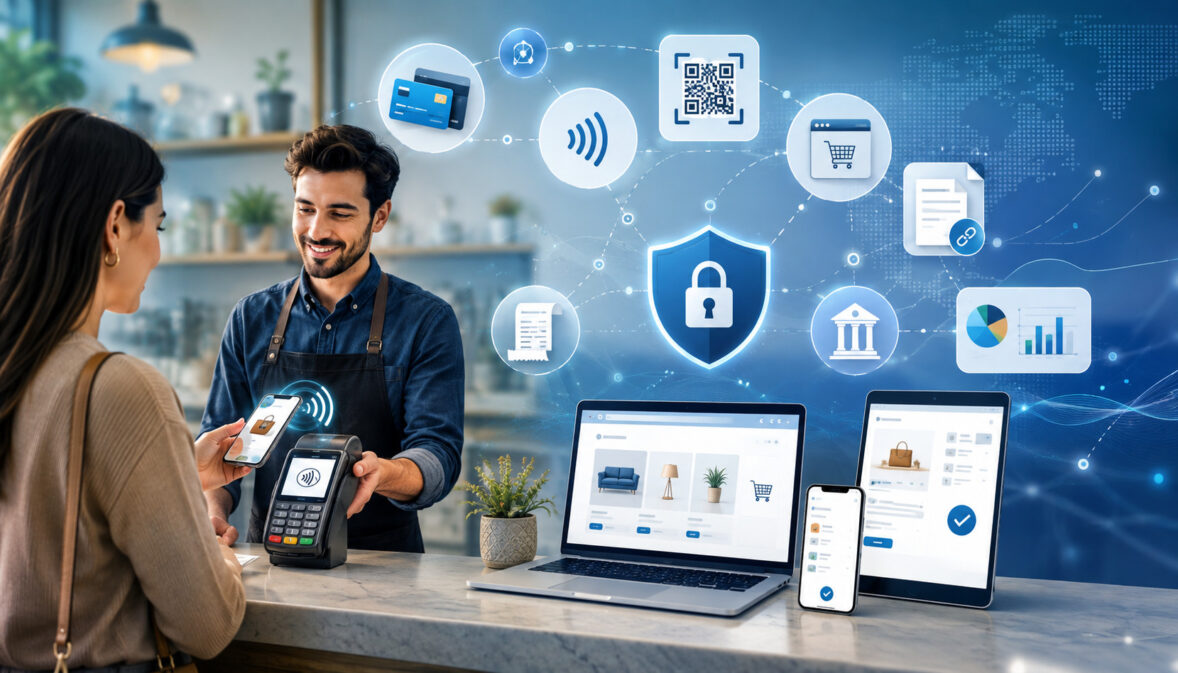
Electronic payments allow a business to receive money without exchanging physical cash or waiting for a paper check to move through a manual deposit process.
A customer may insert a chip card at a counter, tap a phone on a terminal, enter payment details at an online checkout, authorize a bank debit from an invoice, or approve a recurring charge for an ongoing service.
Although these experiences look different, each relies on connected technology, financial institutions, security controls, and transaction records.
Understanding how businesses accept electronic payments is important because the payment setup affects customer convenience, cash flow, processing costs, fraud exposure, bookkeeping, and day-to-day operations.
A system that works well for a single-location shop may not suit a contractor collecting remote deposits, an online seller shipping products, or a membership business billing customers each month.
This guide explains the main business electronic payment methods, the technology behind them, the path from payment authorization to transaction settlement, and the practical steps required to build a secure and cost-effective setup.
It also explains common fees, payment security responsibilities, chargebacks, reconciliation, and the questions decision-makers should ask before signing an agreement.
What Electronic Payments Are and Why Businesses Accept Them
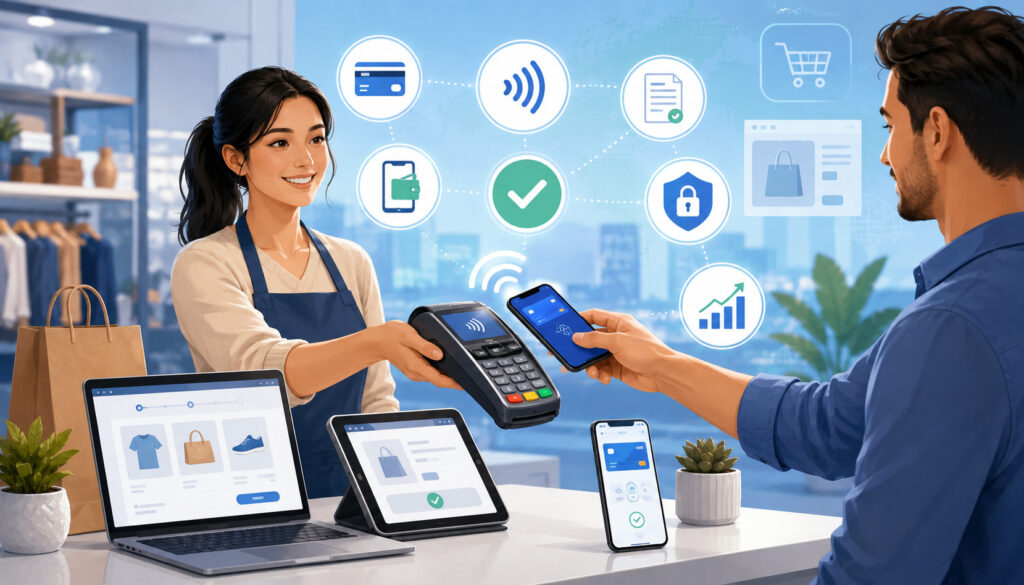
An electronic payment is a transfer of payment instructions and funds through digital systems rather than a physical exchange of currency. The customer authorizes a card, bank account, digital wallet, or another supported payment credential.
The business then uses an electronic payment system for business to send the transaction through the appropriate processing network.
Electronic payments differ from cash because approval and record creation happen through connected systems. They also differ from paper checks because payment information can be transmitted, verified, reported, and reconciled without physically transporting a document.
Some electronic bank transfers still take time to clear, and an approved transaction is not always the same as final, irreversible funds.
Businesses accept electronic payments for several practical reasons. Customers increasingly expect to pay through the channel that is most convenient at the moment, whether that is a card terminal, online checkout, payment link, invoice, or mobile device.
Electronic payments can also create searchable transaction records, reduce manual data entry, support faster invoicing, and make recurring billing possible.
The benefits must be weighed against processing fees, equipment costs, fraud controls, compliance work, and potential disputes. A card payment may be convenient but carry higher acceptance costs than an ACH payment.
A bank debit may cost less in some arrangements but settle differently and may be returned. A digital wallet may create a fast checkout while still using an underlying card transaction.
Businesses should therefore think of electronic payment processing as an operating system rather than a single device. The right setup connects customer payment preferences with sales channels, accounting needs, security responsibilities, and cash-flow expectations.
This overview of electronic payment systems provides additional context on common payment categories and basic transaction stages.
Major Business Electronic Payment Methods
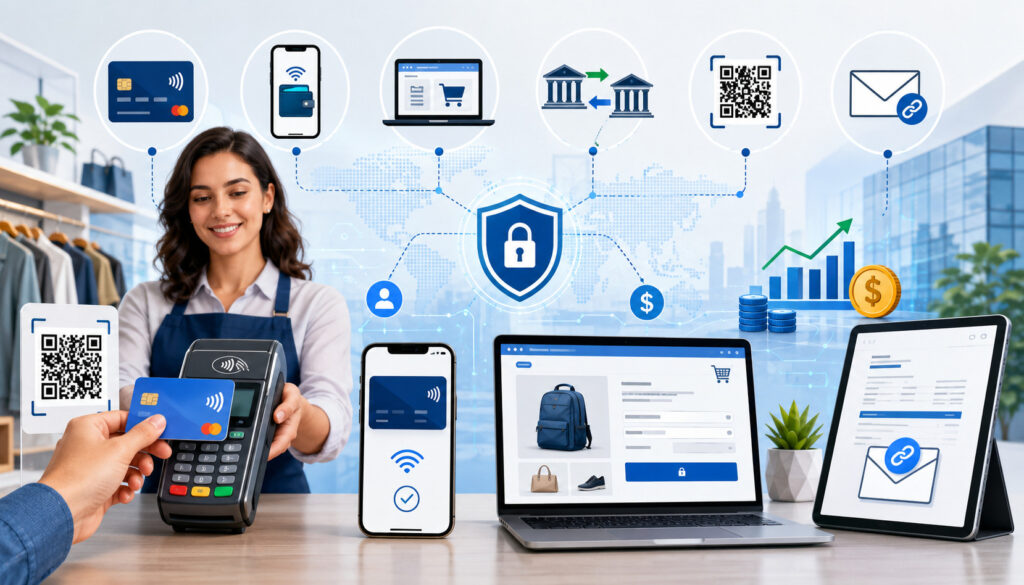
Electronic payments for businesses include several methods that move money through different networks and create different cost, timing, and risk considerations. Most businesses do not need every available method. They need a practical combination that supports their customers, average transaction size, sales environment, and internal processes.
The main options are credit and debit card payments, ACH payments and other bank transfers, digital wallets, mobile payments, contactless payments, payment links, and stored-payment recurring billing. Some methods overlap. For example, a customer may use a digital wallet at a contactless terminal, but the transaction may still travel through a card network.
Credit and Debit Card Payments
Card payments are a familiar way to accept digital payments. In a store, the customer may insert an EMV chip card, tap a contactless card, or use a compatible wallet. Online, the customer enters details into a hosted checkout or secure payment form. An authorized employee may also use a virtual terminal for a phone payment.
The business submits the transaction for payment authorization. The request travels through the processor and card network to the institution that issued the card. The response may approve, decline, or request another authentication step. Approval allows the sale to proceed, but capture, clearing, settlement, and funding still follow.
Costs vary by card type, transaction channel, business category, ticket size, and pricing model. Card-not-present payments usually need more fraud screening than properly processed card-present transactions. When the customer and card are physically present, businesses should use chip or contactless acceptance instead of manually entering card details.
ACH Payments and Electronic Bank Transfers
ACH payments move funds between bank accounts through a batch-based electronic network. Businesses use them for invoices, rent, professional services, memberships, supplier payments, and recurring collections. With an ACH debit, the business initiates a withdrawal after valid authorization. With an ACH credit, the payer instructs a financial institution to send funds.
ACH can be useful for larger invoices or repeating payments because its cost structure may differ from percentage-based card pricing. Businesses must still understand settlement timing, return rights, account verification, authorization wording, and record retention. Entries may be returned for insufficient funds, an invalid or closed account, or an authorization dispute.
The network’s operating rules define participant responsibilities. Businesses should review the official ACH operating rules and confirm requirements with their financial institution or payment provider. This guide to ACH authorization requirements explains how to document the payer, amount or schedule, consent, and applicable revocation process.
Digital Wallets, Mobile Payments, and Contactless Transactions
A digital wallet represents payment credentials on a phone, wearable device, browser, or account-based application. It may use a token instead of exposing the original card number. Customers can use wallets at online checkouts, in applications, or at compatible terminals.
Contactless payments use near-field communication when a card or device is held near a terminal. Official EMV specifications support contactless chip cards and NFC-enabled devices, with a one-time security value for each transaction. The terminal, POS software, processor, and merchant configuration must all support the payment type.
Mobile acceptance can also mean using a phone or tablet as the merchant’s payment device. It may connect to a reader, support tap-to-phone, display a QR code, or open a secure checkout link.
| Payment method | Common use | Timing pattern | Main cost considerations | Key safeguards |
| Card | Store, website, app, phone | Funded after capture and settlement | Interchange, network, processor, gateway | EMV, tokenization, authentication, PCI DSS |
| ACH | Invoices, large or recurring bills | Batch processing; returns vary | Transaction, validation, return charges | Authorization, account validation, access control |
| Digital wallet | Online, mobile, contactless | Follows the underlying payment rail | Usually follows underlying method pricing | Tokenization and device authentication |
| Payment link or invoice | Remote services and deposits | Depends on card or bank method | Gateway, invoice, card, or bank charges | Hosted form, access control, link management |
| Recurring payment | Memberships and payment plans | Runs on a schedule | Transaction, retry, storage, platform costs | Tokenization, consent records, cancellation controls |
Ways Businesses Accept Electronic Payments Across Sales Channels
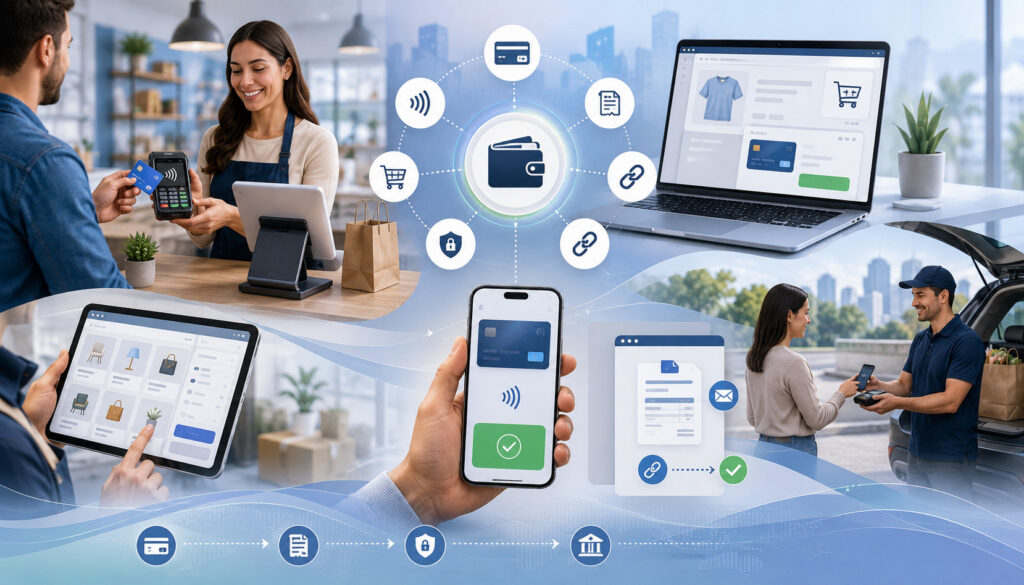
How to accept electronic payments depends largely on where the customer is located and how the sale is completed. A strong payment setup can support more than one channel while keeping reports, customer records, and deposits organized.
The goal is not to force every transaction through the same screen; it is to create consistent controls across the channels the business actually uses.
Point-of-Sale Systems for In-Person Payments
A point-of-sale system combines checkout software with payment hardware. It records the sale, calculates the total, sends the payment request, and produces a receipt. It may also manage inventory, tips, taxes, employee permissions, customer profiles, returns, and closeout reports.
Card-present businesses typically use a terminal supporting EMV chip and contactless transactions. An integrated device receives the amount from the POS and returns the approval to the same order, reducing duplicate entry. A standalone terminal requires separate amount entry and stronger reconciliation procedures.
The business should test offline conditions, manual entry, partial approvals, tips, voids, refunds, and batch closing. Staff need clear rules for keyed transactions and failed payments. A backup process may use a mobile terminal, secure payment link, or a documented method for completing the sale after service returns.
Online Payment Processing and Ecommerce Checkouts
Online payment processing begins when a customer enters payment information at a website or application checkout. A payment gateway securely transfers transaction details to the processor. The checkout may be hosted, embedded through secure fields, or built through an application programming interface.
Hosted checkout can reduce the card data handled by the merchant’s site. A custom integration provides more control but requires stronger development, testing, monitoring, and change management. Businesses should evaluate mobile use, page speed, accessibility, error handling, fraud controls, supported methods, and links to inventory or fulfillment.
The checkout should display the amount, billing terms, refund policy, delivery expectations, and recurring commitment before approval. Failed attempts should remain separate from completed orders. For shipped goods, authorization and capture timing should match fulfillment practices and processor rules.
Virtual Terminals, Payment Links, Mobile Devices, and Electronic Invoices
A virtual terminal is a secure browser interface used by authorized staff to enter payments without a physical terminal. It supports phone orders, deposits, and back-office collections. Because the card is not present, businesses should restrict access, avoid writing down card numbers, and use available security checks.
Payment links and electronic invoices send the customer to a secure page instead of collecting sensitive details through ordinary email or messaging. An invoice can include line items, amount, due date, reference number, and supported methods, then update automatically after payment.
Mobile acceptance helps field teams, delivery staff, and event sellers. Managed devices should use strong logins, current software, remote-lock capability, and secure connections. Employees should never store payment credentials in personal notes, photos, or messaging applications.
Recurring Billing and Subscription Payments
Recurring billing charges an approved payment method on a defined schedule. It is used for memberships, maintenance plans, software access, retainers, lessons, installments, and repeat deliveries. The system should store a secure token or reference instead of placing the original payment credential in ordinary business software.
Consent should describe the amount or calculation method, frequency, start date, cancellation process, and treatment of variable charges. Consumer electronic transfer rules address preauthorized transfers, so businesses should review the official electronic fund transfer regulation and obtain advice for their model.
The system also needs to manage expiring cards, failed payments, retries, notices, pauses, plan changes, and cancellations. Repeated aggressive retries can increase frustration and disputes. Timely notices, secure update links, and prompt cancellation handling create a better process.
Technology and Organizations Behind Electronic Payment Processing
Electronic payment processing involves several connected roles. In some arrangements, one provider bundles most functions under a single agreement.
In others, the business has separate relationships for the merchant account, payment gateway, POS software, hardware, fraud tools, and bank deposits. Understanding each role makes it easier to compare proposals and troubleshoot problems.
Merchant Accounts, Processors, and Acquiring Financial Institutions
A merchant account is a commercial payment relationship that permits card acceptance. It is separate from the ordinary bank account where operating funds are kept, although settlement deposits ultimately reach that account. Some businesses receive an individually underwritten account, while others operate within a shared processing structure.
The payment processor routes messages between the merchant environment, acquiring side, card network, and cardholder’s issuing institution. It also supports transaction records, settlement files, statements, and often risk monitoring. The acquiring financial institution supports the merchant side of clearing and settlement.
Businesses should identify who holds the agreement, controls underwriting, can place reserves or funding holds, and provides support during outages or disputes. Bundled services may simplify launch, while separate arrangements can offer greater control. The best fit depends on volume, risk, integrations, reporting, and contract terms.
Payment Gateways, POS Software, Terminals, and Virtual Terminals
A payment gateway securely carries online or software-initiated payment data to the processor. It may also provide tokenization, recurring billing, fraud filters, transaction search, reporting, and application interfaces. The gateway does not necessarily provide the merchant account, even when both appear on one invoice.
POS software manages the sale, while the terminal captures the payment credential. Integrated terminals connect the approval to the correct order. Standalone terminals require staff to enter the amount separately, creating more opportunity for mismatches.
Virtual terminals support authorized card-not-present entry through a browser. They should use individual accounts, multifactor authentication, timeouts, audit logs, and transaction limits.
Businesses should also verify hardware compatibility, ownership, replacement terms, support hours, updates, data exports, and whether devices can be used after changing processors. Long equipment leases deserve careful review.
How Transactions Move From Authorization to Settlement
The customer may see a payment approval in seconds, but the complete financial process continues after checkout. A typical card transaction moves through authorization, capture, batching, clearing, settlement, and merchant funding. Understanding these stages helps businesses manage cash flow and investigate missing or mismatched deposits.
Payment Authorization and Authentication
Payment authorization begins when the business submits the amount and payment credential. The processor routes the request through the relevant network to the institution controlling the account. That institution checks account status, available funds or credit, security data, fraud signals, and rules before approving or declining.
Authentication asks whether the person attempting payment is likely to be the authorized user. In person, it may involve a chip, device, PIN, or other cardholder verification. Online, it may use address checks, card security data, device signals, login credentials, or an additional issuer challenge.
Approval permits the transaction to proceed but does not guarantee final funding. A payment may still be reversed, left uncaptured, adjusted, or disputed. Businesses using delayed fulfillment should define when authorization and capture occur. This guide to payment authorization explains common approval and decline workflows.
Capture, Clearing, Settlement, and Merchant Funding
Capture tells the system that an approved transaction should proceed. In many stores, authorization and capture occur close together. In restaurants, lodging, rentals, ecommerce, or project work, the final amount or timing may change before capture.
Captured transactions are grouped into batches. During clearing, participants exchange records and calculate obligations and fees. Settlement moves funds between financial institutions, while merchant funding is the later deposit to the business bank account. The deposit may be net of fees, refunds, reserves, or disputes.
Batch cutoffs, banking holidays, weekends, risk reviews, unusual activity, and account changes can affect timing. Businesses should not treat every approval as money immediately available.
Settlement reports should identify each batch, gross sales, refunds, adjustments, and payout. The payment settlement process explains why authorization, settlement, and funding are separate events.
How to Begin Accepting Electronic Payments Step by Step
A business can begin accepting electronic payments without mastering every technical detail, but it should make a few key decisions before signing a contract. The following process works for a new setup or a review of an existing one.
- Document payment situations: List each place customers pay, including counters, websites, mobile teams, phone calls, invoices, and recurring plans. Note the average ticket, highest expected ticket, monthly volume, refund frequency, and whether customers are consumers or other businesses.
- Choose the payment methods: Decide whether the business needs cards, ACH, digital wallets, contactless payments, payment links, recurring billing, or a combination. Use customer behavior and transaction economics rather than adding every option by default.
- Define operational requirements: Identify needed features such as inventory, tipping, deposits, partial payments, saved customers, multiple locations, role-based permissions, invoice reminders, subscription management, offline procedures, and accounting integration.
- Prepare application information: Payment processing for businesses usually requires identity, ownership, bank, tax, website, product, fulfillment, and expected-volume information. The provider may review refund policies, delivery times, recurring terms, prior processing history, and potential chargeback exposure.
- Compare complete proposals: Ask for the pricing schedule, equipment terms, contract length, termination conditions, funding policy, reserve language, chargeback fees, gateway fees, PCI-related charges, support access, and data portability. Compare the same transaction mix across proposals.
- Select compliant equipment and integrations: Use supported terminals, secure hosted fields, validated software where applicable, and documented integrations. Avoid storing sensitive card data in local spreadsheets, email, notes, or customer-management fields.
- Configure payment rules: Set user permissions, refund limits, batch time, receipt details, transaction descriptors, fraud filters, recurring schedules, tax rules, and notification templates. Make sure the business name shown on customer statements is recognizable.
- Test every path: Run approved and declined test transactions, voids, full and partial refunds, duplicate attempts, mobile checkouts, failed ACH entries, and recurring payment updates. Confirm that each event appears correctly in reports and accounting records.
- Train employees: Staff should know how to process chip and contactless payments, when keyed entry is allowed, how to protect credentials, how to identify suspicious requests, how to issue refunds, and who to contact during an outage.
- Review after launch: Compare the first statements, batches, deposits, and chargeback notices with expected results. Correct configuration or training problems early rather than allowing workarounds to become permanent.
Fees, Pricing Models, and Total Processing Cost
Processing fees are not one universal rate. They depend on payment method, card type, sales channel, business category, transaction size, monthly volume, fraud risk, settlement arrangement, and the provider’s pricing structure. Businesses should compare total cost using their real transaction mix rather than a single advertised number.
Common Payment Processing Fees
Card processing costs may include interchange, network assessments, and processor markup. Other charges can cover authorizations, monthly service, gateways, statements, PCI programs, token storage, account updates, chargebacks, terminals, software, or cross-border activity.
ACH pricing may be per transaction, percentage-based with a cap, monthly, or bundled with software. Ask about returns, unauthorized entries, account validation, expedited options, and notices of change. Low transaction pricing may not compensate for frequent failures or manual collection work.
Equipment may be purchased, rented, included under conditions, or leased. Confirm ownership, replacement coverage, and whether the device remains usable after a processing change. Include software subscriptions, add-ons, integration work, and training.
A practical measure is total payment-related charges divided by processed sales volume for the same period. Review that figure alongside average ticket, disputes, returns, funding, support, and administrative effort.
Flat-Rate, Interchange-Plus, Tiered, and Subscription Pricing
Flat-rate pricing uses a published percentage and per-transaction amount for broad payment categories. It is easy to understand and may suit newer or lower-volume businesses, but it can cost more for a transaction mix that qualifies for lower underlying rates.
Interchange-plus pricing separates underlying card costs from the processor markup. It can be transparent when statements clearly show categories and fees, although final cost still changes with card type, channel, data quality, and business classification.
Tiered pricing groups transactions into provider-defined categories. Businesses should request written definitions, downgrade reasons, and examples based on their card mix. Subscription pricing adds a recurring platform charge to transaction costs and may suit some higher-volume operations.
No model is automatically cheapest. Compare realistic monthly statements and test how cost changes with volume, average ticket, and sales-channel mix.
Security, Compliance, Fraud Prevention, and Chargebacks
Secure electronic payments depend on technology, procedures, employee behavior, and vendor oversight. Businesses do not need to create unnecessary fear around payments, but they should understand that convenience does not remove responsibility.
The safest approach minimizes sensitive data, limits access, keeps systems updated, and uses payment tools designed for the channel.
Encryption, Tokenization, EMV, and Secure Data Handling
Encryption makes data unreadable without the correct key and can protect information in transit and storage. Point-to-point encryption protects card data from the payment device to a secure decryption environment, reducing exposure inside merchant systems.
Tokenization replaces a sensitive credential with a non-sensitive reference. The token can support refunds, recurring billing, and repeat purchases without storing the original number in ordinary software. Tokens are usually limited to a provider, merchant, or purpose.
EMV chip and contactless transactions generate dynamic data that is harder to reuse than magnetic-stripe information. These controls reduce some counterfeit fraud but do not prevent every dispute, account takeover, employee misuse, or online attack.
Businesses should collect only necessary payment information, restrict access, and dispose of records securely. Official business data-security guidance supports minimizing, protecting, and safely disposing of sensitive data.
PCI DSS Responsibilities
PCI DSS contains technical and operational requirements for protecting payment account data. It applies to entities that store, process, or transmit cardholder data, including merchants of every size. Official PCI DSS merchant guidance explains the standard and assessment tools.
A third-party checkout, gateway, or processor can reduce the systems within the merchant’s direct scope, but outsourcing does not remove responsibility. The business must verify that service providers protect data and support compliance obligations.
Practical work may include completing the appropriate assessment, securing configurations, changing defaults, limiting access, applying updates, scanning when required, monitoring logs, testing controls, and maintaining an incident process. Exact duties depend on the payment environment.
Businesses should confirm validation expectations with their acquiring side or provider. PCI DSS is an industry standard; privacy, consumer protection, breach, contract, and sector rules may create additional obligations requiring qualified legal or compliance advice.
Fraud Controls, Refunds, Disputes, and Chargebacks
Fraud prevention should combine signals such as address checks, card security data, device analysis, velocity limits, login protection, multifactor authentication, shipping review, ACH account validation, and manual review. Controls should match the business: overly strict filters can reject good customers, while weak filters can increase losses.
Review sudden ticket-size changes, repeated failures, mismatched details, unusual shipping requests, suspicious refunds, and split payments across many cards. A successful authorization does not prove identity or remove dispute risk.
A refund is initiated by the merchant. A chargeback is a dispute initiated through the customer’s financial institution. The business receives a reason, deadline, and evidence instructions. Helpful records may include the order, authorization, invoice, agreement, delivery proof, customer communication, cancellation terms, login records, or proof of an earlier credit.
Prevention starts with recognizable billing descriptors, accurate descriptions, realistic delivery promises, clear cancellation, and responsive service. Chargebacks cannot be eliminated, and a favorable decision is never guaranteed, but organized records and fair policies improve dispute handling.
Daily Operations: Reconciliation, Accessibility, and Common Mistakes
A payment system is successful only when it works after checkout. Finance teams need deposits that can be matched to sales. Customer-service teams need transaction records and refund tools. Managers need permissions and exception reports. Customers need payment options they can understand and use.
Payment Reconciliation and Accounting Integrations
Payment reconciliation matches sales, processor reports, fees, refunds, chargebacks, and bank deposits. A common transaction identifier should appear in the POS or invoice system, gateway, processor portal, and accounting export.
Daily reconciliation compares gross sales with captured transactions and batches. Deposit reconciliation then explains how the gross batch became the net deposit, including fees, refunds, disputes, reserves, tips, tax, split funding, or delayed captures.
Accounting integrations require careful configuration. Posting net deposits directly to revenue can understate sales and hide fees. A stronger structure records gross sales, payment clearing, processor fees, refunds, and bank deposits separately.
Review unmatched transactions, duplicate records, negative batches, delayed deposits, and manual entries. Keep settlement and dispute records for the periods required by accounting, contract, tax, and legal rules applicable to the business.
Accessibility and Customer Payment Preferences
Customers do not all prefer the same payment method. Some use cards or wallets, while others need a bank payment, invoice, or employee assistance. A business should avoid requiring a specific device or application unless its operating model depends on it.
Online checkouts should support keyboard navigation, readable labels, clear focus indicators, sufficient contrast, understandable errors, and reasonable session timing. Payment buttons should describe the action, recurring terms should appear before authorization, and customers should receive a confirmation they can save.
In-person terminals should be positioned for customer reach and visibility. Employees should assist without seeing or speaking sensitive information unnecessarily. Receipts and refund policies should be available in useful formats.
Offering several channels does not mean offering every option. A well-integrated terminal, invoice link, and ACH choice may provide better access than many disconnected applications.
Common Electronic Payment Mistakes to Avoid
A common mistake is choosing a provider only by its headline rate. Others include signing equipment or software agreements without reviewing cancellation, renewal, ownership, data export, reserves, and added-location costs.
Operational errors include keying cards that could use EMV, sharing logins, storing card numbers in notes, failing to close batches, delaying refunds, using unclear billing descriptors, and giving too many employees credit authority. Online businesses may launch custom checkouts without monitoring scripts, updates, errors, or suspicious traffic.
Businesses also confuse authorization with funding, causing poor cash forecasts. Recurring merchants may lack consent records or continue billing after cancellation. ACH users may collect account details without a complete authorization.
Adding channels without planning reconciliation creates separate deposits and reports. Before launch, define ownership, security, accounting, refunds, and dispute handling for every terminal, gateway, marketplace, or invoice tool.
Comparing Payment Providers and Planning for Growth
The best electronic payment solutions are not necessarily the ones with the most features. They are the ones that fit the business’s actual payment channels, risk profile, support needs, integration requirements, and total cost. A disciplined comparison prevents both overbuying and painful replacement projects.
How to Compare Electronic Payment Providers
Give each provider the same use case: monthly volume, average and maximum ticket, sales channels, card-present and card-not-present mix, ACH needs, recurring billing, refunds, and locations. Comparable inputs produce more useful proposals.
Ask about merchant-account structure, underwriting, supported methods, funding, reserves, hardware, gateways, PCI support, fraud tools, chargebacks, reporting, data ownership, integrations, and escalation. Request a sample statement and complete fee schedule, then model several realistic months.
Include software, terminal, gateway, authorization, batch, chargeback, PCI, and account-update charges. Also test reliability and support: outage communication, replacement procedures, support hours, and responsibility for integration problems.
Review contract duration, renewal, termination, equipment return, and data export. A low rate has limited value if the business cannot obtain support, understand deposits, or leave an unsuitable arrangement.
Questions to Ask Before Selecting a Payment System
Decision-makers should obtain specific written answers to questions such as:
- Which payment methods and sales channels are supported?
- How is the merchant account structured, and who controls underwriting or holds?
- What are the batch cutoff, funding pattern, and common exceptions?
- Which charges apply to cards, ACH, refunds, disputes, gateways, equipment, and software?
- Is equipment purchased, rented, conditionally included, or leased?
- Which PCI DSS validation steps apply?
- How are tokens, customer records, and transaction data protected?
- Can the system integrate with the website, POS, accounting, and customer tools?
- What happens during an outage?
- How are disputes tracked and answered?
- Can data be exported in a usable format?
- What notice and fees apply to cancellation?
Answers should define responsibilities and limits. Phrases such as “fast funding,” “advanced security,” and “easy integration” are not meaningful without measurable details.
Future-Ready Considerations
A future-ready payment system should add locations, terminals, users, products, invoices, recurring plans, or ecommerce volume without rebuilding every workflow. Growth may also require stronger risk controls, permissions, and reporting.
Integration quality becomes more important over time. Use documented interfaces, supported plugins, stable exports, and clear update ownership. Custom development needs testing, version control, monitoring, and a plan for security changes.
Omnichannel reporting should connect online orders, in-person payments, phone refunds, and recurring updates without exposing sensitive data or creating duplicate customer records. Businesses should review the setup after major changes such as a new location, website, product, subscription plan, acquisition, or accounting platform.
The goal is not constant replacement. It is a secure, transparent, cost-effective system that continues to fit operations.
Frequently Asked Questions
What does a business need to accept electronic payments?
Most businesses need a business bank account, an approved payment-processing relationship, a method for capturing payment details, and secure software or equipment.
The exact setup may include a merchant account, processor, gateway, terminal, POS, virtual terminal, invoice tool, or ACH service. The business also needs documented policies for refunds, security, employee access, reconciliation, and customer authorization.
Can a business accept electronic payments without a physical card terminal?
Yes. A business can use an online checkout, hosted payment page, payment link, electronic invoice, virtual terminal, mobile application, or ACH collection tool.
The right option depends on whether customers pay online, by phone, through invoices, or on a recurring schedule. Card-not-present channels need appropriate fraud screening and secure handling because the card is not physically verified at checkout.
What is the difference between a payment gateway and a payment processor?
A payment gateway securely transfers transaction information from an online checkout, application, invoice, or connected software system. A payment processor routes the transaction through the financial network for authorization, clearing, and settlement support.
One provider may bundle both functions, but the roles remain different. Businesses should know which system controls tokens, reporting, fraud settings, and integrations.
How long do electronic payments take to settle?
Timing varies by payment method, batch cutoff, provider, financial institution, risk review, weekend, banking holiday, and merchant-account terms. Card transactions may be funded after the applicable capture and settlement cycle.
ACH payments follow their own processing windows and may be returned after initial acceptance. Businesses should ask for written funding expectations and exceptions rather than relying on a general promise.
Are electronic payments secure?
They can be processed securely when businesses use appropriate technology and procedures. Important controls include encryption, tokenization, EMV, contactless security, strong authentication, limited access, system updates, fraud monitoring, and PCI DSS compliance for card data.
No system removes all risk, so businesses should also maintain incident procedures, vendor oversight, employee training, and accurate records.
What fees are involved in electronic payment processing?
Possible costs include interchange, network assessments, processor markup, per-transaction charges, monthly service, gateways, software, terminals, PCI programs, chargebacks, account updates, ACH returns, and optional features.
The fee structure varies widely. A useful comparison calculates the complete cost for the business’s actual transaction mix and includes operational costs such as reconciliation and support time.
Can a small business accept ACH payments?
Yes. Small business payment processing can include ACH debits, ACH credits, electronic checks, and invoice-based bank payments. The business must use an approved service, obtain appropriate authorization, protect account information, follow applicable operating rules, and maintain records.
ACH can be useful for larger invoices and recurring collections, but returns and authorization disputes still require management.
How can businesses accept payments remotely?
Businesses can send secure payment links, issue electronic invoices, use online checkout pages, collect ACH authorization, or enter authorized card details into a virtual terminal.
Payment links and hosted forms are often safer than asking customers to send sensitive data through ordinary email or messaging. Remote workflows should include identity checks, clear invoice details, confirmation receipts, and controls for unusual transactions.
What is required for recurring electronic payments?
Recurring billing requires clear customer consent, a defined amount or calculation method, a schedule, cancellation terms, secure credential storage or tokenization, and records of authorization.
The system should manage failed payments, payment-method updates, notices, pauses, refunds, and cancellations. Requirements differ for card and bank-account payments, so the business should verify network, contract, and regulatory obligations.
How can businesses reduce payment fraud and chargebacks?
Use several controls together: secure checkout, authentication, address and security-code checks, device and velocity monitoring, clear billing descriptors, accurate product descriptions, delivery evidence, accessible cancellation, prompt refunds, and trained staff.
Review unusual orders manually and keep organized records. These steps reduce risk but cannot guarantee that every fraudulent transaction or dispute will be prevented.
Conclusion
How businesses accept electronic payments depends on where customers pay, which payment methods they prefer, how quickly the business needs funds, and how transactions flow into operations and accounting.
Stores may rely on EMV and contactless terminals, online sellers on secure gateways, mobile teams on portable acceptance, service businesses on payment links and invoices, and subscription businesses on tokenized recurring billing.
The strongest setup connects those customer-facing options to a well-understood merchant account or processing structure. It defines how payments are authorized, captured, settled, funded, refunded, disputed, and reconciled. It also makes fees visible, limits access to sensitive data, uses appropriate security controls, and gives employees clear procedures.
Businesses should compare providers with realistic transaction data, read the complete contract, verify compliance responsibilities, test every workflow, and review reports after launch. Processing costs and settlement times vary, so decisions should be based on total cost and operational fit rather than a single rate or funding claim.
The best payment setup is secure, convenient, transparent, scalable, and appropriate for the business’s real needs. It supports customer choice without creating uncontrolled systems, gives decision-makers dependable records, and makes responsibilities clear across sales, finance, customer service, and technology teams.
Regular review keeps the arrangement aligned with changing volume, customer behavior, integrations, and operational risk.