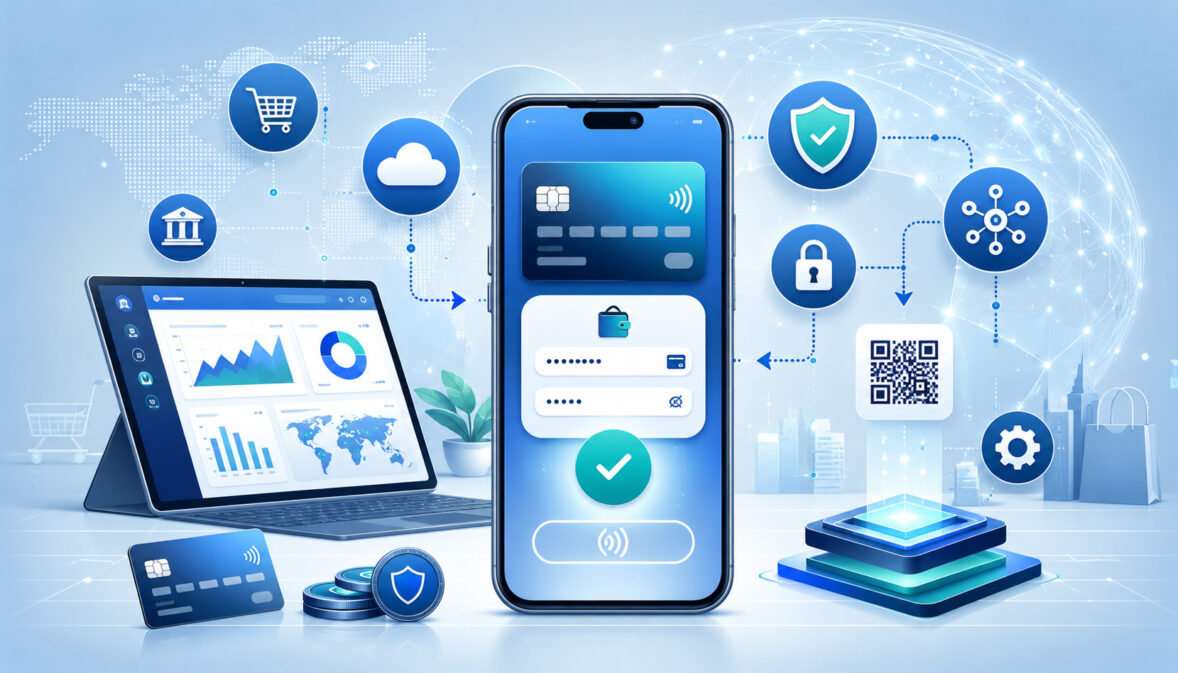
Mobile payment gateway integration is the process of connecting a mobile app, mobile website, or mobile checkout flow to secure payment technology so customers can pay from a phone or tablet.
For many businesses, this connection is no longer optional. Customers expect fast checkout, familiar payment methods, clear confirmations, and safe handling of their payment information.
A strong mobile payment gateway integration does more than accept a card number. It connects checkout, fraud screening, payment authorization, payment capture, settlement, refunds, chargebacks, reporting, and reconciliation. It also helps business owners, developers, finance teams, and customer support teams understand what happens after a customer taps “Pay.”
This guide explains how mobile payment gateway integration works, what features matter, how APIs and SDKs fit into the process, and how to build secure mobile payments responsibly. It is intended for educational use and does not replace advice from qualified payments, legal, compliance, cybersecurity, tax, or technical professionals.
What Is Mobile Payment Gateway Integration?
Mobile payment gateway integration means connecting a mobile app, mobile website, or mobile checkout experience to a payment gateway so customers can securely pay using cards, mobile wallets, bank payments where supported, or other digital payment methods.
The payment gateway acts as the secure bridge between the customer-facing checkout and the financial systems that authorize, approve, decline, capture, settle, refund, and report transactions.
For example, a restaurant may use mobile checkout integration so customers can order ahead and pay through an app. A SaaS business may use in-app payment integration to collect monthly subscription fees.
A retail store may use ecommerce mobile payments so customers can buy from a mobile website and pick up in store. A service provider may send payment links that open a mobile-friendly checkout page.
Mobile payment gateway integration can be simple or highly customized. A small business may use a hosted checkout page that sends customers to a secure payment form.
A larger business may use payment gateway API integration, a mobile payment SDK, tokenization, webhooks, fraud tools, and settlement reports to connect payments with its app, accounting software, CRM, inventory, and customer portal.
The goal is not only to “take payments.” The goal is to create a reliable payment flow that supports customer convenience, secure data handling, operational accuracy, and clear records.
Why Mobile Payment Gateway Integration Matters
Mobile payment gateway integration matters because mobile customers are often less patient than desktop customers. Small screens, slow pages, confusing forms, forced account creation, and unclear error messages can quickly lead to abandoned checkout. A smooth payment flow can improve convenience, reduce friction, and help customers complete purchases confidently.
For business owners, mobile payments integration supports more than customer experience. It can help with cash flow, reporting, subscription billing, app monetization, and payment reconciliation.
When the gateway is properly connected to order systems and accounting workflows, teams can see which payments were approved, captured, refunded, settled, disputed, or failed.
For app developers, mobile payment system integration creates a structured way to build payments into mobile apps without handling sensitive card data unnecessarily. APIs, SDKs, hosted fields, tokenization, and webhooks help developers build payment flows that are easier to test, monitor, and maintain.
For finance teams, transaction reporting and settlement reports are essential. A mobile app may show that a customer paid, but the finance team still needs to match that transaction to gateway reports, processor batches, bank deposits, refunds, chargebacks, and accounting records.
Mobile payment gateway integration is especially important for ecommerce sellers, restaurants, retailers, subscription businesses, SaaS platforms, marketplaces, and service businesses that depend on fast digital checkout. When the integration is secure and well-tested, it supports customer trust and reduces operational confusion.
How Mobile Payment Gateways Work
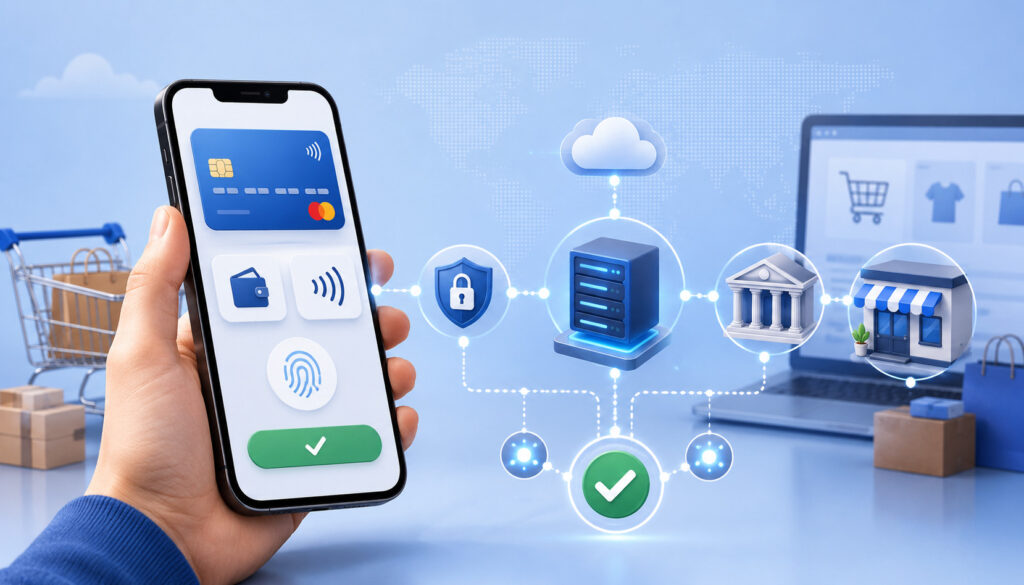
A mobile payment gateway works by securely collecting payment details, sending them through the payment processing network, receiving an approval or decline, and returning a result to the mobile app or mobile website. Behind the checkout button, several systems work together in seconds.
The process usually begins when a customer selects a product, service, subscription, invoice, or booking and chooses a payment method. The mobile app or mobile site displays checkout options such as card payments, digital wallet payments, or saved payment methods. The customer confirms the amount and submits payment.
Sensitive payment data should be collected through secure payment forms, hosted fields, a mobile payment SDK, or tokenization tools. The business should avoid directly storing card numbers or CVV data unless it has the proper controls and compliance obligations in place.
The payment gateway receives the payment request and routes it to the payment processor. The processor communicates with the card network and issuing bank. The issuing bank approves or declines the transaction based on available funds, card status, fraud signals, authentication, and other rules.
If the transaction is approved, the gateway returns an authorization response. Depending on the business model, the payment may be captured immediately or captured later. After capture, the transaction enters settlement, where funds move through the processing system toward the merchant account and business bank account.
Mobile Payment Gateway Integration Flow Table
| Integration or Payment Stage | What Happens | Who Is Involved | Why It Matters |
| Checkout setup | The business designs the mobile cart, checkout screen, payment button, and payment methods. | Business, developer, gateway | Creates the customer-facing payment experience. |
| Payment method selection | The customer chooses card, wallet, saved payment method, or another supported option. | Customer, app or mobile site | Gives customers convenient ways to pay. |
| Secure data capture | Payment information is collected through secure fields, hosted checkout, SDK, or tokenization. | App, gateway, SDK | Reduces exposure of sensitive payment data. |
| Tokenization | Sensitive card data is replaced with a payment token. | Gateway, processor, app | Helps avoid storing raw card data directly. |
| Authorization | The transaction is routed for approval or decline. | Gateway, processor, card network, issuing bank | Confirms whether the payment can proceed. |
| Capture | The approved transaction is submitted for funding. | Merchant system, gateway, processor | Moves the transaction toward settlement. |
| Settlement | Captured transactions are batched and processed for funding. | Processor, acquiring bank, merchant account | Turns approved sales into merchant deposits. |
| Reporting | Transactions, refunds, disputes, and batches are recorded. | Gateway, business systems, finance team | Supports reconciliation and accounting. |
| Refunds or disputes | Adjustments, refunds, chargebacks, or reversals are managed. | Business, gateway, processor, banks | Protects customer service and financial records. |
This table shows why mobile payment gateway integration should be planned as a complete payment lifecycle, not just a checkout button.
Key Parties Involved in Mobile Payment Processing
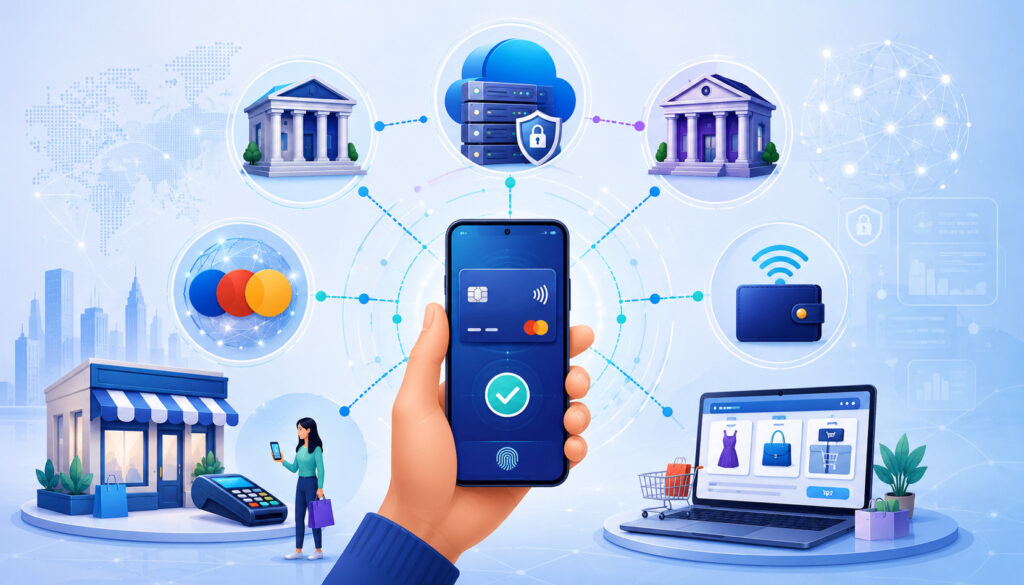
Mobile payment processing involves multiple parties. The customer sees a simple checkout screen, but the transaction moves through a connected ecosystem that includes the mobile app or website, payment gateway, payment processor, merchant account, acquiring bank, issuing bank, card network, mobile wallet provider where relevant, and business bank account.
The customer starts the process by choosing a product or service and submitting payment. The mobile app or mobile website collects the order details, displays the payment options, and sends the payment request to the gateway using secure integration methods.
The payment gateway securely routes the request. The payment processor helps transmit the transaction through the card network or other payment rail. The issuing bank decides whether the customer’s payment method should be approved or declined. The acquiring bank and merchant account help receive processed funds for the business.
Mobile wallet payment integration may add another layer. A wallet can use tokenized card details and device-level authentication to approve a payment without exposing the customer’s actual card number to the merchant’s app.
The Mobile App or Mobile Website
The mobile app or mobile website is the customer-facing layer of the payment experience. It collects order details, displays pricing, applies taxes or fees where applicable, shows available payment methods, and presents the final amount before the customer submits payment.
In a good mobile checkout integration, the app does not simply send a payment request and hope for the best. It validates the order amount, confirms inventory or service availability, connects to the gateway securely, receives a payment response, and updates the order status.
The app should also show clear customer messages. If payment is approved, the customer should see a confirmation screen and receive a receipt. If payment fails, the customer should see a helpful error message that explains what to try next without exposing sensitive security details.
Gateway, Processor, and Banks
The payment gateway, payment processor, acquiring bank, issuing bank, and card network work together to move payment information and responses. The gateway collects and routes the transaction.
The processor communicates with the relevant financial network. The card network helps pass the request between the acquiring and issuing sides. The issuing bank approves or declines the transaction.
The merchant account is the business-side payment account used to receive processed card payments. After authorization and capture, settlement occurs, and funds move toward the merchant’s bank account according to the processor’s funding schedule.
For more background, see this resource on merchant account approval requirements.
Types of Mobile Payment Gateway Integration
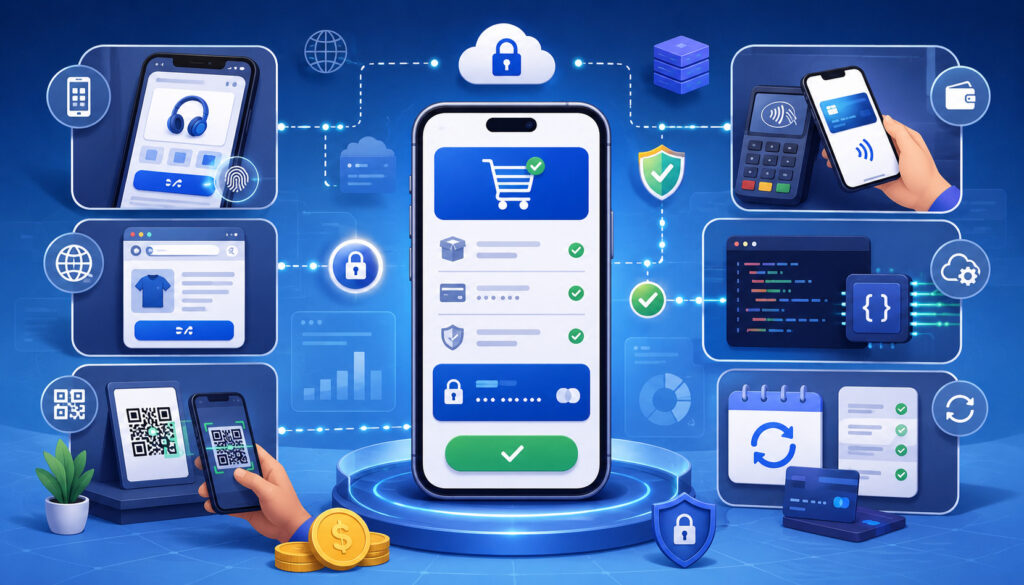
Businesses can integrate mobile payments in several ways. The right method depends on the business model, technical resources, checkout experience, compliance responsibilities, and required payment features.
Hosted checkout sends customers to a secure payment page controlled by the gateway. It is often easier to launch and can reduce how much sensitive payment data touches the merchant’s systems. It may be useful for smaller businesses, invoice payments, service providers, and teams with limited developer resources.
Embedded checkout keeps the payment form within the business’s mobile website or app while using secure hosted fields or tokenization. This offers a more seamless experience but may require more planning.
A mobile app payment gateway may use an SDK. A mobile payment SDK helps developers add card entry, digital wallet payments, tokenization, authentication, and error handling into native apps.
Payment gateway API integration offers deeper control. A mobile payment API can support payment requests, refunds, customer profiles, recurring billing, webhooks, settlement reporting, and custom workflows.
Other options include payment links, QR code payments, mobile wallet integration, and recurring billing integration. These can be useful for restaurants, field services, subscriptions, invoices, and mobile commerce payments.
Hosted Checkout vs In-App Integration
Hosted checkout and in-app integration are two common approaches, and each has trade-offs.
Hosted checkout redirects the customer to a secure payment page or opens a gateway-controlled payment experience. This can reduce development complexity and may reduce the amount of sensitive card data handled by the business.
Hosted checkout can be a practical choice for businesses that need to launch quickly or do not want to build a fully custom checkout.
The trade-off is control. Hosted checkout may offer fewer branding options, fewer custom user experience choices, and less flexibility for complex workflows such as subscriptions, upgrades, split orders, partial captures, or app-based billing logic.
In-app payment integration keeps more of the payment experience inside the mobile app. It can feel smoother for users because they do not leave the app. It may support saved cards, mobile wallet payment integration, subscription billing, loyalty, app payment processing, and customized checkout screens.
However, in-app integration requires more careful development. Teams must protect API credentials, use secure payment forms or SDKs, handle tokenization correctly, test errors thoroughly, and understand their PCI compliance responsibilities.
A simple business may start with hosted checkout. A SaaS app, restaurant ordering app, marketplace, or subscription platform may need deeper in-app payment integration.
Mobile Payment API Integration
Mobile payment API integration connects a mobile app, backend server, website, or business system directly to a payment gateway through structured requests and responses.
The API allows the business to create transactions, authorize payments, capture funds, issue refunds, retrieve transaction status, store customer tokens, manage recurring billing, and access reporting data.
In a secure design, the mobile app usually does not talk directly to the gateway with secret credentials. Instead, the app communicates with the business’s backend server. The server validates the order, communicates securely with the gateway, stores non-sensitive transaction records, and returns payment status to the app.
Payment gateway API integration can also support webhooks. Webhooks notify the business system when a payment status changes. This is important because not all payment events happen during the original checkout session. A payment may later settle, fail, be refunded, be disputed, or require review.
For a deeper technical overview, see this guide on API-based payment gateway integrations.
API Authentication and Security
API authentication protects access to payment gateway functions. Credentials may include API keys, secret keys, access tokens, client IDs, client secrets, signing keys, or environment-specific credentials.
Sensitive credentials should not be exposed in mobile apps, public code repositories, browser scripts, screenshots, shared documents, or client-side files. A mobile app can be downloaded and inspected, so anything embedded inside the app should be treated carefully.
A safer pattern is to keep secret credentials on the server, restrict permissions, use secure storage, rotate keys when needed, and monitor access logs. Developers should also separate sandbox credentials from production credentials.
Webhooks and Payment Status Updates
Webhooks are event notifications sent by the payment gateway to the business system. They help keep records accurate when payment events happen after checkout.
For example, a webhook may notify the business that a payment was approved, declined, refunded, disputed, settled, or failed. A subscription billing system may use webhooks to update an account after a recurring mobile payment succeeds or fails.
Webhook handling should include signature verification, retry logic, duplicate event detection, event logging, and clear mapping between gateway statuses and internal statuses. Without webhooks, teams may rely too heavily on the checkout response and miss later payment events.
Mobile Payment SDK Integration
A mobile payment SDK is a software development kit that helps developers add payment features to mobile apps. It may include prebuilt components for card entry, mobile wallet payment integration, payment tokenization, error handling, authentication, and secure communication with the gateway.
SDK integration can save development time because developers do not need to build every payment function from scratch. A payment gateway SDK may provide tested tools for collecting card details, generating tokens, handling digital wallet payments, and managing checkout flows on supported mobile platforms.
However, SDKs are not a substitute for planning. Developers still need to understand what the SDK does, which platforms it supports, how updates are managed, how errors are returned, and how the app communicates with the backend server.
A strong mobile payment SDK should provide clear documentation, sandbox testing, sample code, version history, supported payment methods, security guidance, and production launch steps. Teams should also check whether the SDK supports saved payment methods, recurring mobile payments, fraud tools, and reporting needs.
Mobile Wallet Payment Integration
Mobile wallet payment integration allows customers to pay using a digital wallet connected to a phone, wearable device, or browser-supported wallet flow. In many cases, the wallet uses tokenized card data and device-level confirmation, such as biometric approval or passcode verification.
Digital wallet payments can improve mobile checkout because customers may not need to manually type card numbers, expiration dates, billing addresses, or CVV codes. This can reduce friction on small screens and support faster checkout.
For businesses, wallet payments can also support secure mobile payments because the actual card number may not be shared in the same way as manual card entry. Instead, tokenized payment credentials are used during the transaction.
Mobile wallet payment integration is useful for ecommerce mobile payments, mobile commerce payments, restaurant apps, retail apps, ticketing apps, donation pages, service booking apps, and subscription signups. It can be especially helpful when customers are checking out quickly from a phone.
Still, wallet support should be tested carefully. The app should confirm order totals, show clear payment status, handle failed wallet attempts, and provide a fallback payment method when a wallet is unavailable.
Card Payments in Mobile Apps
Card payments remain a major part of mobile payment processing. In mobile apps and mobile websites, card payments usually involve card entry fields, saved cards, tokenization, payment authorization, payment capture, refunds, and possible chargebacks.
A card-not-present payment occurs when the card is not physically tapped, dipped, or swiped at a terminal. Mobile app payments and ecommerce mobile payments usually fall into this category. Because the card is not physically present, fraud prevention tools such as CVV, AVS, 3D Secure, device signals, and velocity checks can be important.
Saved cards should be handled through payment tokenization rather than raw card storage. The business stores a token that represents the payment method, while the gateway or processor stores the sensitive data under controlled conditions.
Card payments may be authorized and captured at the same time, or authorized first and captured later. For example, a restaurant pickup order may capture immediately, while a service booking may authorize first and capture when the service is completed.
Refunds, voids, and chargebacks should also be part of the integration plan. Customer support teams need transaction IDs, payment status, and refund records to resolve issues efficiently.
Recurring Mobile Payments and Subscription Billing
Recurring mobile payments are used for subscriptions, memberships, service plans, installment payments, app-based billing, and ongoing customer accounts. Mobile payment gateway integration can support these workflows by storing tokenized payment methods and billing customers on a schedule.
Subscription billing requires more than charging the same card repeatedly. Businesses need customer consent, billing schedules, renewal notices where appropriate, failed payment retries, payment method updates, cancellation workflows, refund rules, and clear account status changes.
A SaaS business may use recurring billing for monthly plans. A fitness app may charge membership fees. A service provider may collect recurring maintenance payments. A restaurant or retailer may offer subscription boxes, loyalty memberships, or prepaid plans.
Failed mobile payments are common in recurring billing. Cards expire, banks decline transactions, customers replace cards, and fraud filters may block payments. A good integration should support retry logic, customer notifications, account grace periods, and easy payment method updates.
Mobile Payment Security Best Practices
Mobile payment security should be built into the integration from the beginning. Secure mobile payments depend on encryption, tokenization, PCI compliance awareness, secure payment forms, protected APIs, limited data storage, access controls, fraud monitoring, and secure development practices.
Businesses should avoid collecting or storing sensitive card data directly unless they understand the compliance and security requirements. Secure hosted fields, hosted checkout, tokenization, and approved payment tools can reduce risk.
Admin access should also be protected. Finance dashboards, gateway portals, refund tools, and customer records should use strong passwords, role-based access, and multi-factor authentication where available.
Fraud monitoring should be active, not ignored after launch. Teams should review declined transactions, chargebacks, suspicious account activity, refund patterns, duplicate attempts, and card testing behavior.
The Payment Card Industry Security Standards Council provides mobile payment acceptance security guidance and broader payment data protection resources that businesses can review when planning secure payment workflows.
Tokenization
Tokenization replaces sensitive payment data with a token. Instead of storing a full card number, the business stores a token that can be used for approved future payment actions.
For example, a customer may save a card in a mobile app. The app or secure payment form sends the card information to the gateway, and the gateway returns a token. The business stores the token, not the raw card number.
Tokenization can support saved cards, recurring mobile payments, subscription billing, customer profiles, and one-click checkout. It also helps reduce the risk created by storing sensitive payment information directly.
Encryption
Encryption protects payment data while it moves between systems. When a customer submits payment through a mobile app or mobile website, encryption helps prevent readable payment details from being exposed during transmission.
Encryption does not replace tokenization, PCI compliance, secure coding, or access controls. It is one layer of protection. A secure mobile payment system usually combines encryption, tokenization, secure APIs, fraud monitoring, and careful data storage decisions.
Businesses should work with qualified technical and compliance professionals when designing systems that handle sensitive payment data.
PCI Compliance and Mobile Payment Gateway Integration
PCI compliance awareness is essential for mobile payment gateway integration. Any business that accepts payment cards has responsibilities for protecting cardholder data, even if it uses a gateway, processor, hosted checkout, or mobile payment SDK.
The exact compliance scope depends on how the integration is designed. Hosted checkout may reduce how much sensitive card data touches the business’s systems. Embedded checkout with hosted fields may also reduce exposure. A custom integration that directly handles card data may create more responsibility.
Businesses should avoid unsafe storage of full card numbers, CVV codes, magnetic stripe data, or other sensitive authentication data. They should also limit access to payment records, use secure tools, maintain secure systems, and document payment workflows.
Mobile apps require special care because apps run on customer devices that the business does not control. Secret keys should not be embedded in apps. Payment data should be collected through secure methods. App updates, SDK updates, and backend changes should be tested before release.
PCI compliance can be technical and detailed, so businesses should get qualified guidance when needed.
Fraud Prevention for Mobile Payments
Mobile payments can face fraud risks such as stolen cards, account takeover, card testing, fake accounts, bot activity, refund abuse, friendly fraud, and card-not-present disputes. A strong mobile payment gateway integration should include fraud prevention tools and operational review processes.
AVS checks compare billing address details. CVV checks help confirm that the customer has access to the card security code. 3D Secure can add an authentication step for certain transactions. Device signals, IP checks, velocity rules, and transaction limits can help identify suspicious activity.
Card testing is a common risk in mobile and ecommerce environments. Fraudsters may use automated scripts to test stolen card numbers through small transactions. Rate limits, CAPTCHA where appropriate, velocity checks, and monitoring can help reduce this risk.
Friendly fraud occurs when a customer disputes a legitimate transaction. Clear receipts, order records, delivery confirmation, account logs, refund policies, and customer communication can help businesses respond to disputes.
The Federal Trade Commission provides consumer education on mobile payment app scams, which is a useful background for understanding how fraudsters exploit payment behavior.
Mobile Payment Gateway Feature Table
| Feature | What It Does | Why It Matters | Best Use Case |
| Mobile payment API | Connects app or backend systems to gateway functions. | Supports custom checkout and automation. | SaaS, marketplaces, custom apps |
| Payment gateway SDK | Provides developer tools for native app payments. | Speeds development and supports secure payment entry. | Mobile apps |
| Tokenization | Replaces sensitive payment data with tokens. | Reduces direct storage risk. | Saved cards, subscriptions |
| Mobile wallet support | Allows wallet-based digital payments. | Improves speed and convenience. | Mobile commerce, restaurants |
| 3D Secure | Adds authentication for selected transactions. | Helps reduce certain fraud risks. | Ecommerce and app payments |
| AVS and CVV | Checks billing address and card security code. | Adds fraud screening signals. | Card-not-present payments |
| Webhooks | Sends payment status updates to business systems. | Keeps records accurate after checkout. | Subscriptions, refunds, disputes |
| Sandbox testing | Lets teams test before launch. | Reduces production errors. | All integrations |
| Reporting tools | Provides transaction and settlement data. | Supports reconciliation and finance workflows. | Finance teams |
| Refund tools | Allows full or partial refunds. | Supports customer service. | Retail, restaurants, services |
Choosing the Right Mobile Payment Gateway
Choosing the right mobile payment gateway requires more than comparing transaction fees. Businesses should evaluate supported payment methods, APIs, SDKs, security tools, reporting features, settlement timing, customer support, fraud prevention, recurring billing, refund tools, chargeback tools, and integration documentation.
Start with the business model. A restaurant app needs fast checkout, tips, order updates, and refunds. A subscription business needs recurring billing, failed payment retries, and customer payment method updates. A retail store may need mobile wallet support, ecommerce mobile payments, and inventory integration.
Developers should review the documentation before the business commits. Look for sample code, sandbox testing, SDK support, API endpoints, webhook documentation, error codes, authentication requirements, and production launch steps.
Finance teams should review settlement reports, transaction reporting, refund records, chargeback notices, fee visibility, and export options. A payment gateway that works well for checkout but creates reconciliation problems can become costly over time.
Security and compliance features should also be evaluated. Tokenization, encryption, secure hosted fields, fraud filters, access controls, and clear PCI guidance can make the integration safer and easier to manage.
Mobile Payment Gateway Integration Checklist
Use this checklist before building or launching mobile payment gateway integration:
- Business payment needs defined.
- Mobile checkout flow mapped.
- Payment methods selected.
- Gateway API or SDK reviewed.
- Merchant account requirements checked.
- Security responsibilities understood.
- PCI scope reviewed.
- Sandbox testing completed.
- Error handling planned.
- Refund workflow tested.
- Webhooks configured.
- Reporting and reconciliation reviewed.
- Fraud tools enabled.
- Checkout UX tested.
- Launch monitoring plan created.
This checklist helps teams avoid common mistakes. Payment gateway integration is not only a developer task. It affects sales, support, finance, compliance, fraud prevention, customer experience, and operations.
Development Steps for Mobile Payment Gateway Integration
A practical development process starts with selecting a payment gateway that supports the business model. Review the gateway documentation, API references, SDK guides, supported platforms, payment methods, webhook events, testing tools, and compliance guidance.
Next, set up the merchant account or gateway account and create sandbox credentials. Developers should build the payment flow in a test environment before touching production transactions.
The mobile app or mobile website should collect order details, display the final amount, and use secure payment fields or a mobile payment SDK. The backend server should validate the transaction amount, communicate securely with the gateway, and store non-sensitive transaction records.
Tokenize payment data where appropriate. Test authorization, capture, failed payments, refunds, voids, webhooks, duplicate transaction handling, and reporting.
Before launch, review security. Confirm that secret keys are not exposed in the app, logs, front-end code, or shared files. Check role-based access for gateway dashboards. Review fraud settings and reconciliation reports.
After launch, monitor real transactions closely. Watch for failed payments, customer complaints, duplicate charges, webhook failures, settlement mismatches, and unusual fraud patterns.
Testing Mobile Payment Gateway Integration
Payment gateway testing is one of the most important parts of mobile payments integration. Sandbox testing allows teams to test payment scenarios before launching real transactions.
Testing should include successful payments, declined cards, expired cards, insufficient funds, invalid CVV, AVS mismatches, gateway timeouts, duplicate transaction attempts, network interruptions, refunds, voids, and webhook delivery.
Mobile device testing is also important. A checkout flow that works on one device may fail on another because of screen size, operating system version, browser behavior, app permissions, or SDK compatibility.
Teams should also test checkout confirmations. A customer should not be charged without receiving a clear order status. The app should not mark an order as paid unless the payment status supports that decision.
Testing Successful Payments
Successful payment testing confirms that the happy path works. The customer selects an item, enters payment details or chooses a wallet, submits payment, receives approval, sees confirmation, and receives a receipt.
The business system should also update correctly. The order should move to paid status, the transaction ID should be stored, the receipt should match the amount, and reporting should show the transaction.
Finance teams should confirm that successful transactions appear in gateway reports and settlement reports. Developers should confirm that webhooks are received and logged properly.
Testing Failed Payments
Failed payment testing is just as important as successful payment testing. Customers may use expired cards, mistype information, lose network connection, or face issuer declines.
The app should show clear messages and allow the customer to retry safely without creating duplicate payments. The backend should recognize duplicate attempts, expired tokens, gateway errors, and timeout uncertainty.
Testing failed mobile payments protects customer trust. A confusing failure can cause customers to abandon checkout or contact support.
Mobile Checkout User Experience
Mobile payment UX has a direct effect on checkout completion. A mobile checkout should be fast, clear, and easy to use on a small screen.
Keep form fields limited. Offer guest checkout where possible. Display the total amount clearly before payment. Show taxes, shipping, service fees, tips, discounts, and recurring billing terms before the customer confirms.
Use large buttons, readable text, and mobile-friendly spacing. Payment icons can help customers recognize available options, but they should not clutter the checkout.
Error messages should be helpful. Instead of showing a technical gateway error, explain what the customer can do next, such as checking card details, trying another payment method, or contacting support.
Confirmation pages should be immediate and clear. The customer should know whether the order was paid, pending, failed, or requires another step.
Common Mobile Payment Integration Problems
Common mobile payment integration problems include failed transactions, gateway timeouts, duplicate payments, poor mobile UX, rejected API requests, webhook failures, invalid tokens, checkout abandonment, security misconfiguration, and reporting gaps.
Some problems are technical. API requests may be missing required fields. SDK versions may be outdated. Secret keys may be placed in the wrong environment. Webhooks may fail because endpoint URLs are incorrect or signatures are not verified properly.
Other problems are operational. Staff may not know how to find transaction IDs. Refunds may be processed in one system but not reflected in another. Settlement reports may not match order reports because fees, refunds, disputes, or timing differences were not considered.
Customer experience problems are also common. Slow checkout, too many steps, unclear status messages, and limited payment methods can reduce completion rates.
Technical Integration Problems
Technical problems often come from misconfigured credentials, invalid API requests, expired tokens, webhook delivery failures, server-side mistakes, mobile app update conflicts, or incomplete error handling.
Developers should log gateway responses carefully while protecting sensitive data. Logs should help troubleshoot transaction status, error codes, webhook events, and duplicate attempts without exposing card information.
Version control matters. If the app, SDK, backend, and gateway API are not kept aligned, a mobile app update can accidentally break checkout.
Customer Experience Problems
Customer experience problems occur when checkout feels slow, confusing, or uncertain. A customer may not know whether payment went through. They may not receive a receipt. They may face a vague error message or be forced to restart checkout.
Too many steps can also hurt mobile checkout. Forced account creation, repeated card entry, hidden fees, and unclear buttons can increase abandonment.
A good mobile payment gateway integration should make payment status obvious and keep the customer informed.
Refunds, Voids, and Chargebacks in Mobile Payments
Refunds, voids, reversals, and chargebacks are part of mobile payment processing. They should be planned before launch, not handled as afterthoughts.
A void usually cancels an authorization before the transaction is settled. A refund returns funds after capture or settlement. A reversal may release or correct a transaction depending on timing and payment type. A chargeback occurs when a cardholder disputes a transaction through the issuing bank.
Customer support teams need access to transaction IDs, payment status, order records, refund status, and settlement timing. If support cannot find a transaction quickly, customers may become frustrated.
Refund workflows should be tested in sandbox before launch. Teams should know whether refunds can be full or partial, how long they may take, how they appear in reports, and how they affect reconciliation.
Chargeback workflows should include evidence gathering. Useful records may include receipts, order confirmations, delivery records, login records, refund policies, customer messages, and transaction details.
Settlement and Merchant Funding
A successful mobile checkout does not always mean the business has received funds immediately. Authorization confirms that a payment can proceed. Capture submits the approved transaction for processing. Settlement is the process that moves funds through the payment network toward merchant funding.
Some businesses capture immediately. Others authorize first and capture later. This depends on the business model, fulfillment timing, risk controls, and gateway settings.
Settlement timing can vary based on processor rules, payment method, batch cutoff, weekends, holidays, risk reviews, chargebacks, reserves, and account status. Finance teams should understand the difference between transaction approval, capture, settlement, and bank deposit.
Settlement reports are important because they show how approved payments translate into deposits. They may include sales, refunds, chargebacks, fees, adjustments, and batch references.
For more detail, review this guide to the payment settlement process.
Reporting and Reconciliation for Mobile Payments
Reporting and reconciliation help businesses confirm that mobile payment activity matches orders, deposits, refunds, chargebacks, and accounting records. Without reconciliation, a business may not notice missing deposits, duplicate payments, failed captures, unrecorded refunds, or disputed transactions.
Gateway reports usually show transaction activity. Settlement reports show batches and funding. Bank statements show deposits. App reports show orders. Accounting software shows recorded revenue, fees, refunds, and receivables.
The challenge is that these systems may not match perfectly by date. A sale may be authorized on one date, captured later, settled later, and deposited after that. Refunds and chargebacks may appear in different reporting periods.
Businesses should store transaction IDs, order IDs, customer IDs, authorization status, capture status, refund status, settlement batch IDs, and deposit references where available.
Mobile Payment Costs and Fees
Mobile payment costs can include transaction fees, gateway fees, monthly fees, mobile SDK or platform fees, chargeback fees, refund fees, fraud tool fees, recurring billing fees, and development costs.
Transaction fees are usually tied to payment processing. Gateway fees may apply for access to the payment gateway, API use, or additional features. Some providers may charge for advanced fraud tools, recurring billing, account updater services, reporting exports, or premium support.
Development costs should not be ignored. A hosted checkout may be less expensive to launch. A custom mobile payment API integration may require backend development, app updates, testing, security review, webhook setup, reconciliation logic, and ongoing maintenance.
Chargebacks and refunds also affect cost. A high refund rate, weak fraud controls, or unclear billing descriptors can increase support work and financial risk.
Businesses should compare total cost, not only the visible transaction rate. The best option is the one that supports secure payment acceptance, reliable operations, and manageable long-term maintenance.
Common Mistakes Businesses Make With Mobile Payment Gateway Integration
One common mistake is storing card data improperly. Businesses should not store full card numbers or CVV data unless they have the necessary controls and a clear compliance basis.
Another mistake is exposing API keys in mobile apps. Mobile apps can be inspected, so secret credentials should usually remain on secure backend systems.
Skipping payment gateway testing is also risky. Teams should test successful payments, failed payments, timeouts, refunds, voids, webhooks, duplicate attempts, and reporting before launch.
Some businesses choose a gateway without checking whether it supports the features they need. Later, they discover gaps in mobile wallets, subscription billing, settlement reports, fraud tools, or SDK support.
Poor checkout UX is another mistake. A secure integration can still fail commercially if checkout is slow, confusing, or difficult on mobile devices.
Finally, many businesses overlook reconciliation. Payment activity must connect to orders, accounting, deposits, refunds, chargebacks, and reports.
Questions to Ask Before Integrating a Mobile Payment Gateway
Before starting mobile payment gateway integration, ask practical questions:
- Which payment methods do customers need?
- Does the gateway support mobile apps and mobile websites?
- Are APIs and SDKs available?
- Does it support mobile wallets?
- How does tokenization work?
- What security responsibilities remain with the business?
- How are refunds handled?
- How are chargebacks reported?
- What reports are available?
- How long does settlement take?
- What fees apply?
- How will payments reconcile with accounting?
- Does the gateway support recurring mobile payments?
- How are failed payments retried?
- What fraud tools are available?
- Can developers test everything in a sandbox?
- Are webhook events documented clearly?
These questions help business owners, developers, and finance teams make better integration decisions. They also reduce the chance of choosing a gateway that works for checkout but fails operationally.
Best Practices for Mobile Payment Gateway Integration
Use secure hosted fields, hosted checkout, or trusted SDKs where appropriate. Protect API credentials and keep secret keys off mobile devices. Enable payment tokenization for saved cards and recurring billing.
Test thoroughly before launch. Include successful payments, failed payments, refunds, voids, duplicate attempts, network failures, webhook retries, and settlement reporting.
Design mobile checkout for real users. Keep it fast, clear, and easy to complete. Support popular payment methods, especially digital wallet payments where appropriate.
Review fraud settings before accepting live payments. Use AVS, CVV, 3D Secure, velocity checks, device signals, and manual review rules according to your risk profile.
Document workflows for refunds, chargebacks, reconciliation, failed payments, customer support, and production incident response.
Monitor after launch. Payment systems need ongoing review because customer behavior, fraud patterns, app versions, SDK versions, gateway rules, and business needs can change.
What is mobile payment gateway integration?
Mobile payment gateway integration is the process of connecting a mobile app, mobile website, or mobile checkout flow to a payment gateway so customers can pay securely. It allows the business to accept card payments, digital wallet payments, and other supported payment methods through a mobile experience.
The integration also supports authorization, capture, refunds, settlement reports, transaction reporting, fraud tools, and reconciliation. A complete integration helps the business manage the entire payment lifecycle.
What is a mobile payment gateway?
A mobile payment gateway is technology that securely connects mobile checkout to payment processing systems. It receives payment requests, routes transactions for approval, returns payment responses, and helps support settlement, refunds, and reporting.
The gateway does not work alone. It connects with processors, banks, card networks, and other payment systems to complete transactions.
How does payment gateway integration work in mobile apps?
In a mobile app, the customer chooses a product, service, invoice, or subscription and selects a payment method. The app uses secure payment fields, a mobile payment SDK, or tokenization to collect payment details.
The app usually sends order information to a backend server, which communicates with the payment gateway. The gateway returns a response, and the app shows the customer whether the payment was approved, declined, or requires another step.
What is mobile payments integration?
Mobile payments integration means adding payment acceptance features to mobile apps, mobile websites, mobile invoices, QR code flows, or mobile checkout pages. It can include cards, wallets, bank payments where supported, saved payment methods, and recurring billing.
A good integration connects payments to orders, receipts, refunds, fraud review, reporting, and accounting records.
What is mobile payment system integration?
Mobile payment system integration is the broader connection between checkout, payment gateway, processor, merchant account, customer records, order systems, accounting tools, fraud controls, and reporting. It focuses on how the full payment system works together.
This is especially important for businesses with subscriptions, apps, multiple locations, mobile ordering, or custom billing workflows.
Do mobile apps need a payment gateway?
Most mobile apps that accept card payments or digital wallet payments need a gateway or equivalent payment acceptance technology. The gateway securely routes payment data and supports authorization, capture, refunds, and reporting.
Some platforms may bundle gateway and processing services together, while others separate the gateway, processor, and merchant account.
What is the difference between API and SDK integration?
An API is a set of structured commands that lets your software communicate with a payment gateway. It can create transactions, issue refunds, retrieve reports, and manage payment tokens.
An SDK is a developer toolkit that helps integrate those payment features more easily into an app or platform. SDKs often include prebuilt code for card entry, wallet support, tokenization, and error handling.
How does tokenization help mobile payment security?
Tokenization replaces sensitive payment data with a token. The token can be stored and used for approved future transactions, while the actual card data is handled by the gateway or processor under controlled conditions.
This helps reduce the risk of storing sensitive card information directly in the business’s app or database.
How do refunds work in mobile payment gateways?
Refunds are usually initiated through the gateway dashboard, API, or connected business system. The refund is linked to the original transaction and may be full or partial depending on gateway support and business rules.
Refund timing can depend on payment method, settlement status, processor rules, and issuing bank handling. Businesses should keep refund records for customer support and reconciliation.
Conclusion
Mobile payment gateway integration helps businesses connect mobile apps, mobile websites, and mobile checkout systems to secure payment processing. It supports card payments, digital wallet payments, recurring mobile payments, payment authorization, payment capture, settlement, refunds, chargebacks, reporting, and reconciliation.
A strong integration starts with planning. Businesses should define payment needs, choose the right integration method, protect payment data, review PCI responsibilities, test in a sandbox, enable fraud controls, and design a mobile checkout that customers can complete easily.
The most successful mobile payment gateway integration is not just technical. It supports the full business workflow, from customer checkout to finance reconciliation. Plan carefully, use secure integration methods, monitor failed payments, protect customer data, and review payment reports consistently.